A Guide to Instagram Comment Automation for Growth
Discover how Instagram comment automation can save time, capture leads, and boost ROI. Learn safe, effective strategies to grow your brand and engage customers.

Alto AI
on
Jan 3, 2026
If you've ever launched a new product or had a Reel unexpectedly go viral, you know the feeling. The comments start pouring in—first dozens, then hundreds, maybe even thousands.
Trying to reply to every single one is more than just a time-sink; it's practically impossible. But here's the catch: every unanswered comment is a missed connection, a potential sale slipping through your fingers, or a follower left feeling ignored.
This is exactly the problem Instagram comment automation was built to solve.
So, What Is Instagram Comment Automation Really About?
At its heart, Instagram comment automation is a system that uses pre-set rules or AI to instantly reply to comments on your posts and Reels. Think of it as a virtual assistant for your comment section, working around the clock to engage followers, answer common questions, and capture leads the second they express interest.
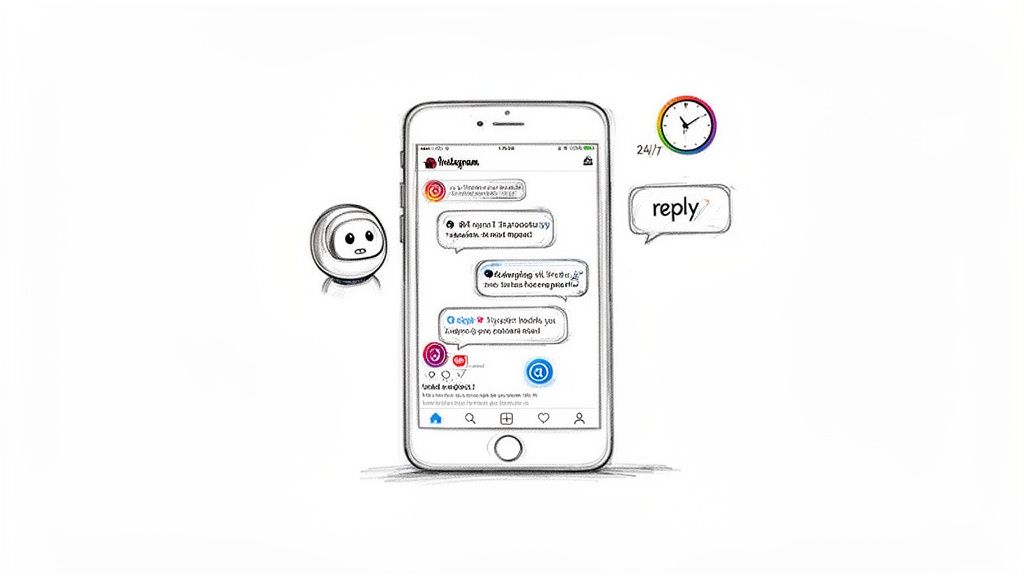
It’s about giving your brand the power to provide immediate, helpful, and on-brand responses at a scale no human team could ever manage. This isn't about replacing human connection. It's about enhancing it by handling the repetitive, high-volume work first so your team can step in where they're needed most.
This Isn’t Your Average Spammy Bot
Let's be honest, the word "automation" can conjure up images of generic, robotic replies that feel completely impersonal. But the tools we have today are a world away from those clunky old bots.
Modern, smart automation is all about creating a smooth customer journey. Instead of just slapping a generic "Thanks!" on a comment, it can do so much more:
Instantly acknowledge a comment publicly, which is a great signal for Instagram's algorithm.
Simultaneously send a personalized DM with a link, a special offer, or the exact info they asked for.
Filter out spam and profanity automatically, keeping your comment section clean and professional.
Spot high-intent keywords like "price" or "how to buy" and tag those users as hot leads for your sales team.
This completely transforms your comment section. It's no longer just a place for social chatter; it becomes a powerful engine for growing your business. It acts as your first line of engagement, sorting inquiries and guiding people to the next step.
By automating that initial touchpoint, you free up your team to focus on what humans do best: building genuine relationships and handling the complex, high-value conversations that need a real person's touch.
Why You Can't Afford to Keep Doing It Manually
For any brand that’s growing, the math just doesn't add up. Say a post gets 500 comments. If it takes you just one minute to read and reply to each one, that’s over eight hours of work. For a single post. That's a full workday gone. This approach simply doesn't scale as your audience—or your ad spend—grows.
On top of that, customer expectations have skyrocketed. People want answers, and they want them now. Studies have shown a huge chunk of users expect a brand to respond within just a few hours. If you can't meet that expectation, you risk frustrating potential customers and losing business.
Instagram comment automation bridges that gap. It delivers the instant gratification modern consumers crave, all while making sure your team's time and energy are spent where they'll have the biggest impact.
Choosing Between Meta-Approved and Unofficial Tools
When you decide to jump into Instagram comment automation, you’ll hit a fork in the road. It’s a bit like choosing between a securely built bridge and a rickety rope ladder to cross a canyon. On one side, you have Meta-approved tools. On the other, you find unofficial, often cheaper, alternatives.
The temptation to save a few bucks can be strong, I get it. But the path you choose has real consequences for your account’s safety, your brand’s reputation, and your long-term growth. Understanding the difference between these two approaches isn't just a good idea—it's essential.
The Official Route: Meta-Approved API Tools
Think of Instagram’s official Application Programming Interface (API) as a secure, sanctioned doorway. Meta (Instagram's parent company) gives select developers a special key to this door, which lets their software talk directly and safely with Instagram’s platform.
This is the only way to build automation tools that are above board. When a platform like Alto AI uses the official Meta API, it means they're playing by the rules.
Guaranteed Compliance: These tools are designed to work within Instagram’s terms of service. You won’t have to worry about accidentally violating policies that could get your account flagged or even suspended.
Account Security: Your login details and data are protected because you're connecting through an authorized channel, not just handing over your password to some random third-party app.
Reliability and Stability: Since the connection is official, it’s stable. The tool isn’t going to suddenly break when Instagram pushes an update, which means your automation keeps running smoothly.
Using a Meta-approved partner is like hiring a fully licensed and insured contractor to work on your house. They pull the right permits, follow the building codes, and you can trust them to get the job done right without putting your property at risk.
The bottom line is simple: Meta has a vested interest in protecting its users and the platform's integrity. By choosing a tool that has earned their official seal of approval, you’re aligning your brand with their standards for safety and quality.
The Dangers of Unofficial Tools
Unofficial tools don't use the secure API doorway. Instead, they try to sneak in through the window. These apps often rely on methods that directly violate Instagram's terms of service.
This usually involves web scraping (illegally copying data from the site) or running scripts that pretend to be a human logging into your account to perform actions. It might sound clever, but it’s a massive red flag for Instagram’s security systems.
The risks here are huge:
Account Suspension or Ban: This is the big one. Instagram's algorithms are built to detect and shut down accounts using unauthorized automation. Trying to recover a banned account is a nightmare, and often impossible.
Security Breaches: To use these tools, you almost always have to hand over your Instagram username and password directly. This gives them the keys to the kingdom, putting your private information and your followers' data at risk.
Unpredictable Performance: These tools are incredibly brittle. A minor update to Instagram’s code can render them useless overnight, leaving your automation—and any customer conversations—dead in the water.
This approach is the digital equivalent of giving a complete stranger a key to your business and just hoping for the best. Sure, it might work for a little while, but the potential for disaster is always lurking just around the corner. For the same reason, it's crucial to use sanctioned tools for content moderation, which you can read more about in our guide on how to use Facebook Moderation Assist. Protecting your brand across all of Meta's platforms starts with choosing the right, secure tools for the job.
How Automation Turns Comments Into Revenue
Smart Instagram comment automation does a lot more than just save you a few minutes. It can completely change the game, turning your comment section from a simple social space into a serious revenue-generating engine.
This happens when you stop seeing comments as just interactions and start seeing them as opportunities—hot leads waiting to be captured and nurtured. It’s all about building a system that works for you 24/7, making sure no potential sale ever slips through the cracks.
Think about a customer scrolling through their feed late at night. They see your ad, love the product, and comment, "How much is this?" Without automation, that question could sit there for hours. By morning, their initial excitement is gone, and so are they.
But with automation, a reply can fire off instantly: "Just sent you a DM with the details!" And at the same time, a private message with a link to buy lands in their inbox. That immediate, helpful response captures interest at its peak and creates a smooth path from discovery to purchase.
Capitalize on Every Single Comment
Every comment on your paid ad represents a direct return on your ad spend. You paid for that person to see your post and engage, so leaving their comment unanswered is like setting money on fire. Automation makes sure every single one of those interactions gets maximized.
When someone comments "Interested!" on a boosted post, a smart workflow can instantly tag them as a warm lead, shoot back a public reply to boost social proof, and kick off a sales conversation in their DMs. This doesn't just make for a better customer experience; it seriously increases the value you get from your ad budget.
By responding instantly to every ad comment, you create a frictionless sales funnel that operates around the clock, converting casual interest into qualified leads and measurable ROI.
The pressure to be fast is real. Today's customers expect answers quickly—in fact, 16% demand replies within minutes. If you can't meet that expectation, you risk losing the sale. This is where a solid automation strategy gives you a serious competitive edge, ensuring your brand is always the first to respond. You can explore more data on consumer expectations and see how automation directly addresses this need.
This decision tree shows the crucial choice between using safe, Meta-approved tools versus risky, unofficial ones for your automation strategy.
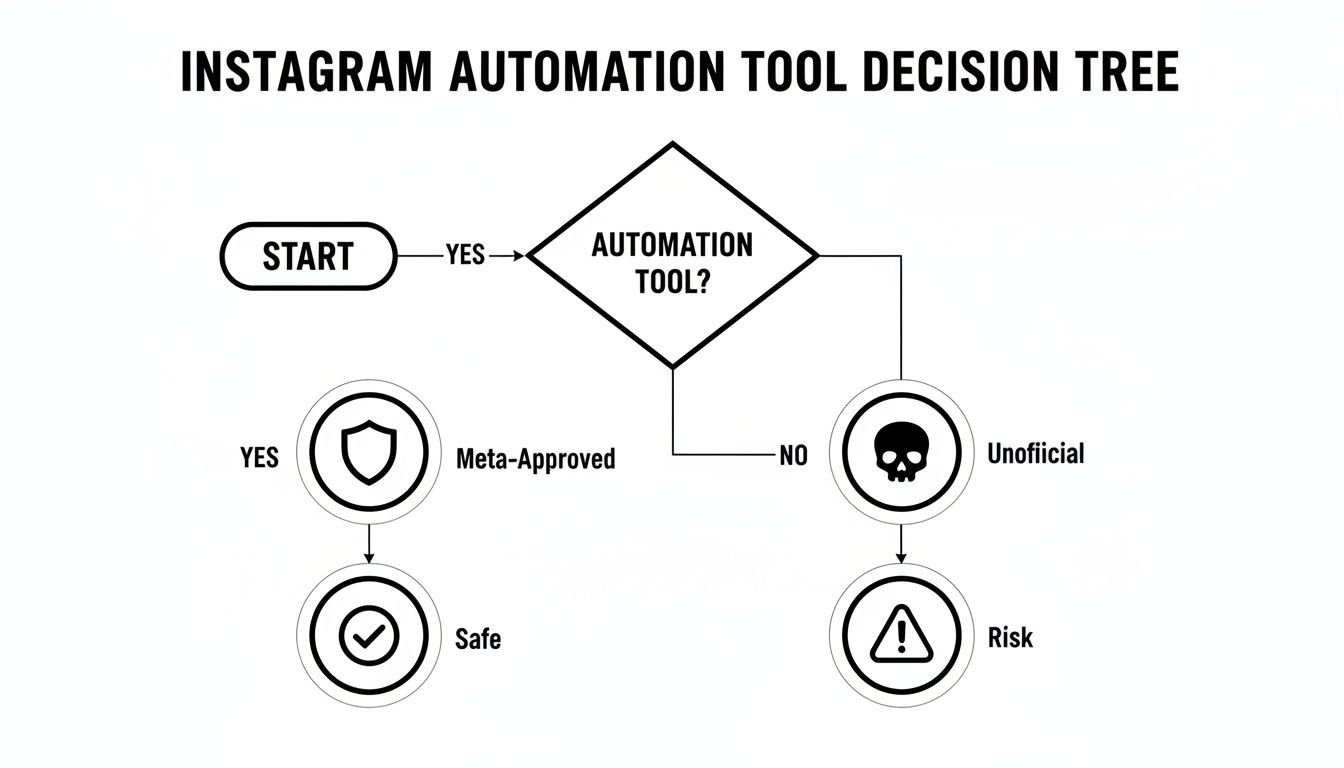
As the flowchart shows, the only sustainable path for growth and keeping your account safe is through platforms that are officially sanctioned by Meta.
Scale Your Support Without Scaling Your Team
As your brand grows, so does the flood of comments and questions. Hiring more people to manually type out answers all day is expensive and just doesn't scale well. Automation lets you deliver consistent, top-notch support without having to bloat your payroll.
This is a lifesaver for e-commerce brands that get hammered with the same questions about shipping, stock levels, or product details over and over again.
Here’s a practical look at how it works:
Keyword Triggers: You can set up automation to spot keywords like "shipping," "returns," or "sizing" in comments.
Automated Info Delivery: The moment a user comments with one of those keywords, the system instantly sends them a DM with a link to your FAQ page or a helpful pre-written answer.
Human Handoff: If a question is too complex for the bot, the system can automatically flag it and assign the conversation to a human agent, ensuring no customer gets stuck.
This hybrid approach allows a small team to manage a massive volume of interactions. The automation handles all the repetitive stuff, freeing up your support crew to focus on the tricky issues that need a personal touch. For agencies juggling multiple client accounts, this kind of efficiency is a game-changer. It turns customer service from a cost center into a lean, brand-building machine.
Setting Up Guardrails for Safe and Effective Automation
Powerful Instagram comment automation is like giving your brand a high-performance sports car—it's fast and effective, but you need some guardrails to keep it on the road. Without a thoughtful strategy, you risk coming across as robotic or, worse, letting negative comments run wild.
Setting up the right controls ensures your automation actually helps your brand instead of hurting it.
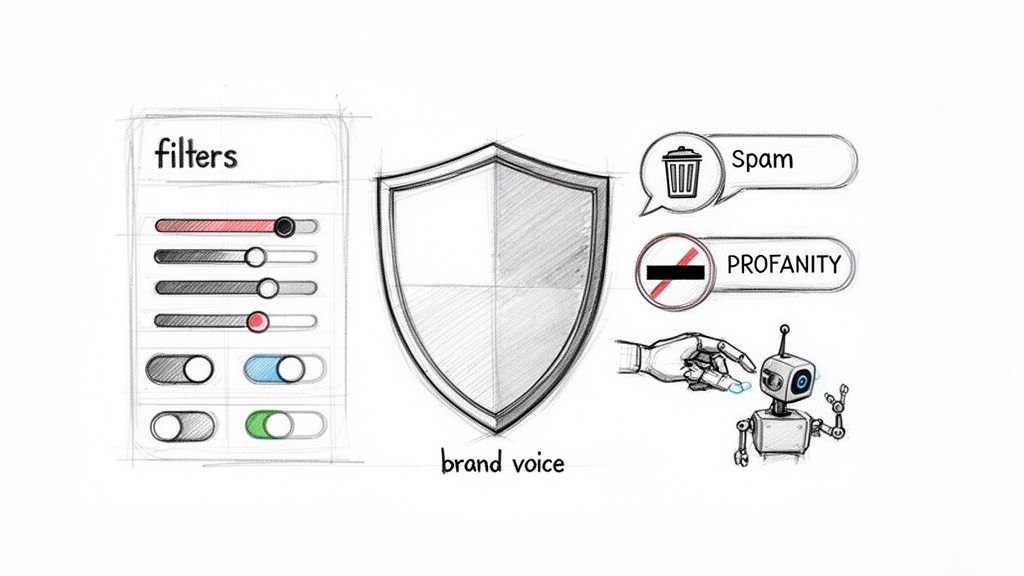
The very first step is to give your automation a personality. A generic, one-size-fits-all response is the fastest way to make your audience tune out. The goal is to create an AI personality that sounds authentically like you, whether your brand voice is witty, professional, or super friendly.
Every automated reply should feel like it came from your team, not a script.
Crafting Your Brand-Aligned AI Personality
People follow you for your unique voice, and your automation needs to nail it. Modern platforms let you go way beyond simple template responses. You can actually train an AI on your brand’s specific tone, ensuring every interaction feels right.
This involves a few key things:
Vary Your Messages: Instead of spamming the same "Thanks for your comment!" reply, create a bunch of variations. A good system can rotate through different phrases to keep the conversation from feeling stale.
Mirror Your Tone: If your brand is playful, use emojis and casual language. If you're more formal, stick to professional and direct phrasing. The AI should learn and adapt to these nuances.
Set Clear Objectives: Figure out what you want each automated interaction to achieve. Is it to answer a question, guide someone to your DMs, or just acknowledge their comment? Each goal needs a slightly different approach.
Getting this right prevents that awkward mismatch that can slowly erode trust. When your automated replies sound like you, followers feel seen and valued.
Filtering Out the Noise Automatically
Any busy comment section will eventually attract spam, trolls, and nasty language. Manually deleting these comments is a soul-crushing, never-ending job. This is where automated moderation becomes your brand’s first line of defense, working 24/7 to keep your community positive.
A clean, well-kept comment section does more than just protect your brand’s image; it encourages better engagement. In fact, we’ve seen that effective moderation can lead to a 35% increase in genuine interactions because users feel safer jumping into the conversation.
With the right platform, you can set up powerful filters that automatically deal with negative content based on keywords you define.
Here’s how it works:
Create a Blocklist: Build a list of specific words, phrases, and even emojis you want to keep out of your comment section.
Choose an Action: Decide what the system should do when it spots something on your list. You can choose to automatically hide the comment from public view or delete it completely.
Refine Your Exclusion List: Add words that might accidentally get flagged. For instance, if you sell workout clothes, you wouldn't want a comment asking for a "challenge" to trigger a negative filter.
Hiding is usually a smarter move than deleting. The original commenter can still see their post, but nobody else can. This stops them from getting angry and reposting, while still protecting your community from the negativity. Setting up these rules is a huge part of building a safe space, and you can get more ideas by checking out these community guidelines examples.
Knowing When to Reply Publicly vs. Hide
Not every comment needs a public response. The final guardrail is understanding the strategic difference between replying, hiding, and moving a conversation to DMs. A public reply is great for social proof and showing other users you’re on the ball.
But for sensitive stuff like customer support issues or order details, that conversation needs to move to a private channel, and fast.
You can set rules so that comments with keywords like "complaint" or "issue" trigger an automated DM, while positive comments like "love this!" get a public high-five. This strategic approach makes sure every interaction is handled in the best way possible.
Key Features of a Safe Automation Platform
To put these guardrails in place, you need a tool that’s built for it. A basic automation tool might handle simple replies, but a more advanced platform gives you the control needed to protect your brand and engage meaningfully.
Here’s a look at what separates the basic from the best-in-class:
Feature | Basic Automation | Advanced (e.g., Alto AI) |
|---|---|---|
Brand Voice Control | Uses static, repetitive templates. | AI-powered personality that learns your tone from past content and offers multiple reply variations. |
Spam & Profanity Filter | Simple keyword blocking. | Customizable lists for hiding/deleting, plus emoji filtering and exclusion rules. |
Sentiment Analysis | None. Treats all comments equally. | Identifies positive, negative, and neutral comments to trigger different, appropriate actions. |
Strategic Actions | Can only reply publicly. | Can reply publicly, hide comments, delete comments, or send an automated DM based on keywords. |
Human Handoff | All comments are automated, or none are. | Automatically flags complex or sensitive comments for a human team member to review. |
Ultimately, choosing an advanced platform gives you the nuance and control required to run comment automation that feels helpful and human, not just robotic. It’s about having the right tools to build a better, safer community around your brand.
Real-World Examples and Reply Templates You Can Use
Theory is one thing, but seeing Instagram comment automation in action is where the lightbulb really goes on. This isn't just about blasting out generic replies; it's about crafting specific, goal-oriented workflows that turn casual comments into real business outcomes.
Let's walk through how different businesses can use this, complete with templates you can adapt right away.
For E-Commerce Brands Driving Product Sales
Picture this: you post a Reel showing off your new summer collection. Almost immediately, comments like "Price?" and "Do you have this in blue?" start rolling in. An automated workflow can handle this beautifully.
Comment Triggers: "price," "how much," "link," "available," "buy"
Public Reply Template: "Great question, @[username]! We just sent all the details over to your DMs. ✨"
Automated DM Template: "Hey @[username]! So glad you're loving the new collection. You can check out all the colors and pricing right here: [Link to Product Page]. Let us know if you have any other questions!"
This single move pulls off three things at once. It gives an instant answer, pulls the sales conversation into a private channel, and leaves a public reply that nudges other curious followers to comment, too.
For Course Creators Generating Webinar Leads
A course creator or coach might run a carousel ad for an upcoming free webinar. The name of the game is getting sign-ups from people the second they show interest.
Comment Triggers: "interested," "sign me up," "webinar," "details please," "send link"
Public Reply Template: "Awesome, @[username]! The registration link is on its way to your DMs right now. Can't wait to see you there!"
Automated DM Template: "Hey @[username], you're in! Here's the exclusive link to save your spot for the webinar: [Webinar Registration Link]. We'll be covering [Topic 1] and [Topic 2], so get ready to take some notes!"
This workflow grabs leads at their absolute peak moment of interest. By killing the friction of having to find a link in your bio, you can seriously boost sign-up rates for lead magnets and events.
This whole strategy is part of a bigger shift toward what's known as permission-based marketing. Instead of pushing unsolicited messages, you're delivering content users have actively asked for. Platforms are leaning into this, setting up systems where users only get promotional DMs if they explicitly engage with certain keywords. It just works better. You can learn more about how auto-DM campaigns can skyrocket your lead generation.
For Local Businesses Managing Appointments
A local service business, like a hair salon or a personal trainer, can use automation to cut down on the back-and-forth of booking inquiries and manage their schedule way more efficiently.
Comment Triggers: "book," "appointment," "availability," "schedule," "how to book"
Public Reply Template: "We'd love to get you scheduled, @[username]! Check your DMs for a direct link to our booking calendar."
Automated DM Template: "Hi @[username]! Thanks for reaching out. You can view our team's availability and book your next appointment directly through this link: [Link to Booking Calendar]. Let us know if you have any trouble finding a time that works for you!"
By setting up these simple but powerful workflows, you turn your comment section from a chaotic free-for-all into a well-oiled machine that nurtures leads, answers questions, and drives revenue—all without you lifting a finger.
You’ve got your strategy sketched out, so now comes the big decision: picking the right tool to make it all happen. Choosing an Instagram comment automation platform isn't just about ticking off feature boxes. It’s about finding a partner that will protect your brand and actually help you grow.
The reality is, not all tools are created equal. The wrong one can do more harm than good, quickly undermining all your hard work. There are a few non-negotiables that separate a professional, reliable tool from a risky gimmick.
Core Features You Cannot Compromise On
Think of these as the absolute must-haves. Without them, you won't have the control or safety nets needed to automate responsibly, especially as you start to scale.
Official Meta API Approval: This is the big one. If a platform isn’t built on the official Meta API, walk away. It’s the only way to guarantee you’re playing by Instagram’s rules and protecting your account from getting flagged or, worse, suspended.
A Unified Smart Inbox: Your team shouldn't have to bounce between DMs, story replies, and comment threads. A unified inbox brings every conversation from your organic posts and ads into one place. It’s a massive win for efficiency and makes for a much smoother customer experience.
Advanced Filtering and Moderation: Before you even think about replying, you need to clean up the noise. Look for robust tools that can automatically hide spam, profanity, and troll comments. Platforms like Alto AI let you set up custom filters to keep your community safe. You can learn more about this in our guide on how to block bad words with the Facebook profanity filter.
Detailed Analytics and Reporting: You have to know what's working. A solid platform gives you clear data on response rates, comment sentiment, and how many leads you're capturing. This is how you measure ROI and make smart tweaks to your strategy over time.
Look for Seamless Integration and Customization
Beyond the basics, the best tool should slot right into your existing workflow without causing a headache. It needs to connect with the rest of your marketing stack, like your CRM or email platform, so you can pass lead data from Instagram comments directly into your sales funnel.
Customization is also what keeps your automation from sounding robotic. Look for features that let you build an AI personality that sounds like you. For instance, tools like Alto AI can be trained on your past content, ensuring every automated response is consistently on-brand.
Instagram comment automation has emerged as a critical efficiency tool for businesses, with marketers reporting potential time savings of up to 175 hours per month by automating just 50% of their comment moderation. For the 64% of marketers juggling multiple job responsibilities, these time savings are essential for operational efficiency. Discover more insights about marketing automation statistics.
Your Action Plan for Getting Started
Ready to put a powerful, safe automation strategy in place? Just follow these simple steps:
Define Your Primary Goal: What are you trying to achieve? Is it lead capture, better customer support, or just a big boost in engagement? Getting clear on this will guide every other decision you make.
Select a Compliant, Meta-Approved Tool: Don’t cut corners here. Prioritize platforms that offer the core features we just covered to ensure your account stays safe for the long haul.
Configure Your Brand Voice and Guardrails: Before you flip the switch, set up your AI personality. And just as importantly, get your spam and profanity filters dialed in.
Monitor, Measure, and Optimize: Keep a close eye on your analytics to track your KPIs. Don’t be afraid to test and refine your keyword triggers and reply templates to keep improving performance.
Frequently Asked Questions About Comment Automation
Jumping into comment automation can bring up some solid questions. You want to make sure you're growing your brand the right way—safely and effectively, without losing that authentic connection you’ve worked so hard to build.
Let's get right into the most common concerns and give you clear, direct answers.
Will Instagram Ban My Account for Using Comment Automation?
This is the big one, and the answer is refreshingly simple: your account is safe as long as you use a Meta-approved tool.
Platforms like Alto AI are built using the official Messenger API for Instagram. This means they are designed to play by Instagram's rules, not against them. Think of it as the officially sanctioned, handshake-approved way to automate.
The real danger comes from unofficial, sketchy apps. These tools often get you in trouble by scraping data or using scripts that try to trick Instagram into thinking it's a real person. Using them is the fastest way to get your account flagged, restricted, or even permanently banned. Always, always check that your chosen tool is an official Meta Business Partner to keep your account secure.
Will Automated Comments Sound Robotic and Hurt My Brand?
It's a legitimate fear. Nobody wants their brand to sound like a generic, impersonal robot. But modern automation tools are built specifically to avoid this. The secret is all in the customization.
Advanced platforms let you build an AI personality that actually learns from your past posts and comments to match your brand's unique voice. You can also set up dozens of different reply variations for common keywords, so your responses never feel stale or repetitive.
The point of smart automation isn’t to fool your followers. It’s to handle the first wave of high-volume interactions—like acknowledging a comment and inviting them to chat in DMs—so your team can jump in for deeper, more meaningful conversations.
This approach actually makes your brand look better. It shows you're paying attention and makes every single follower feel seen, without burning out your social media manager.
How Do I Measure the Success of My Automation Strategy?
Figuring out if it's "working" starts with knowing what you want to achieve. Are you aiming to capture more leads? Slash your response times? Free up your team from tedious manual work? The right KPIs depend entirely on your goal.
Here are the most important metrics you should be tracking:
Response Rate: What percentage of comments are getting a reply? The goal here is to get as close to 100% as possible.
Time-to-Response: How fast is your bot replying? This should be almost instant.
Lead Capture Rate: Out of all the comments you get, how many turn into a real DM conversation or a qualified lead for your sales team?
Manual Labor Reduction: Keep a tally of the comments automatically hidden, replied to, or routed. This number represents real time and money saved.
Good automation platforms have analytics dashboards built right in to monitor these KPIs. But at the end of the day, the most important metric is the impact on your bottom line—a measurable lift in sales or leads that came directly from your Instagram engagement.
Ready to turn your comment section into a 24/7 sales and support engine? Alto AI pulls all your comments and DMs into one smart inbox, filters out the noise, and replies instantly in your brand's voice. Discover how Alto AI can help you capture every lead and protect your brand today.