How to Reply to Comments on Instagram (and Boost Your Reach)
Learn why replying to comments on Instagram is a key growth strategy. Our guide covers how to reply, automation, and tools to boost engagement and leads.

Alto AI
on
Feb 22, 2026
How to Reply to Comments on Instagram (and Boost Your Reach)
Replying to comments on Instagram isn't just good manners—it’s the single most underrated strategy for boosting your reach. Ignoring your comment section is like leaving sales leads and brand loyalty on the table. When you turn comments into conversations, you signal to the algorithm that your content is valuable, pushing it to a wider audience and driving real growth.
This guide breaks down exactly how to turn your comment section from a simple notification feed into a powerful engine for building your brand. We'll cover everything from crafting the perfect reply to building an efficient workflow that saves you time and captures every opportunity.
Why Replying to Comments Is Your Secret Growth Hack
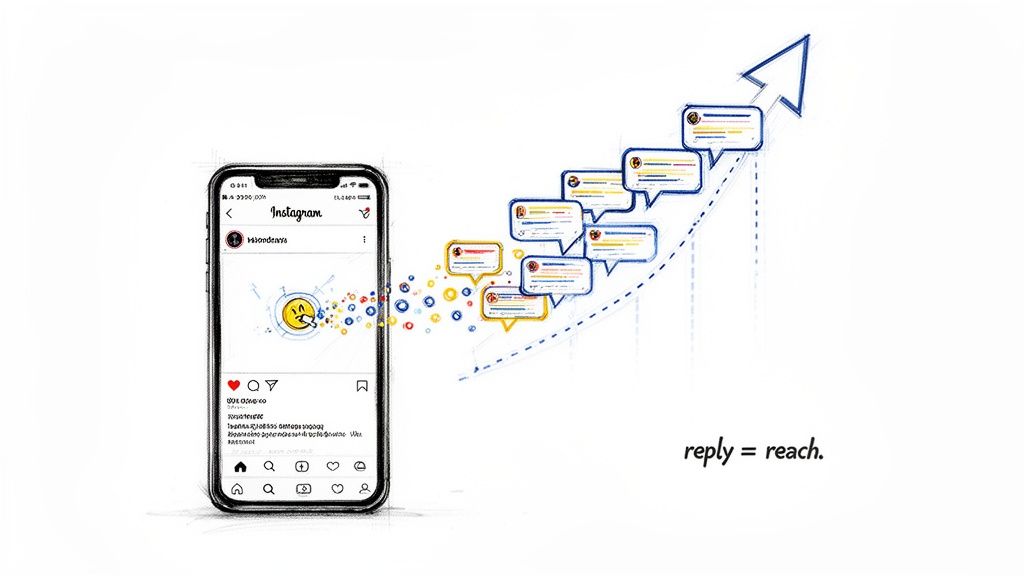
Too many brands see their comment section as a chore—a place for quick "thank yous" or damage control. This is a massive missed opportunity. Your comment section is a direct line to the Instagram algorithm and a goldmine for building community, trust, and even sales.
Every reply you send does more than just acknowledge a follower; it actively works in your favor. The algorithm interprets a back-and-forth exchange as a sign of high-quality, engaging content. It sees your post is sparking genuine interaction, a much stronger signal than a passive 'like'.
The Conversation Multiplier Effect
Think of each comment as an invitation. When a user comments and you reply, you've just doubled the interaction. If they reply back, you’ve tripled it. This chain reaction tells Instagram's algorithm your content is worth showing to more people.
This has a direct impact on your post's performance:
Increased Reach: The algorithm prioritizes posts with high engagement, pushing them onto more feeds and even the Explore page.
Better Ad Performance: For paid campaigns, higher organic engagement can lead to a better ad relevance score, often meaning lower costs.
Stronger Community: Consistent interaction makes followers feel valued, turning passive viewers into loyal brand advocates.
Key Takeaway: The more conversations you start in the comments, the more the algorithm will reward you with visibility. It's that simple.
The Data Proves It: Replies Drive Engagement
This isn't just theory; the numbers back it up. Replying to comments is a proven way to improve social media engagement and a well-kept secret for many growing brands.
In an analysis of over 700,000 posts, data scientist Julian Winternheimer found that accounts actively replying to comments saw 21% higher engagement on average. You can dig into the full findings from Buffer to see how this plays out across thousands of accounts.
This simple action signals you are an active, engaged creator—exactly what the platform promotes. Ignoring comments sends the opposite signal, which can stifle your reach.
The Impact of Replying vs Ignoring Comments
Metric | With Replies | Without Replies |
|---|---|---|
Algorithmic Signal | High value, conversation-worthy content | Low value, passive content |
Organic Reach | Boosted visibility and Explore page potential | Stagnant or declining reach over time |
Community Building | Fosters loyalty and user-generated content | Creates a one-way, transactional feel |
Lead Generation | Uncovers and captures sales opportunities | Misses buying signals and questions |
By making replies a core part of your strategy, you’re not just managing your community; you’re actively fueling your growth engine. This habit is also a cornerstone of effective social media lead generation, as it opens the door to direct conversations with potential customers. The next sections will get into the nitty-gritty of how to craft these powerful replies.
How to Craft Replies That Build Your Brand
Think of every comment as a fork in the road. A generic "Thanks!" is a dead end. But a thoughtful, intentional reply opens up a path to a real connection, brand loyalty, and even sales.
The secret is to stop just acknowledging comments and start having conversations. To do that, you need a game plan for the different types of comments you'll get. Your goal isn't just to be polite; it's to steer the conversation in a way that helps your brand and your follower.
Turn Praise into a Conversation
Positive comments are a gift, but most brands squander them with a quick emoji or a bland, "So glad you like it!" Don't just accept the compliment—return the serve and keep the rally going.
The simplest way is to ask a follow-up question. This small shift makes the commenter feel valued and coaxes them into replying again. That extra back-and-forth adds up, creating the kind of comment threads the Instagram algorithm loves.
Here's how to turn a compliment into an engaging exchange:
User Comment: "I love this new collection! The colors are amazing."
Generic Reply: "Thanks so much! 😊"
Better Reply: "Thank you! We're so excited about them. Which color is your favorite?"
User Comment: "This tutorial was so helpful!"
Generic Reply: "You're welcome!"
Better Reply: "That's awesome to hear! What will you be trying out first from the tutorial?"
See the difference? You’re inviting them to share more, which deepens the connection and boosts your post's visibility.
De-Escalate Negative Feedback Gracefully
Negative comments are going to happen. It's not a matter of if, but when. How you handle them publicly says everything about your brand's character. The worst things you can do are get defensive or delete them.
Instead, follow a simple two-part process: Acknowledge Publicly, Resolve Privately.
This strategy shows everyone else that you take feedback seriously and are quick to fix problems, which builds trust with your entire audience, not just the person who complained.
Pro Tip: Never get dragged into a long debate in the comments. Your goal is to show you're responsive, not to win an argument. The public comment section is for de-escalation; your DMs are for resolution.
Let's walk through a common scenario:
User Comment: "I ordered this two weeks ago and it still hasn't shipped. I'm really disappointed."
Bad Reply: "All shipping times are clearly stated on our website. Please check there."
Good Reply: "We're so sorry to hear about the delay with your order—that's definitely not the experience we want for our customers. We're sending you a DM right now to get your order number and sort this out for you immediately."
The good reply validates the customer's frustration, takes ownership, and swiftly moves sensitive details to a private channel. For a deeper dive, check out our full guide on how to respond to negative comments.
Spot and Nurture Buying Signals
Your comment section is an active sales floor, but the signals are often subtle. People might not say, "I want to buy this," but they'll ask questions that show they're getting close. Your job is to recognize these questions and make it easy for them to take the next step.
Common buying signals often come as questions about:
Price ("How much is this?")
Availability ("Is this available in blue?")
Sizing or Fit ("Does this run true to size?")
Usage or Compatibility ("Will this work with X model?")
Your reply needs to be a "soft conversion"—helpful and direct, but not pushy.
Example Scenario: You've just posted a photo of a new skincare product.
User Comment: "Does this contain hyaluronic acid? My skin is super sensitive."
Okay Reply: "Yes it does!"
Excellent Reply: "Great question! Yes, it includes hyaluronic acid and is formulated for sensitive skin. We have the full ingredient list on the product page if you'd like to see everything in it. We can send you the direct link in a DM if that's helpful!"
The second reply does so much more. It answers the question, addresses the underlying concern (sensitivity), points them toward more info, and offers to make their next click even easier. That's social selling in action.
Building an Efficient Comment Management Workflow
As your Instagram account grows, what starts as a fun trickle of comments can quickly turn into an overwhelming flood. Without a system, you're looking at burnout and missed sales opportunities. The goal here isn't just to reply faster—it's to reply smarter.
The key is shifting from a reactive mindset to a strategic one. This means prioritizing comments based on their potential impact. Let's be honest, a fire emoji is not the same as a detailed product question or a customer complaint.
Prioritize Comments for Maximum Impact
First, categorize incoming comments to tackle the most critical ones first. This ensures your limited time is spent where it will make the biggest difference.
Here’s a simple but effective way to structure your priorities:
Urgent Issues & Negative Feedback: These always jump to the front of the line. A fast, public response can stop a minor issue from spiraling and shows everyone watching that you care.
Sales-Related Questions: Comments asking about price, stock, or product features are blatant buying signals. Answering these quickly can directly convert a follower into a customer.
In-Depth Questions & Conversation Starters: These come from your most engaged followers. Thoughtful replies here build a much deeper sense of community and send great signals to the Instagram algorithm.
Simple Praise & Positive Mentions: These are wonderful, but they can wait until the more urgent stuff is handled. A quick 'like' on the comment often suffices.
This tiered approach helps you cut through the noise and ensures no crucial conversation gets buried.
Set Realistic Response Time Goals
Here's a secret: consistency beats speed every time. While instant replies are a nice ideal, they're not sustainable for most businesses. It's far better to set a realistic goal and stick to it, so your audience knows what to expect.
A great target to aim for is replying to 80-100% of comments within 24 hours. Pay special attention to the 30-40% of comments that are multi-sentence or ask direct questions—these are your golden opportunities for engagement.
When you set a clear 24-hour response window, you're creating a reliable experience. Your audience learns that if they reach out, you'll listen. That builds serious trust.
Unify Your Inbox for Total Control
Jumping between the Instagram app, your DMs, and ad manager is a recipe for missed comments. As you grow, a centralized inbox isn't a luxury; it's a necessity. This is where a dedicated social engagement tool, like Alto AI, becomes a game-changer.
A smart inbox pulls every interaction—comments and DMs from organic posts and ads—into one manageable dashboard. Suddenly, you have a bird's-eye view of every conversation happening around your brand.
This flowchart shows how to sort comments to keep your workflow streamlined.
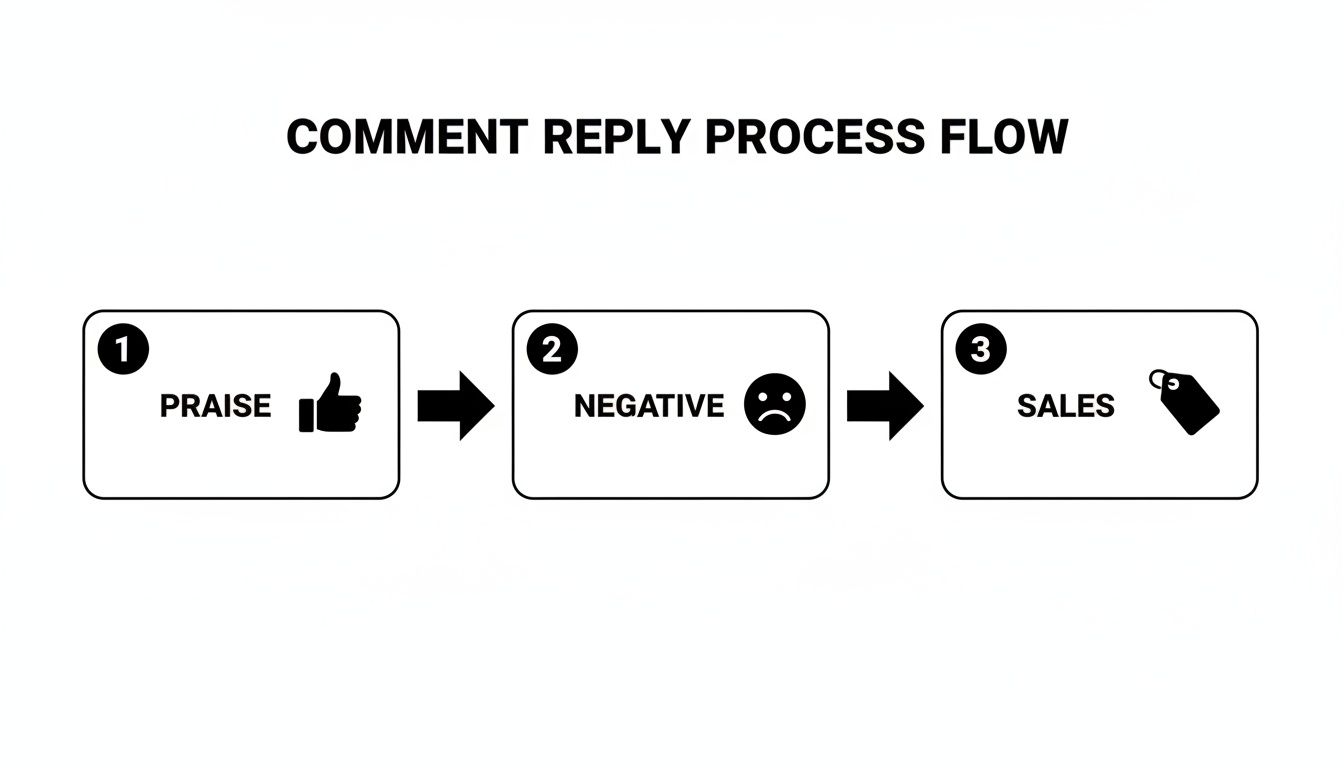
Instead of hunting through notifications, you can see everything at a glance, track replies, and assign conversations to team members. It eliminates the risk of two people accidentally replying to the same comment or, even worse, a high-value sales lead getting ignored.
Plus, having the ability to search in Instagram comments from a single dashboard saves countless hours. This organized approach is the foundation for scaling your engagement without scaling your stress.
Using Automation Without Sounding Like a Robot
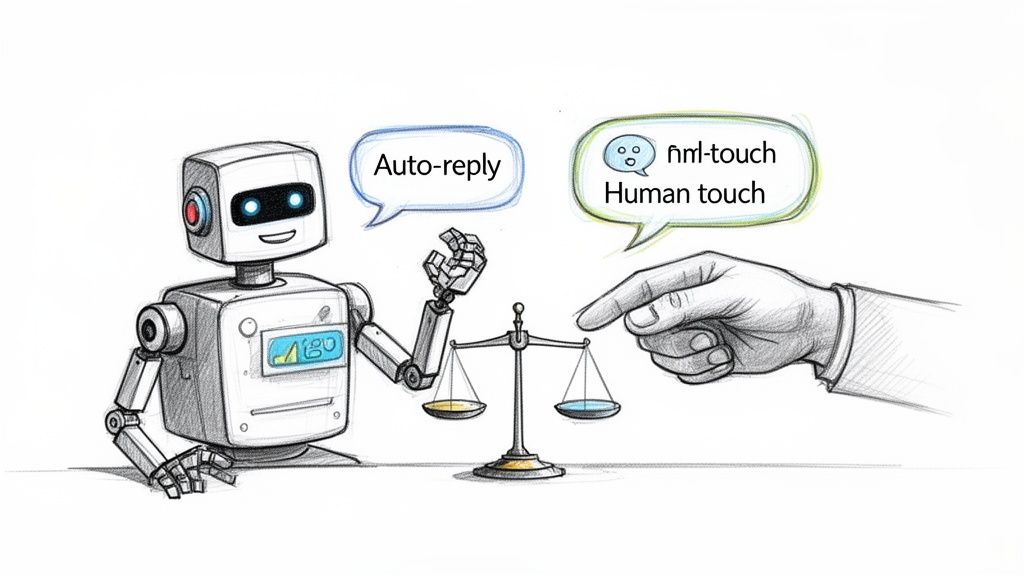
Automation can be a massive asset or a quick way to alienate your audience. The difference is strategy. The goal isn’t to replace human connection but to clear the path for it, freeing up your team to focus on the conversations that truly matter.
Think of smart automation as a filter, not a substitute for a real person. It can instantly triage the flood of repetitive comments, so your social media managers can jump into meaningful dialogues.
The Right Way to Automate Instagram Replies
Effective automation starts by drawing a clear line between what's predictable and what needs a human touch. Your strategy should focus on automating tasks that are repetitive and time-sensitive.
Consider the comments you see every day. Questions like "Price?" or "Do you ship to Canada?" are perfect candidates. An AI can deliver a consistent, factual answer instantly, capturing a potential customer's interest while it's hot.
These are prime use cases for smart automation:
Answering FAQs: Instantly reply to common questions about pricing, shipping, or availability.
Filtering Spam: Automatically hide or delete comments with banned words or sketchy links.
Keyword Triggers: Set up rules to send specific info when users mention words like "discount" or "tutorial."
This approach ensures your followers get immediate answers to simple queries, improving their experience.
Protecting Your Brand Voice with AI
The biggest fear with automation? Sounding like a bot. Luckily, modern AI tools solve this with deep customization. Instead of one canned response, you can create multiple reply variations for the same trigger, making each interaction feel more organic.
Platforms like Alto AI take this further by letting you build a custom AI personality. You feed it examples of your best replies, and it learns to mimic your specific tone, phrasing, and even your favorite emojis. The result is an AI that sounds less like a machine and more like a well-trained member of your team.
This is the key: an AI shouldn't just fire off a reply; it should adopt your brand's voice. When set up right, your followers won't even realize they're interacting with an automated system for those first-touch, simple questions.
This consistency is vital for maintaining your brand's integrity.
Knowing When a Human Is Needed
The real power of automation lies in recognizing its own limits. A smart system doesn't try to handle everything. Instead, it acts as a triage nurse, sorting comments and flagging them for the right person.
AI can use sentiment analysis to tag comments as positive, negative, or an urgent question. A comment like, "My order arrived broken!" can be automatically flagged and assigned to a customer support specialist, ensuring a fast human response where it's needed most.
This table breaks down common scenarios to help you create the right workflow.
Manual vs Automated Replying Scenarios
Comment Type | Best Approach (Manual/AI) | Reasoning |
|---|---|---|
Simple FAQs ("Price?") | AI Automation | Speed and consistency are crucial. An AI can answer instantly 24/7. |
Negative Feedback | Human | Requires empathy, nuance, and problem-solving that only a person can provide. |
Detailed Product Questions | Human | Often requires deep knowledge and follow-up questions to give a helpful answer. |
Spam or Profanity | AI Automation | Immediately hide or delete to maintain a safe and positive community environment. |
High-Praise/Testimonials | Human | A personal thank you builds a much stronger connection with your top brand advocates. |
By separating the manual from the automated, you create a hybrid system that gives you the best of both worlds: efficiency and genuine connection. You can dive deeper into striking this balance in our guide to Instagram comment automation.
This division of labor ensures your team's valuable time is spent building relationships, not answering the same question for the hundredth time.
Measuring the ROI of Your Comment Strategy
Managing Instagram comments isn't just community building—it's a performance marketing channel with a tangible return on investment (ROI). If you aren't tracking the right numbers, you're flying blind. You can't prove the value of your work or tie your efforts back to actual business goals.
Every reply has the potential to impact your bottom line. It could nurture a lead, rescue a sale, or make your paid ads more efficient. Stop seeing comments as a chore and start treating them as the data-rich asset they are.
Key Performance Indicators (KPIs) to Track
To prove the value of your strategy for replying to comments on Instagram, you have to look past vanity metrics like likes. Instead, zero in on the numbers that show how engagement directly contributes to business outcomes.
A solid approach to tracking social media engagement tells the story of your performance.
Here are the essential metrics you should be watching:
Response Rate: The percentage of comments you reply to. Aim for 80-90% to show your audience you're listening.
Average Response Time: How fast are you? A speedy reply for a sales or support question can be the difference between closing a deal and losing a customer.
Sentiment Analysis: Are conversations around your brand generally positive, negative, or neutral? Watching sentiment trends helps you monitor your brand's health.
Leads Generated from Comments: Track how many comments asking about price, availability, or features turn into paying customers.
Connecting Comment Replies to Ad Performance
Your organic comment strategy has a direct and powerful impact on your paid ad campaigns. The Instagram ad algorithm loves relevance, and a post buzzing with genuine engagement is a huge signal of relevance.
By actively replying to comments on your ads, you can improve your ad's relevance score. A better score often translates into a lower cost-per-click (CPC) and a higher return on ad spend (ROAS). You’re making your ad dollars stretch further, just by having a conversation.
Key Insight: Think of every reply on an ad as a micro-optimization. You're not just answering a question; you're sending a positive signal to the algorithm that can bring down your overall ad costs.
Instagram's algorithm cares more about comments than likes. A healthy post usually hits a 2-5% comment-to-like ratio. A post with 100 likes and 10 comments (10% ratio) will often outperform one with 10,000 likes and only 20 comments (0.2% ratio) in the algorithm’s eyes.
Using Analytics to Make Data-Driven Decisions
Trying to track these metrics manually is a recipe for disaster. It's not scalable. This is where a smart inbox tool with built-in analytics becomes a non-negotiable part of your tech stack.
Platforms like Alto AI give you a central dashboard that automatically tracks your team’s response rates, response times, and total comment volume. In a single glance, you can see how efficiently your team is handling conversations and spot any workflow bottlenecks. For a deeper dive, check out our guide on AI for social media marketing.
Armed with these insights, you can make informed decisions. You can staff up during your busiest hours, tweak saved replies based on what drives sales, and, most importantly, prove the concrete business value of your hard work.
Your Top Instagram Comment Questions Answered
Navigating Instagram comments can feel like a full-time job. But with a clear game plan, you can handle anything thrown your way. Here are the most common questions we hear, with practical answers you can use today.
How quickly should I reply to a comment?
Aim for a response within 24 hours. While an instant reply is great for a hot sales lead or an urgent issue, consistency builds trust.
Setting a reliable 24-hour window shows your audience you're listening without burning out your team. It’s the sweet spot—fast enough to keep a conversation going but realistic enough for most businesses to manage.
Should I reply to every single comment?
The goal is to reply to most, but you need to prioritize. Pour your energy where it has the biggest impact. It's critical to respond to direct questions, negative feedback, and any comment that signals buying intent.
For single-emoji comments or generic praise like "Nice!", a quick 'like' is often enough. It acknowledges the person and shows appreciation without requiring a full written response, helping you manage a high volume of comments.
What's the best way to handle trolls or spam?
Simple: don't engage. Trolls are looking for attention. Arguing with them in public only gives them a bigger platform. Instead, use Instagram’s tools to shut them down quietly.
For Trolls: Use the "restrict" feature. It makes their comments visible only to them and you. They think they're being heard, but they aren’t disrupting your community.
For Spam: Just delete the comment and block the account. No hesitation. Spam comments offer zero value and can make your brand look less credible.
Your comment section is your digital storefront. You have every right to keep it clean, respectful, and safe for your actual followers.
Is it okay to delete negative comments?
You should almost never delete a comment that contains genuine feedback, no matter how harsh. Deleting legitimate criticism makes you look defensive and like you have something to hide. It can turn a small issue into a PR nightmare.
Instead, stick to the "Acknowledge Publicly, Resolve Privately" approach. A quick public reply showing you're on it, followed by a move to DMs to solve the problem, builds more trust than pretending the issue doesn't exist.
The only time you should delete a comment is if it's pure spam, uses offensive language, or is a personal attack that has nothing to do with your business.
Ready to turn your comment section into a sales engine? Meet Alto AI. It pulls all your comments and DMs into one smart inbox, uses AI to reply in your brand's voice, and filters out the noise so you can focus on high-intent leads. Stop missing sales and start building a loyal community—effortlessly. https://meetalto.ai