Best Time to Post on Instagram: 2025 Data-Driven Guide
Discover the powerful features that will transform how your team collaborates and manages projects.

Alto AI
on
Jan 12, 2026
Every dollar you put into Facebook ads is meant to drive people to your landing page. But what’s the first thing they really see? The public conversation happening right there in the comments.
Treating Facebook ads comment moderation as a tedious chore is a massive mistake. It's actually a critical strategy for protecting your ad spend, your brand's reputation, and ultimately, your Return on Ad Spend (ROAS).
Why Your Ad Comments Define Your Brand and Your ROAS
Think of your ad's comment section as a live, public focus group running 24/7. It's often the very first layer of social proof a potential customer sees. The state of that conversation can make or break your campaign's performance before anyone even thinks about clicking your link.
An unmanaged comment section quickly turns from an asset into a liability.
The Hidden Costs of Neglect
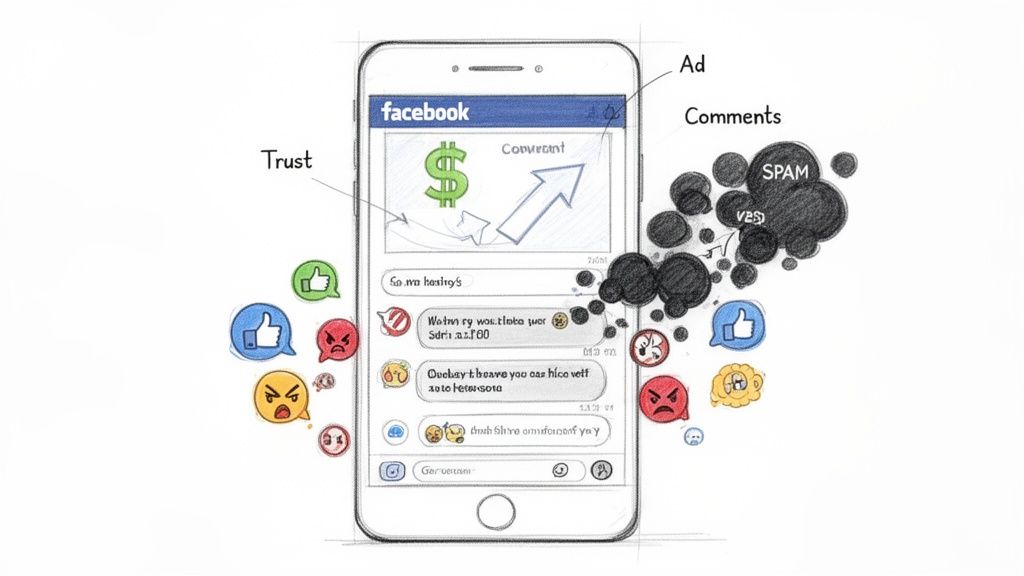
Unchecked comments are a silent budget killer. When potential customers scroll by and see spam, unresolved complaints, or even competitors trying to poach your audience, their trust in your brand evaporates on the spot.
This kind of digital chaos sends all the wrong signals to Meta's algorithm, too. It can flag your ad as low-quality, which might just drive your costs up.
This mess has a direct, painful impact on your key metrics:
Eroding Trust: Spam links and a flood of negative sentiment make your brand look unprofessional. Conversion intent dies right there.
Competitor Poaching: Let's be real, unmoderated comments are a playground for competitors to drop their own links and hijack the traffic you just paid for.
Reduced ROAS: A prospect who is put off by a messy comment section will just keep scrolling. That's a wasted impression you paid for and a direct hit to your return.
Wasted Clicks: Sometimes, people click just to get a closer look at the drama in the comments, leading to sky-high bounce rates and completely wasted ad spend.
Proactive moderation isn't just "nice to have"—it's an essential pillar of any high-performing paid social strategy. It’s about controlling the narrative, protecting your investment, and making sure the environment you paid to create actually fosters trust and drives conversions.
The first real step is building a clear set of rules. If you need some help, our post on creating practical community guidelines examples is a great place to start. Getting this foundation right sets the stage for building a moderation system that's both effective and scalable.
Your First Line of Defense with Meta's Native Tools
Before you even think about third-party tools or complex automation, your first stop for moderating comments on Facebook ads is right inside Meta Business Suite. These built-in tools are your essential first line of defense. They’re surprisingly effective at catching the most obvious junk before it can poison your comment section and hurt your brand.
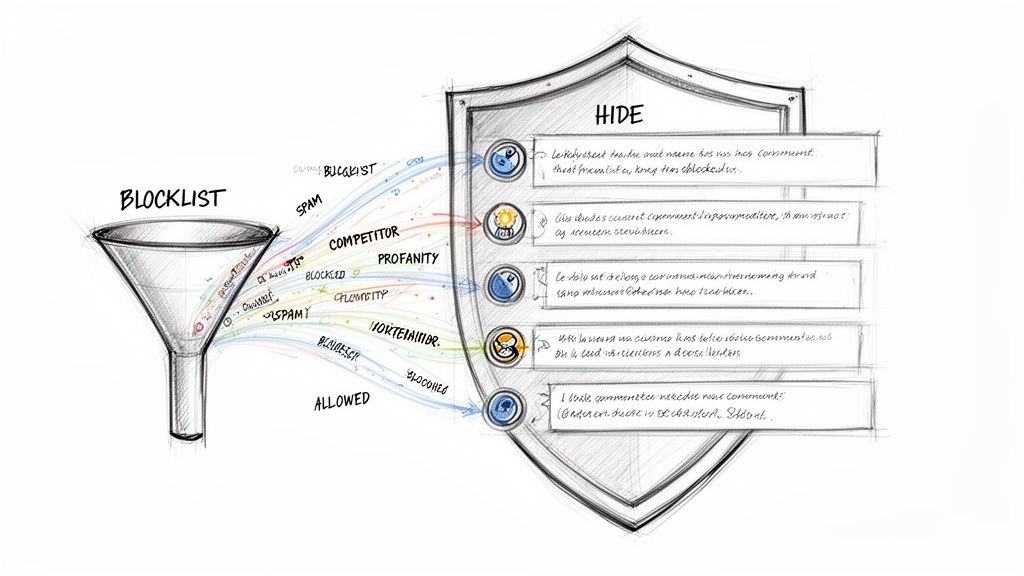
Think of it as setting up the basic security system for your ad campaigns. It's a simple, powerful filter that works for you 24/7, and it all boils down to two key features: the Profanity Filter and a custom keyword blocklist that Meta calls "Hide comments with certain words."
Activating the Profanity Filter
First things first, let's get that profanity filter switched on. You'll find it in your Page settings under "Followers and public content." Just find the option to "Hide posts and comments with profanity" and toggle it on.
Meta maintains its own ever-growing list of commonly reported offensive words and phrases. It’s not going to catch every nuanced insult, but it's a non-negotiable first step. With a single click, you instantly clean up a huge chunk of toxic language. Done.
Building Your Custom Keyword Blocklist
This is where you get to be more strategic. The "Hide comments with certain words" feature is your secret weapon, letting you create a custom list of up to 1,000 keywords, phrases, and even emojis you want to keep out of sight.
When a comment contains anything on your list, Meta automatically hides it. The best part? The person who posted it (and their friends) can still see their own comment. This is brilliant because it prevents them from realizing they've been moderated, which means they won't get angry and try to post again. They just think they're being ignored.
A great blocklist isn’t just reactive; it’s proactive. You should be thinking about what could be said, not just what’s already been said. Start with these categories:
Obvious Spam: Get rid of the "DM me," "check my bio," "free followers," and crypto-scam nonsense.
Competitor Poaching: Block the names of your direct competitors to stop them from hijacking your audience right under your nose.
Brand Attacks: Add terms like "scam," "fake," "don't buy," and "terrible service."
Price Complaints: Words like "overpriced," "too expensive," or "cheaper on" can derail a conversation fast. Hiding them prevents new prospects from getting anchored to a negative price perception.
A B2B SaaS company, for example, would be smart to block the names of its top three competitors and phrases like "better alternative." Meanwhile, an e-commerce brand should absolutely block terms like "Amazon," "AliExpress," and "long shipping" to maintain control of the conversation.
We dig deeper into more advanced configurations in our guide on how to use Facebook Moderation Assist.
Here's a starting point for e-commerce brands looking to build a robust blocklist from day one.
Starter Keyword Blocklist for E-commerce Brands
Category | Example Keywords | Purpose |
|---|---|---|
Competitor Mentions |
| Prevent users from directing your prospects to other marketplaces or competitors. |
Spam & Scams |
| Filter out common bot and scam comments that cheapen your brand. |
Price Complaints |
| Avoid negative price anchoring and keep the focus on value, not just cost. |
Service Issues |
| Hide specific support complaints so you can address them privately and professionally. |
Brand Attacks |
| Protect brand reputation from broad, damaging accusations. |
This table isn't exhaustive, of course, but it gives you a solid foundation to build upon. The goal is to continuously refine this list based on the actual comments you see on your ads.
It's crucial to remember that Meta's tools, while helpful, have their limits. Facebook’s AI handles over 90% of reported content on the platform, but its primary job is enforcing broad Community Standards—not protecting your specific brand from subtle attacks or competitor poaching on your paid ads. This leaves a massive gap where comments that undermine buyer confidence can easily slip through. To see just how much of an impact this can have, check out some data on how social comment moderation improves campaign metrics at Adroll.com.
Using AI Automation to Manage Comments at Scale
When you're dealing with high-volume campaigns, trying to moderate comments by hand isn't just a slow process—it's a losing battle. The sheer number of comments that can flood a viral ad makes it physically impossible for any human team to keep up around the clock.
This is where AI-powered automation completely changes the game. It’s not just about defending against spam anymore. It’s about turning a tedious chore into a smart, proactive growth strategy.
Instead of just reacting to trolls, AI lets you build intelligent, multi-layered rules that are way more sophisticated than basic keyword blocking. These systems actually understand context, sentiment, and what the user is trying to say. This opens up a far more nuanced and powerful way to manage your ad comments.
Beyond Keywords with Sentiment Analysis
The real magic of AI in comment moderation is its ability to understand feeling. Sentiment analysis is the tech that lets a tool figure out if a comment is positive, negative, or just neutral. This is a massive advantage.
Think about an ad that's crushing it but also getting some mixed feedback. You can set up an AI rule to automatically hide comments with negative sentiment while simultaneously flagging them for a human to review later. This keeps your ad's social proof looking strong for new visitors, but you don't lose out on potentially valuable customer feedback.
Negative Sentiment: A user comments, "This is way too expensive and probably a scam." The AI picks up on the negative tone and instantly hides it, protecting your ad spend from being undermined.
Positive Sentiment: Someone else writes, "Wow, I've been looking for something like this forever! Does it come in blue?" The AI sees this as a positive, high-intent comment and can even route it straight to a sales queue for a quick response.
Turning Moderation into Lead Generation
With a good AI system running, your comment section essentially becomes a real-time lead qualification engine. Those high-intent questions are no longer getting buried under a mountain of spam. Instead, they get surfaced and prioritized for your team to handle.
You can create rules to spot buying signals. For example, any comment containing words like "price," "how to buy," or "shipping" can be automatically tagged as a Lead and assigned to a sales team member for an immediate follow-up. We know there's a direct link between faster response times and higher conversion rates; AI is what makes that speed possible, no matter how big you scale.
By automating the filtering of all the noise, you free up your team to spend their time only on the high-value interactions. This shift turns a cost center (moderation) into a powerful revenue driver (social selling).
This visual from an AI moderation tool shows exactly how you can filter comments by sentiment, helping teams find and jump on the most important conversations in seconds.
The key takeaway here is simple: you can separate signal from noise instantly, identifying both opportunities and threats without anyone having to sort through comments manually.
Customizing Your Brand's Automated Voice
Modern AI tools don't just hide nasty comments; they can also be trained to reply using your specific brand voice. You can build a whole library of pre-approved, on-brand responses that the AI can use for all those frequently asked questions. This keeps your messaging consistent and saves your team from typing the same answers over and over again.
For instance, when someone asks about your return policy, the AI can shoot back an instant, accurate answer. This not only makes for a better customer experience but also builds trust through transparent and immediate communication.
The principles here are pretty similar to those used in automating Instagram comments, where speed and brand consistency are everything. You can dive deeper into that by reading our guide on Instagram comment automation.
By bringing in AI, you build a scalable system that protects your brand, engages customers, and uncovers sales opportunities 24/7. It ensures your ad spend is always working as hard for you as it possibly can.
Building an Effective Moderation Workflow for Your Team
Great tools are only half the battle. This is especially true if you're an agency or an in-house team juggling multiple ad accounts. Without a rock-solid workflow for Facebook ads comment moderation, you're just asking for trouble.
It’s the difference between a well-oiled machine and total chaos. Leads fall through the cracks, your brand voice gets muddled, and what should be an opportunity becomes a liability. Moving from a reactive, "check the comments when we remember" approach to a proactive system is non-negotiable.
Let's build a workflow that ensures everyone knows their role, what to do in any given situation, and how to handle sensitive issues like a pro. This system becomes your single source of truth for keeping your brand safe and turning comments into wins.
Defining Roles and Responsibilities
First things first: who does what? In a tiny team, one person might wear all the hats. But for larger teams or agencies, you need clearly defined roles to stop things from getting messy.
First Responders: This is your frontline. They’re responsible for the initial triage, knocking out common questions with response templates and flagging anything that needs a second look.
Specialists: Got a technical product question or a tricky customer service issue? The comment gets escalated to a subject matter expert or someone from the support team. No guesswork.
Crisis Manager: There should always be one person—usually a senior team lead—who takes the reins when a negative comment spirals or a potential PR crisis starts brewing.
Creating an Escalation Path
Your first responders can't handle everything, and they shouldn't have to. A clear escalation path is your emergency plan; it kills panic and makes sure the tough stuff is managed correctly.
Your workflow needs to map out exactly when and how an issue gets bumped up the chain. For instance, a simple complaint about shipping times can be handled with a standard template. But a comment alleging your product is unsafe? That gets escalated to the Crisis Manager immediately. This structured process takes the guesswork out of high-stakes situations and minimizes your risk.
The real-world risk of ignoring comment moderation blew up during the 2020 Stop Hate for Profit campaign. Huge advertisers yanked their ad spend to pressure Facebook over its handling of hate speech. It drove home a new reality: consumers now hold brands directly accountable for the conversations they allow in their own comment sections. You can learn more about the mobilisation of advertisers during this campaign at policyreview.info.
Using a Centralized System with Smart Tagging
A shared inbox should be the command center for your entire moderation operation. Stop jumping between individual ad posts. Your team needs to work from one unified dashboard where every comment can be tagged, assigned, and tracked from start to finish.
This is where automation gives you a massive head start. An AI-powered system can do the initial heavy lifting before a comment even hits your team's queue.
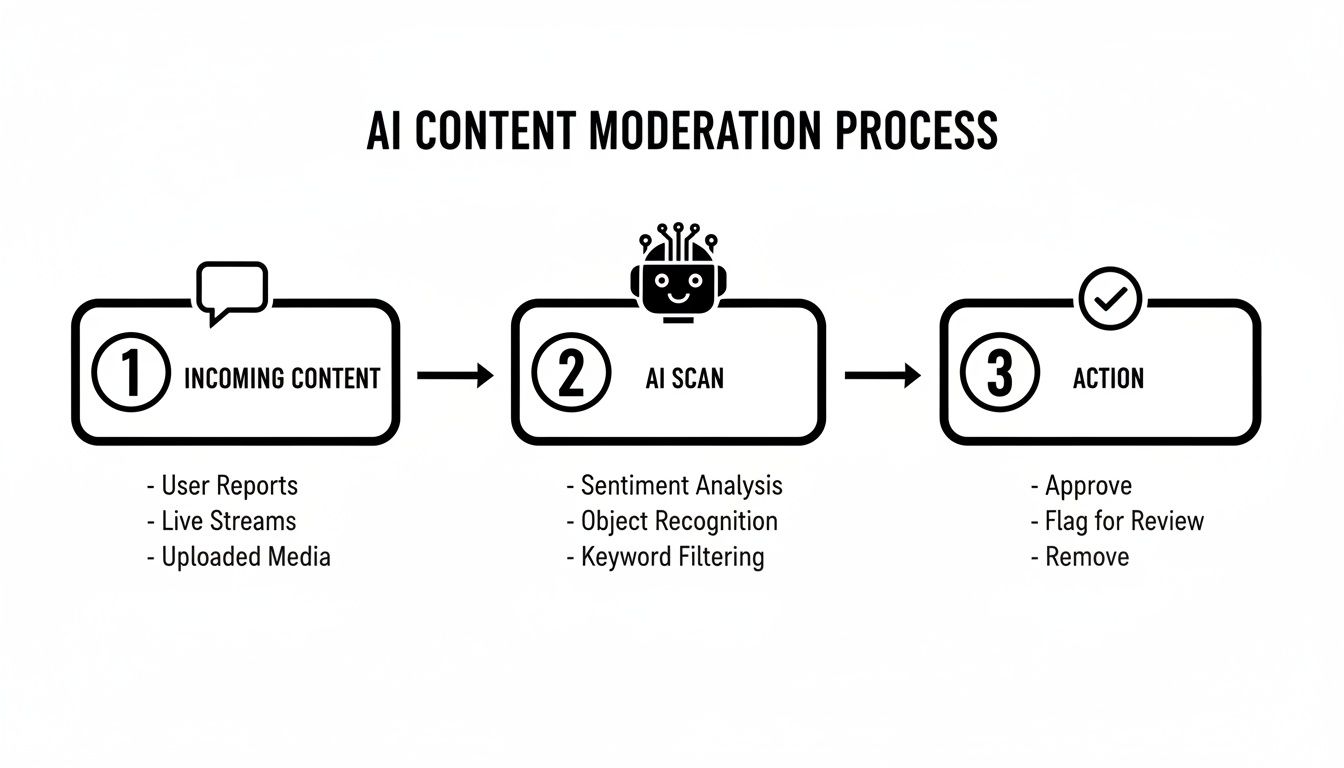
After that initial AI scan weeds out obvious spam and flags sentiment, your team can use workflow tags to organize what's left.
Keep your tagging system simple but effective. This helps manage a comment's lifecycle and ensures nothing gets lost.
Lead: Slap this on any comment with clear buying intent.
Needs Follow-up: Perfect for those complex questions that need input from another department.
Resolved: A clear signal that the conversation is done and dusted.
Monitor: Use this for sensitive comments that don't necessarily need a reply but should be kept on your radar.
By building out this kind of structured approach, your team can manage comments at scale, protect your brand's reputation, and start turning your ad engagement into a measurable asset for the business.
How to Measure the ROI of Comment Moderation
Let’s be honest: justifying the time and money spent on Facebook ads comment moderation can feel like an uphill battle. To stakeholders, it often looks like a defensive cost center, not something that actually drives revenue. But the line between a clean, engaging comment section and your bottom line is surprisingly direct and measurable.
If you want to prove its value, you have to connect your team’s moderation work to cold, hard business KPIs. That means getting past simple operational stats and showing exactly how your efforts move the needle on ad performance and profitability. The goal here is to build a business case so strong that the investment becomes a no-brainer.
This all starts with tracking your team's efficiency and then linking it to the downstream effects on your campaign results.
Connecting Actions to Ad Performance
First, you need to get a handle on the foundational metrics. These numbers gauge your team's efficiency and give you a pulse on the health of your ad's public conversation. Think of them as your leading indicators.
Time to Response: How fast are you getting back to legitimate customer questions? A snappy response time almost always correlates with a better conversion rate. People want answers now, while the buying impulse is hot.
Sentiment Score: What’s the vibe in your comments? Tracking the ratio of positive to negative comments is a powerful proxy for brand health and trust. When positive sentiment climbs, good things usually follow.
Spam & Negative Comment Rate: What percentage of comments are you hiding or deleting? If this rate drops over time, it’s a clear sign your moderation system is working, creating a much cleaner and more persuasive environment for prospects.
These metrics are a great start, but they don't tell the whole story. The real magic happens when you tie them to the numbers your finance team actually cares about: Return on Ad Spend (ROAS) and Cost Per Acquisition (CPA).
A well-moderated comment section isn't just about brand safety; it's a performance lever. By removing friction and building trust directly on the ad, you're making every dollar of your ad spend work harder.
The impact can be massive. We saw this firsthand in an A/B test with a global D2C brand. Just by properly moderating their ad comments to filter out spam and toxic replies, they increased ROAS by 34% and slashed their CPA by 27%. The only change was cleaning up the conversation happening right under their ads. You can find more details on how social comment moderation improves campaign metrics at Adroll.com.
Here's a quick look at the key metrics you should be tracking to build a similar case.
Key Metrics for Measuring Moderation ROI
This table breaks down the essential metrics to track, from operational efficiency to the direct impact on ad performance and revenue.
Metric | What It Measures | Business Impact |
|---|---|---|
Response Time | The average time it takes your team to respond to a user's comment or question. | Faster responses can increase lead capture and conversion rates by engaging prospects while they are most interested. |
Sentiment Score | The ratio of positive to negative comments on your ads. | A higher positive sentiment builds social proof and trust, making new visitors more likely to convert. |
ROAS (Return on Ad Spend) | The revenue generated for every dollar spent on advertising. | Shows the direct link between a clean comment section and increased profitability from your ads. |
CPA (Cost Per Acquisition) | The cost to acquire one new customer from your ad campaigns. | A lower CPA means your ad spend is more efficient, directly improving your marketing budget's effectiveness. |
Leads Captured | The number of potential customers identified and engaged with in the comments. | Demonstrates how moderation actively contributes to the sales pipeline by turning inquiries into qualified leads. |
By focusing on these metrics, you can shift the conversation from "moderation as a cost" to "moderation as a profit center."
Building Your Business Case with Data
The best way to make your case is to run your own experiment. Set up a simple A/B test.
Create two identical ads in different ad sets. On one, apply your full moderation workflow—use your automation rules, respond quickly, and keep it clean. On the other, just use Meta’s out-of-the-box filters and let the comments run wild.
Let the test run until you have statistically significant results. Then, compare the numbers. Don't just look at ROAS and CPA; check for differences in secondary metrics like click-through rate (CTR) and conversion rate, too. When you can walk into a meeting with clear, comparative data showing one ad set outperforming the other by a wide margin, you've got an undeniable case. Comment moderation isn't just a "nice-to-have"—it's an investment that pays for itself.
Common Questions About Ad Comment Moderation
Even with a solid strategy in place, you're going to run into some tricky situations with Facebook ads comment moderation. Honestly, getting the small details right is often what separates a well-run campaign from a train wreck, protecting your brand and making sure your ad spend isn't going down the drain.
Let's walk through some of the most common questions I hear from marketers and agency teams. Nailing these down will take your workflow from pretty good to bulletproof.
Should I Hide or Delete Negative Comments on My Facebook Ads?
My rule of thumb is this: hide, don't delete.
When you hide a comment, it becomes invisible to everyone except for the person who posted it and their friends. This is a subtle but powerful move. You’re effectively preventing a heated situation from escalating—the commenter doesn't get the angry satisfaction of seeing their comment was removed, so they're less likely to come back and post again.
The delete button should be saved for the really obvious stuff—blatant spam, hate speech, illegal content, or anything that clearly violates your community standards. For legitimate negative feedback or criticism, the best play is usually to hide the comment and then follow up privately in a DM. This preserves your ad's social proof without making it look like you're censoring genuine customer issues.
Hiding de-escalates the situation and makes the problem invisible to new prospects, while still allowing the original commenter to feel heard. Deleting, on the other hand, can feel like censorship and often provokes a stronger negative reaction.
How Often Should I Check My Ad Comments?
For any high-spend or high-volume campaign, the answer is as close to real-time as you can get. This is where automation tools become non-negotiable. They give you 24/7 coverage, instantly flagging or hiding nasty comments before they can do any real damage. The longer a spammy or negative comment sits there, the more of your potential customers will see it.
If you're running smaller campaigns and doing it manually, a good baseline is to check at least 2-3 times per day. Think morning, midday, and end of the day. Your goal is to jump on legitimate questions quickly and pull down harmful content before it gains any traction and poisons the well for everyone else.
Can Facebook's Native Moderation Tools Handle Everything?
Not even close. They’re a decent starting point, but they have some serious blind spots.
Meta's built-in tools are basically just keyword blockers and a generic profanity filter. They have zero ability to understand nuance, sarcasm, or the actual context of a conversation. It's a very blunt instrument.
Here’s a quick list of what Meta’s tools will almost always miss:
Competitor links sneakily hidden with URL shorteners.
Clever spam that doesn't use any of your specific blocked keywords.
Genuinely negative comments that are polite but still damaging.
Hot sales leads that get lost in a sea of irrelevant comments.
If you're serious about protecting your brand and finding sales opportunities, you have to layer a more intelligent, AI-powered solution over Meta's native features. This gives you true sentiment analysis, automated replies, and a central workflow that Facebook just can't offer. An advanced system doesn't just block words; it understands intent.
Ready to stop manually chasing comments and start turning them into revenue? Meet Alto AI centralizes all your comments and DMs into one smart inbox, uses AI to filter noise, and surfaces high-intent leads 24/7. Protect your brand and maximize your ROAS by automating your comment moderation. Learn more and get started at https://meetalto.ai.