Best Time to Post on Instagram: 2025 Data-Driven Guide
Discover the powerful features that will transform how your team collaborates and manages projects.

Alto AI
on
Jan 10, 2026
Before we get into the nuts and bolts of how to turn off comments on your Instagram Story, let's talk about the why. This isn't just a feature for dodging spam or silencing trolls; it's a strategic lever you can pull to control the conversation and streamline your team's workflow.
When Disabling Story Comments Makes Strategic Sense
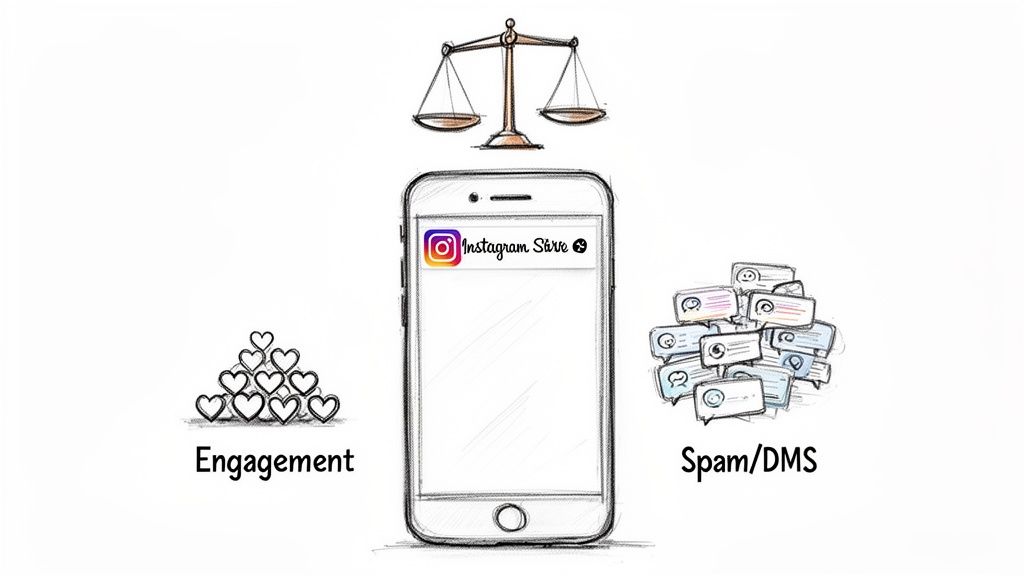
For any busy brand or creator, Instagram Story replies are a classic double-edged sword. On one hand, they're a direct line to your audience. On the other, they can quickly turn your DMs into an unmanageable mess.
Turning them off isn't about ignoring your community. It’s about being smart and directing the conversation where it can have the most impact. With around 500 million people watching Stories every single day, the sheer volume of replies can be staggering. If you're an e-commerce brand posting multiple times a day, that firehose of DMs needs a plan.
Focusing User Actions
Picture this: you're launching a 24-hour flash sale. The one and only goal of your Story is to get people to tap that link sticker. In this case, every reply is a distraction. It pulls a potential customer out of the buying journey and into a DM conversation.
By temporarily shutting off replies, you create a clean, frictionless path from your Story straight to your product page. Your call to action becomes the star of the show, minimizing the noise and maximizing your chances of a conversion.
Managing High-Volume Events
Think about a massive product launch or a huge giveaway. These events are magnets for a flood of replies—many of which are just noise or spam. Trying to sift through that is a nightmare for any social media manager.
Flipping the switch on replies lets your team breathe. It forces all contest entries or launch-day questions through a more organized channel, like a specific landing page form or a dedicated feed post. Your inbox stays sane, your data stays clean, and you can find more tips in our guide on how to manage Instagram comments.
Key Takeaway: Turning off Story replies is a proactive move. It's about maintaining control, protecting your team from burnout during big moments, and guiding your audience toward the actions that actually matter—like making a purchase or signing up.
Turning Off All Instagram Story Replies from Your Phone
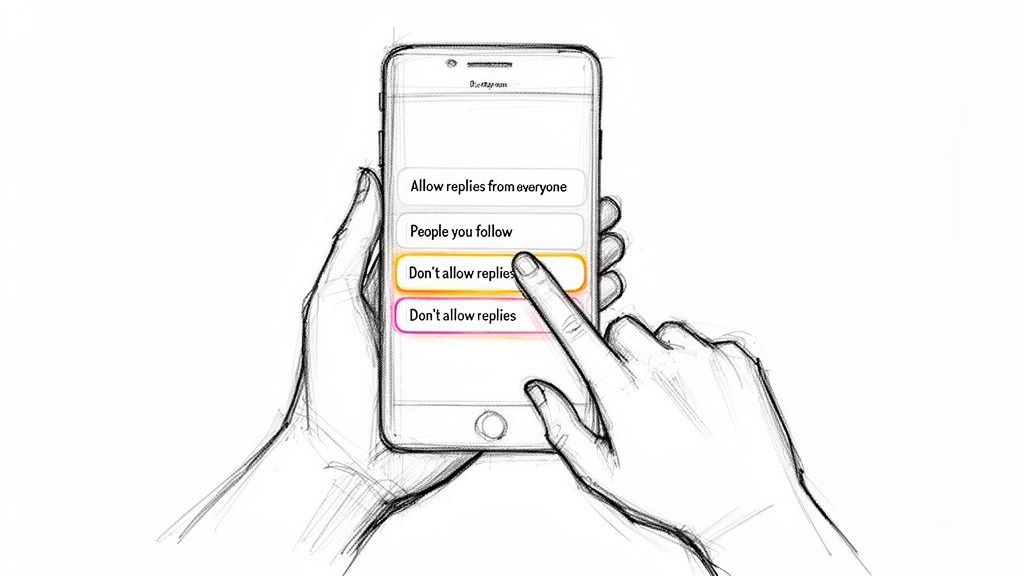
If you’re looking to shut down replies across the board, the good news is Instagram makes this pretty simple. This is a "set it and forget it" global setting, meaning one change applies to all future Stories you post until you decide to switch it back. Think of it as your main control panel for Story interactions.
First things first, you'll need to navigate away from the Story creation screen and head straight to your main profile page.
From there, just tap the hamburger menu (the three horizontal lines) in the top-right corner to open up your account settings. This is the hub for all of Instagram's account-wide controls, from privacy to notifications.
Once you're in the settings menu, scroll until you find the section that handles how people can interact with your content. You’re looking for an option labeled Messages and story replies. This is where you’ll manage your DMs and, more importantly for us, your Story comments.
Choosing Your Reply Level
Inside the "Messages and story replies" section, tap on Story reply controls. Instagram lays out a few clear choices for who gets to reply to your Stories.
You'll see a few options under the heading "Allow replies and reactions to your stories." This menu gives you really precise control over who can slide into your DMs from one of your Stories.
Your options will look something like this:
Allow story replies from everyone: This is the default for most accounts. It’s an open door for anyone to respond.
Allow story replies from people you follow: This is a great middle ground. It limits replies to only accounts you've chosen to follow, which can cut down on spam quite a bit.
Don’t allow story replies: This is the one you want. Selecting this completely turns off comments on your Instagram Stories. The message reply box at the bottom of your Story will simply disappear for everyone.
Expert Tip: While disabling replies stops text-based messages, users can often still send emoji reactions. If your goal is to eliminate all forms of DM notifications from a Story, this setting is your most effective tool. It creates a clear boundary for engagement.
How to Disable Comments for a Single Instagram Story
While a global setting is great for broad control, sometimes you just need to shut down replies for one specific post. Knowing how to turn off comments on an individual Instagram Story before it even goes live gives you surgical precision over your engagement.
This is the perfect move for moments when you know a flood of replies won't be productive. Maybe you're posting a sensitive company update, or you're running a contest where entries have to come through a link sticker. In these cases, Story replies just create clutter, burying important DMs and confusing your audience. By disabling them for just that one Story, you can steer the conversation exactly where you want it.
Disabling Replies During Story Creation
The option to disable replies is right there on the Story creation screen, but it’s surprisingly easy to miss if you don't know where to look.
Once you’ve got your photo or video ready and have added all your stickers or text, look for the Settings icon. It's a small gear or cogwheel icon, usually at the top of the screen. Tap it before you hit publish.
Tapping that icon brings up a small menu with a few options for that specific Story. You'll see a toggle for Allow replies and reactions. Just flip this switch to the "off" position.
When "On": Viewers will see the familiar "Send message" bar at the bottom of your Story.
When "Off": The message bar is completely gone for that Story. No one can send a direct reply.
This setting only affects the Story you're currently working on. Your very next Story will automatically go back to whatever your default reply settings are.
This is a proactive measure, and that's its real power. It lets you moderate engagement before a Story is even live, saving your team from the headache of manually sifting through a ton of irrelevant messages on a post that was meant for a different kind of action.
Smarter Ways to Manage Your Story Engagement
Knowing how to turn off your Instagram Story replies is a handy trick, but completely shutting the door on your audience isn't always the best move. It's tempting, especially when your DMs are overflowing. But silencing those notifications often means missing out on genuine customer feedback, burning questions, and even sales opportunities.
For a growing brand, the goal shouldn't be to block engagement, but to manage it effectively.
Think of it this way: instead of a chaotic, unfiltered inbox, imagine having an intelligent assistant sorting through every message. It could automatically hide the spam, flag urgent support tickets for your team, and even help you draft on-brand replies in a fraction of the time. Suddenly, that messy DM folder transforms from a headache into a powerful channel for customer service and lead generation. It frees up your team to focus on the conversations that actually move the needle.
This quick flowchart breaks down the two main ways you can disable replies, helping you see when to use the global setting versus the per-story option.
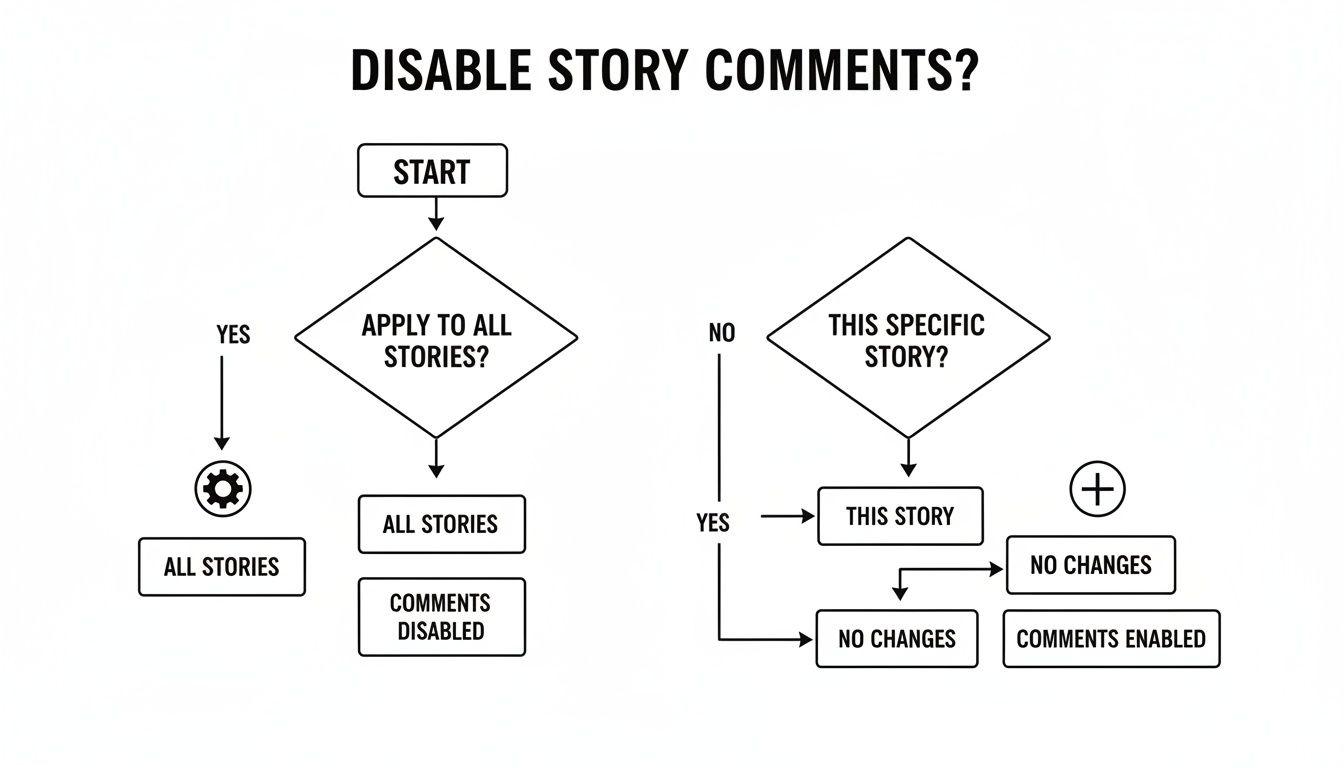
It really comes down to choosing the right tool for the job—a permanent, account-wide change or just a temporary fix for a single Story.
Why Every Story Reply Matters
The average engagement rate on Instagram might be around 3-5%, but a Story reply is a different beast entirely. It’s not a passive "like." When someone takes the time to type out a message and send it, they're signaling a much higher level of interest.
These are your most engaged followers. They're the ones with product questions, support issues, or valuable feedback. For sales and support teams, these messages are gold.
This is where a dedicated management tool like Alto can make a huge difference. Instead of shutting down the conversation, you can bring order to the chaos.
By automatically filtering out the noise, you can immediately spot the important stuff: a potential customer asking about sizing, an existing client reporting an issue, or a loyal fan offering praise. It’s all about working smarter, not just harder.
Three Approaches to Managing Instagram Story Replies
So, what's the best path forward? It depends on your team's size, goals, and how much you value direct interaction. Here's a breakdown of the three main options most brands consider.
Method | Pros | Cons | Best For |
|---|---|---|---|
Manual Management | Direct, personal connection with your audience. Builds strong community feel. | Can be overwhelming and time-consuming at scale. Easy for important messages to get lost. | Small businesses or personal brands with low message volume. |
Disable All Replies | Frees up your team completely. Zero inbox management required. | You lose all direct feedback, customer insights, and sales opportunities from Stories. | Brands running sensitive campaigns or those without any resources to manage DMs. |
AI Management Tool (like Alto) | Automatically filters, sorts, and prioritizes messages. Scales engagement without overwhelming your team. Surfaces sales and support opportunities. | Requires an initial setup and investment in a third-party tool. | Growing brands and businesses that want to scale engagement and turn DMs into a business channel. |
Ultimately, choosing to disable replies is a valid short-term fix, but using an intelligent tool to manage them is a far more sustainable—and profitable—long-term strategy.
Turning DMs Into a Sales Funnel
When you stop seeing Story replies as a chore and start seeing them as leads, everything changes. A smart system can automatically tag incoming DMs based on keywords or sentiment, letting your team pounce on opportunities instantly.
Flag Urgent Issues: Messages with words like "broken," "late," or "shipping issue" can be automatically routed to your support team.
Surface Sales Questions: DMs asking "how much?" or "do you have this in stock?" can go straight to your sales reps.
Filter Out Trolls: You can automatically hide or delete spammy and harmful comments so your team never wastes a second on them. If you're dealing with comment spam, our guide on if you can delete Instagram comments is a great resource.
This kind of proactive management keeps the lines of communication wide open. You build stronger relationships, close more sales, and make sure no lead ever slips through the cracks. It's the best way to scale your engagement without burning out your team.
Troubleshooting Common Story Reply Issues
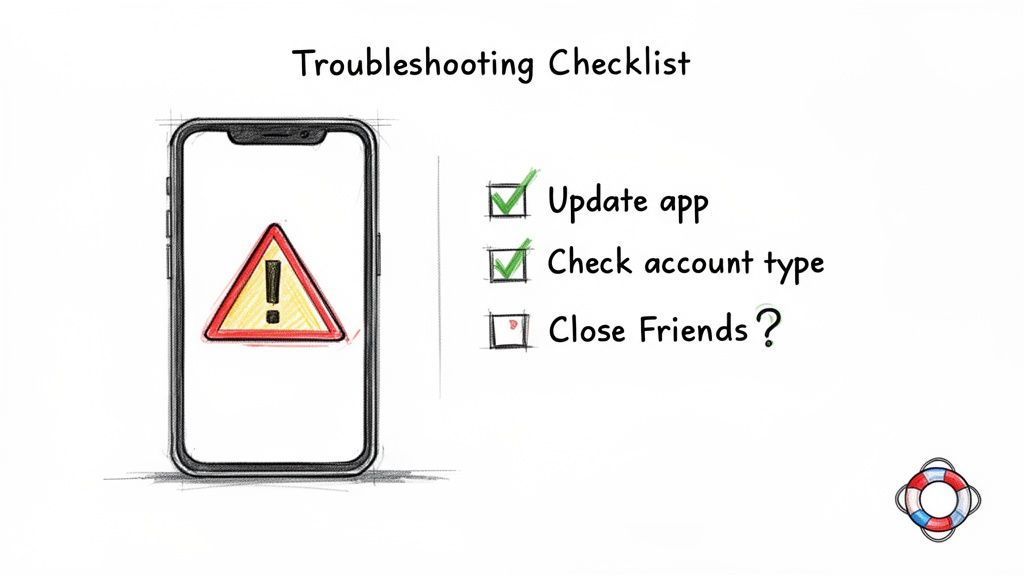
So you followed all the steps, but you’re still getting replies. It happens, and it's usually down to a couple of common tripwires.
First, if you can’t even find the option to turn off replies where it’s supposed to be, the most likely culprit is an outdated app. Instagram is notorious for shuffling its settings menu around, so an older version might not match the current layout. Before you do anything else, pop over to your app store and make sure you’ve got the latest update.
Another point of confusion I see all the time is how these settings work with different audiences you might have.
Close Friends and Reply Settings
People often ask if disabling replies also applies to their Close Friends stories. And the answer is a simple yes.
Your global Story reply settings affect everyone who sees your Story, including your hand-picked Close Friends list. If you turn off replies, no one—not even your inner circle—can respond directly.
A quick heads-up: your account type can also change things. A Business or Creator account might have a slightly different menu layout than a personal profile. If you're still stuck, take a deeper dive into the "Messages and story replies" section of your account settings—it's probably buried in there somewhere.
Your Top Questions About Story Replies, Answered
Once you get the hang of turning off comments on an Instagram Story, a few common questions always seem to pop up. Let's walk through them so you can manage your Story engagement like a pro.
Can People Still React to My Story if Replies Are Off?
Yes, they absolutely can. When you disable replies, what you’re really doing is removing the “Send message” bar at the bottom of your Story. This prevents people from typing out a custom DM in response.
However, the quick emoji reactions (like ❤️, 😂, or 🔥) usually stick around. Tapping one of those still sends it straight to your DMs, so you’re not shutting down all notifications from a Story. You’re just cutting out the custom text messages, which is where most of the noise and clutter comes from for brands.
Does Turning Off Story Replies Affect My Other Posts?
Nope, not at all. Think of your Story reply settings as living on their own little island, completely separate from the comment settings on your other content.
Feed Posts: Comments on your photos and carousels are handled either post-by-post or through your main account-level privacy settings.
Reels: Just like feed posts, Reels have their own specific comment controls.
Instagram Live: Live video comments are a whole different beast, which you can toggle on or off while you're broadcasting.
Shutting down Story replies will never touch the comment sections for your feed posts, Reels, or Live videos.
Key Insight: Instagram treats Story replies as a direct messaging function, while comments on other posts are public conversations. They're fundamentally different types of engagement, which is why you get separate controls for each.
Is It Better to Restrict an Account or Turn Off All Replies?
This really depends on what you're trying to solve. One is a scalpel, the other is a sledgehammer.
Restricting is a targeted move. It's designed for dealing with a single problematic user without them even knowing. When you restrict someone, their comments on your posts are hidden from everyone but you and them, and their DMs get sent to your Message Requests folder. It's a quiet, subtle way to manage an individual. If you want broader control, it also helps to have clear community guidelines examples in place.
Turning off replies, on the other hand, is a broad action that applies to everyone who views that Story. It’s the right tool when you want to prevent all replies for strategic reasons—like during a sensitive announcement or a focused campaign—not just to handle one bad actor.
Don't just silence your comments—turn them into sales. Meet Alto AI centralizes every DM and comment into a smart inbox, filtering noise and surfacing high-intent leads 24/7 so your team can focus on what matters. https://meetalto.ai