Best Time to Post on Instagram: 2025 Data-Driven Guide
Discover the powerful features that will transform how your team collaborates and manages projects.

Alto AI
on
Jan 21, 2026
If you want to manage multiple social media accounts without pulling your hair out, you need to bring everything under one roof with the right tools. It’s the only way to stop messages from slipping through the cracks, streamline your content workflow, and win back the countless hours you’d otherwise lose switching between accounts. The payoff? A consistent brand voice and way faster response times.
The Real Cost of Juggling Multiple Social Accounts
Trying to manage a handful of social media accounts manually feels like you're constantly fighting a losing battle with the clock. When you're jumping between Facebook pages, Instagram profiles, and various ad accounts, all those little inefficiencies start to add up—fast. This isn't just a minor headache; it's a real threat to your brand's reputation and bottom line.
Without a centralized system, slow DM replies, missed comments on your ads, and a shaky brand voice are almost inevitable. This disjointed mess creates a chaotic experience for customers. Leads get lost and brand trust starts to crumble with every unanswered question. For your team, it's a one-way ticket to burnout.
The Tangible Business Impact
The fallout from disorganized social media management is easy to see and it hurts. Think about these all-too-common scenarios:
Lost Sales Opportunities: A hot lead drops a comment on your Instagram ad, ready to buy. But it goes unnoticed for hours. By the time your team finally sees it, that customer has already found a competitor.
Damaged Customer Trust: A frustrated user leaves a scathing review on one of your Facebook pages while your support team is busy handling DMs on another. That public complaint just sits there, broadcasting poor service to everyone who sees it.
Team Burnout and Inefficiency: Your social media manager is spending 40% of their day just logging in and out of different accounts. That leaves precious little time for actual strategy, content creation, or engaging with your community.
This constant platform-hopping isn't just exhausting—it's expensive. Every missed lead, every unresolved complaint, and every hour wasted on grunt work eats away at your ROI. It turns what should be valuable ad spend into a sunk cost.
The Scale of the Modern Challenge
For e-commerce and DTC brands, this problem is massive. With the number of social media users worldwide expected to hit 5.42 billion by 2026, you simply can't afford to ignore any platform. The average person uses nearly seven different social networks every month, and marketers are posting an average of 9.5 times a day just to stay relevant.
Trying to keep up with that volume manually is completely unsustainable. If you want to dive deeper into the numbers, Agorapulse offers some great social media statistics and expert analysis. This chaotic reality makes one thing crystal clear: a unified management strategy isn't a "nice-to-have" anymore. It's essential for survival.
Building Your Multi-Account Management Foundation
Before you even think about buying a scheduling tool or setting up a fancy automation, you need to build a solid operational blueprint. Jumping straight into the tools without a clear structure is like building a house on sand—it’s just a matter of time before it all comes crashing down.
The absolute first step is to get everything centralized inside Meta Business Manager. This isn't just about linking your pages. It's about creating a clean, logical architecture that separates your assets, permissions, and billing. Think of it as setting up digital filing cabinets for each brand or client you manage.
This simple act immediately solves one of the biggest nightmares in social media management: employees using their personal Facebook accounts to manage business pages. That's a massive security risk and a handover headache waiting to happen. A well-structured Business Manager keeps access controlled, professional, and easy to revoke when team members move on.
When you skip this foundational work, chaos is inevitable. And that chaos has real-world consequences.
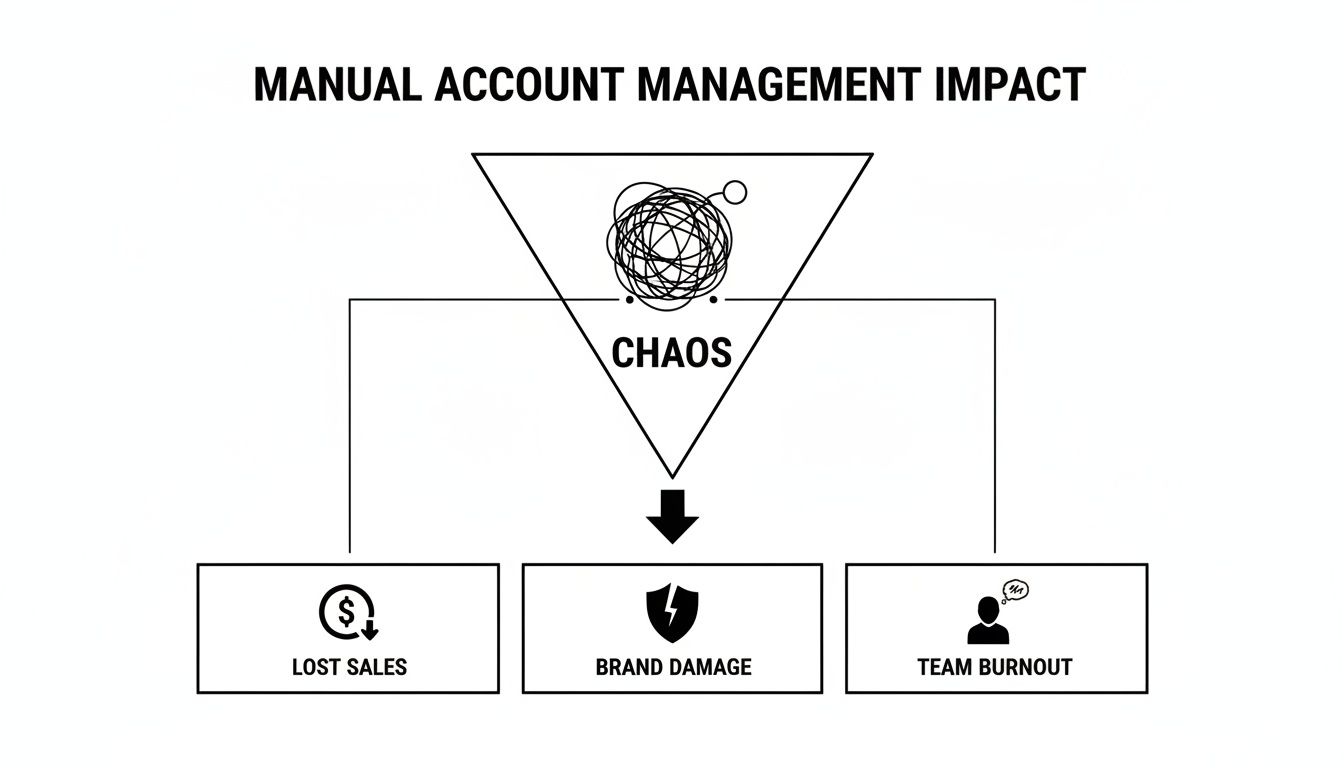
As you can see, a messy operational setup doesn't just stay behind the scenes. It directly hits your revenue, damages your brand's reputation, and burns out your team. Getting the foundation right isn't just a "nice-to-have"; it's non-negotiable for growth.
Defining Clear Team Roles and Permissions
With your accounts neatly organized, the next layer is figuring out who does what. Vague responsibilities are the root cause of missed messages, costly errors, and a whole lot of internal friction. Your best defense is a system of clear, role-based permissions.
Start by mapping out every single task in your social media workflow. I'm talking about everything from drafting copy and creating graphics to responding to DMs and pulling performance reports. Once you have that list, assign specific roles to each task. For a deeper dive into workflows, check out this comprehensive guide on managing multiple social media accounts effectively.
Here’s a quick breakdown of how we typically see roles structured:
Content Creator: They live and breathe the creative. Their world is drafting posts, designing visuals, and tailoring content for the unique vibe of each platform.
Community Manager: This person is on the front lines. They handle all incoming comments and DMs, nurture conversations, and act as the voice of the brand in real-time.
Ad Specialist: Their focus is purely on paid campaigns. From audience targeting and budget management to A/B testing and optimization, they own the ad funnel.
Analyst: The data wizard. They're responsible for tracking metrics, building insightful reports, and telling you what's working (and what's not) so you can steer the strategy.
By assigning specific access levels within Meta Business Manager, you ensure team members only see and touch what they need to. This drastically reduces the risk of someone accidentally pausing a high-performing ad campaign or changing critical page settings.
To make this easier, you can use a checklist to standardize access levels. This not only bolsters security but also makes onboarding new team members a breeze.
Role-Based Permissions Checklist for Meta Business Manager
Use this template to assign appropriate access levels to your team, enhancing security and streamlining workflows when managing multiple accounts.
Role (e.g., Admin, Employee, Analyst) | Key Responsibilities | Recommended Page Access | Recommended Ad Account Access | Tool Access (e.g., Alto AI Inbox) |
|---|---|---|---|---|
Admin | Manages all assets, billing, and team permissions | Full Control | Full Control | Full Admin Access |
Content Creator | Drafts, schedules, and publishes posts | Create Content, View Insights | View Performance | Content Creation & Scheduling |
Community Manager | Responds to comments, DMs, and moderates | Respond to Messages & Comments | View Performance | Full Inbox Access |
Ad Specialist | Creates, manages, and optimizes ad campaigns | Create Ads, View Insights | Manage Campaigns | Ad Comment Management |
Analyst | Tracks KPIs and generates performance reports | View Page Performance | View Performance | Analytics & Reporting Only |
This simple table creates clarity and prevents the classic "who was supposed to do that?" problem.
Standardizing Your Brand Voice and Response Guidelines
Finally, let's talk about consistency. Building brand trust across a dozen different accounts is impossible if your tone and messaging are all over the place. Your audience should feel like they're talking to the same brand, whether they're commenting on a Facebook ad or sliding into your Instagram DMs.
To achieve this, you need a shared communication playbook. This should be a living document that clearly outlines your brand’s voice, tone, and personality. Are you witty and informal? Authoritative and professional? Give your team concrete examples of what to say and—just as importantly—what not to say.
Your playbook should also be armed with pre-approved response templates for all those frequently asked questions. Think shipping times, return policies, or pricing inquiries. Having these on hand doesn't just save an incredible amount of time; it ensures every customer gets an accurate, on-brand answer, every single time. Giving your team these guidelines is the final piece of the puzzle for managing multiple accounts like a well-oiled machine.
Unify Your Inbox and Automate Customer Responses
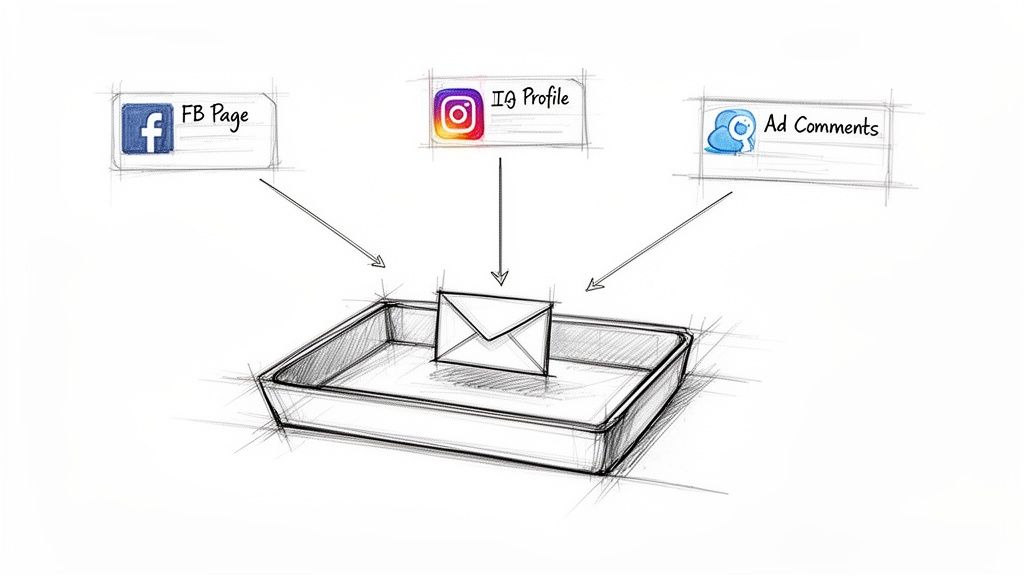
If you’re managing multiple social accounts, you know the real chaos starts with the endless flood of comments, DMs, and mentions. Bouncing between different Facebook Pages and Instagram profiles just to keep up with messages isn't just slow—it’s how you miss out on sales and frustrate your customers.
The only way to tame this beast is to create a single source of truth for every single conversation.
A unified social media inbox isn't a "nice-to-have"; it's a non-negotiable tool for anyone serious about managing multiple accounts. It pulls all your interactions—comments on organic posts, replies to ads on Facebook and Instagram, direct messages—into one central dashboard. This isn't just about making life easier. It’s a fundamental shift from a reactive, scattered mess to a proactive, organized engagement strategy.
Without this single view, your team is flying blind. A hot lead asking a question on an ad could easily get lost while someone else handles a routine DM. And speed matters. According to McKinsey, 40% of customers expect a reply within an hour. Drop the ball on that, and you're not just losing trust—you're sending potential buyers right into the arms of your competitors.
Set Up Smart Response Templates
Once you have all your messages flowing into one place, the next win is to streamline your replies. Think about it: your team is probably answering the same questions dozens of times a day. "How much is shipping?" "What's your return policy?" "Do you have this in blue?"
Typing out those answers from scratch is a huge time-waster. This is where smart response templates, or saved replies, completely change the game. And no, these don't have to be sterile, robotic copy-pastes. A good system lets you craft templates that feel personal and perfectly match your brand's voice.
The goal of automation isn't to sound like a robot; it's to free up your humans for the high-value conversations that robots can't handle. Templates ensure consistency, accuracy, and speed for routine inquiries, so your team can focus on closing sales and resolving complex issues.
Start by identifying your top 10-15 most frequently asked questions across all accounts. Write the perfect, on-brand answer for each one, and load them into your unified inbox tool. Just like that, your team can handle common queries with a single click, slashing response times and making sure every customer gets the right info, every time. It’s a foundational piece of effective social media inbox management that starts paying off immediately.
Filter the Noise and Find the Gold
A unified inbox is powerful, but let's be honest, it can get noisy. A truly effective system needs smart filters and automation rules to help you separate the signal from the noise. This is how you transform a crowded inbox from a chore into a lead-gen machine.
The best tools lean on a mix of keyword triggers and sentiment analysis to automatically sort incoming messages. This allows you to build workflows that handle different types of conversations without anyone having to lift a finger.
Here's how you can put this into practice:
Automatically Hide Spam and Trolls: Set up rules to instantly hide comments that contain profanity, spammy links, or mentions of competitors. This protects your brand's reputation around the clock, no moderator required.
Surface High-Intent Leads: Create filters that flag comments with keywords like "price," "buy," "how much," or "order." These messages can be automatically tagged as "Sales Lead" and routed to the right person, ensuring your hottest prospects get a reply in minutes, not hours.
Escalate Urgent Issues: Configure your system to spot negative sentiment or keywords like "broken," "angry," or "complaint." These interactions can be flagged as "Urgent" and escalated to a senior team member or customer support lead for immediate attention.
By setting up these automated workflows, you're essentially creating an intelligent system that does the initial triage for you. It's like having a virtual assistant who sorts, files, and prioritizes every message across all your accounts. This lets your team skip the clutter and focus their energy where it really counts: engaging qualified leads and delighting your customers.
Streamline Your Content Scheduling and Repurposing
If you're trying to churn out completely unique, high-quality content for every single social media account you manage, you're on a fast track to burnout. It's just not a sustainable way to work. The real secret to keeping all your accounts active and engaging without chaining yourself to your desk is a mix of smart scheduling and even smarter content repurposing.
When you're juggling multiple accounts, you have to stop thinking like a lone artist and start thinking like a content factory. That doesn't mean your quality has to drop. It just means you don't need a groundbreaking new idea for every single post. Instead, you need a system for squeezing every last drop of value out of your best ideas, stretching their reach across all your pages.
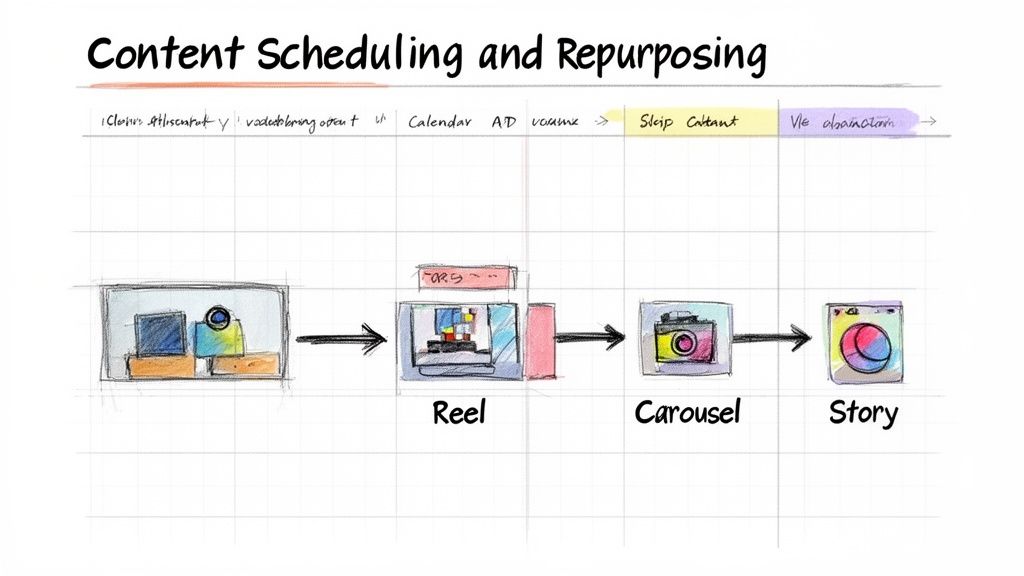
Adopt a "Pillar Content" Mindset
The bedrock of any efficient multi-account strategy is pillar content. This is a big, meaty, value-packed piece of content—something you can slice, dice, and re-imagine into dozens of smaller posts. A single piece of pillar content can fuel your calendars for weeks, making sure all your accounts have a steady stream of material that all stems from one solid, core asset.
So, what counts as pillar content? Think about your bigger, more substantial assets:
A detailed customer case study or success story.
An in-depth webinar recording or video tutorial.
A comprehensive blog post or an industry report you've published.
A podcast episode with an expert guest.
Once you’ve got your pillar piece, the real fun begins. The goal is to break it down into bite-sized formats that are perfect for the fast-paced worlds of Facebook and Instagram. This way, your core message stays consistent, but it's packaged differently to fit each platform and how people use it.
Deconstruct and Repurpose for Each Platform
Let's say your pillar content is a single case study video. This thing is a goldmine. Don't just upload the full video to Facebook and move on. You've got to break it apart to get the most mileage from all that hard work.
From one 10-minute video, you could easily create:
A 60-second Instagram Reel: Find the most compelling "aha!" moment or the final, impressive result from the case study. Slap on some trending audio and bold captions, and you've got a scroll-stopper.
A Facebook Carousel Post: Pull out 3-5 key stats or takeaways. Each slide in the carousel can highlight one powerful data point, paired with a clean graphic.
An Instagram Stories Series: Use a sequence of 5-7 Story frames to tell the customer's journey from start to finish. Throw in interactive stickers like polls or quizzes to get your audience tapping.
Quote Graphics: Lift the most powerful customer testimonials from the video and turn them into shareable, visually appealing graphics for both your Facebook Page and Instagram grid.
By repurposing one asset in multiple ways, you're not just saving time—you're reinforcing your message through repetition. A user might scroll past the Reel but catch the Story, ensuring your key points land effectively across different consumption habits.
Batch and Schedule for Consistency
With your repurposed assets ready to go, the final piece of the puzzle is scheduling. This is where content batching will become your absolute best friend. Forget about the daily scramble to find something to post. Instead, block off a chunk of time once a week to plan, create, and schedule everything for the next week or two.
This approach pays off in a few huge ways. First, it pulls you out of that reactive, last-minute panic-posting mode. Second, it gives you a bird's-eye view of your content calendar across all accounts, helping you maintain a balanced and strategic mix of post types. If you really want to get this process dialed in, explore different effective content repurposing strategies to get the most reach from your work.
Using a scheduling tool is non-negotiable at this stage. A solid platform will let you upload everything at once, tweak captions for each account (think more hashtags for Instagram, a direct link for Facebook), and set it all to go live at the best times. This simple workflow turns content management from a daily chore into a focused, strategic task, freeing you up for the stuff that really matters, like engaging with your audience and analyzing what's working.
Mastering Moderation and Crisis Communication
The more accounts you manage, the more you expose your brands to reputation risks. It only takes one nasty comment left on an ad to sour the conversation, or a flood of spam to make your community feel neglected and unsafe.
Protecting brand reputation isn't about frantically putting out fires. It’s about building a fireproof system before a spark ever lands.
You need a proactive moderation strategy when you're juggling multiple accounts. You simply can't have eyes on every single comment section 24/7, but you can set up automated rules that do. Configure your system to instantly hide comments with profanity, spam links, or even mentions of direct competitors. This simple first line of defense ensures your ad spend isn't wasted promoting negativity and keeps your communities clean without constant babysitting.
Build a Practical Crisis Communication Plan
Even with the best automated moderation, things will go wrong. A product will fail, a campaign will miss the mark, or a customer will have a genuinely terrible experience. When the pressure is on, fumbling for a response is a recipe for disaster. This is where a clear crisis communication plan is worth its weight in gold.
This plan doesn't need to be a 100-page binder collecting dust on a shelf. It just needs to be a simple, actionable framework your team can lean on when things get stressful.
Define a Crisis: What actually counts as a crisis? Is it one angry comment, or ten? A negative review from a major influencer? Set clear thresholds so your team knows exactly when to hit the panic button.
Establish a Clear Escalation Path: Who gets the first call when a crisis hits? A junior community manager shouldn't be the one drafting a company-wide statement. Your plan must outline who to contact, in what order, and what information they need to act fast.
Create Pre-Approved Response Templates: Draft a few neutral, empathetic responses for common negative situations (e.g., shipping delays, product defects, poor service). These aren't meant to be copy-pasted blindly, but they buy your team crucial time while the issue is properly investigated.
This kind of framework removes the guesswork and panic. It lets your team respond with confidence and control, safeguarding the brand's hard-earned reputation.
Use Bulk Actions During High-Volume Moments
Picture this: one of your Instagram posts goes viral, or a Facebook ad campaign suddenly explodes with engagement. The sheer volume of comments can be completely overwhelming. Manually hiding, deleting, or replying to hundreds of comments one by one is an impossible task that brings all other work to a grinding halt.
This is where bulk actions become a lifesaver. Tools built for multi-account management let you select dozens, or even hundreds, of comments at once and apply a single action to all of them.
During a high-volume event like a flash sale or a controversial post, the ability to bulk-hide all comments containing a specific negative keyword is a game-changer. It allows one person to do the work of ten, keeping the comment section clean and focused.
By combining smart automated rules with a solid crisis plan and efficient bulk management tools, you can maintain positive and safe online spaces at scale. This is a core component of effective social media moderation that not only protects your brand but also fosters the genuine customer engagement you're working so hard to build.
Tracking Performance Across All Your Accounts
If you can't measure it, you can't prove it. Managing multiple social media accounts is more than just streamlining your workflow; it’s about having a rock-solid system to track performance and show your ROI. Without clear data, you're just guessing what's actually working.
Pulling reports one-by-one from each platform is a fast track to confusion and wasted hours. It makes seeing the big picture—or comparing performance across different brands or campaigns—nearly impossible. The only way to stay sane and strategic is to build a centralized dashboard that brings all your key metrics into one place.
This single source of truth is where you can finally move past vanity metrics like likes and followers. Instead, you get to focus on the key performance indicators (KPIs) that actually connect your social media efforts to real business goals.
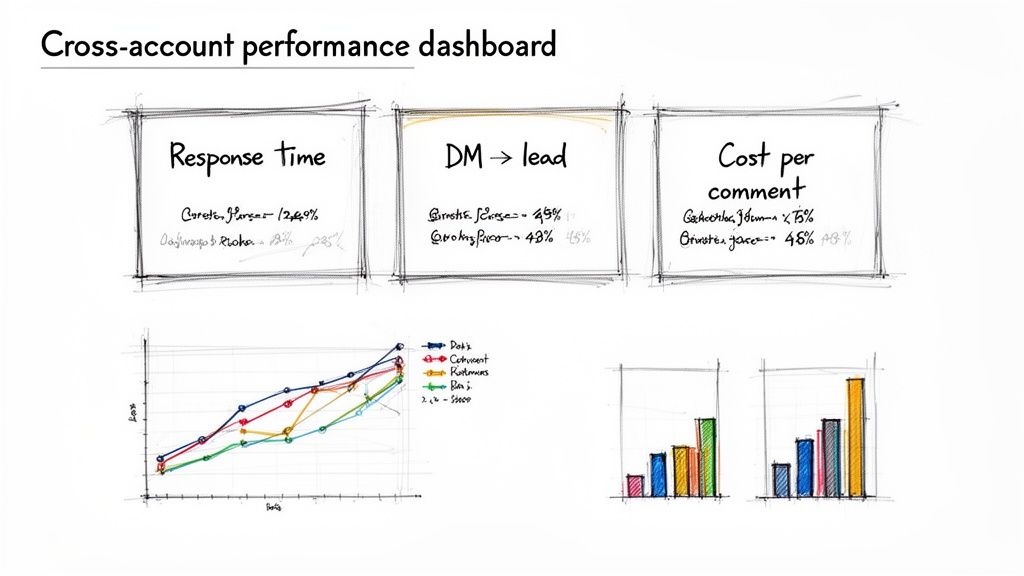
Pinpoint the KPIs That Actually Matter
When you're managing engagement at this scale, your metrics need to grow up. Tracking total comments isn't enough. You need to measure how your team's day-to-day activity actually impacts the bottom line. It’s about shifting focus to more meaningful, action-oriented KPIs.
Here are a few examples of metrics that tell a much more compelling story:
Average First Response Time: How fast is your team jumping on initial comments or DMs? Speed is everything when it comes to capturing leads and keeping customers happy.
Lead Conversion Rate from DMs: Of all the sales-related chats happening in your inbox, what percentage actually become paying customers? This is a direct line to your social selling effectiveness.
Cost Per Qualified Comment: On your paid campaigns, how much are you spending to get a comment from someone who shows real buying intent?
These are the KPIs that help you understand not just if your content is getting attention, but how that attention translates into revenue and loyalty. To do this well, you'll want to dig into the sentiment behind the engagement. You can learn more about the best social media sentiment analysis tools to get a clearer picture of your engagement quality.
Create Your Centralized Performance Dashboard
Once you've defined your KPIs, it's time to bring them all home. A centralized dashboard gives you a real-time, at-a-glance view of performance across every single Facebook and Instagram account you manage. No more flipping between tabs or wrestling with clunky spreadsheets.
Your dashboard should be built to visualize the data that your stakeholders truly care about. This lets you spot trends in an instant, identify which accounts are knocking it out of the park, and catch potential problems before they blow up.
A great dashboard doesn't just show you data; it tells you a story. It should clearly illustrate how your team's day-to-day work—responding to comments, nurturing leads, and moderating conversations—directly contributes to achieving larger business objectives.
Reporting Your Wins to Stakeholders
The final piece of the puzzle is translating your data into a compelling narrative for stakeholders. A monthly performance report is the perfect way to do this. Keep it concise, make it visual, and focus on outcomes, not just activities.
Structure your report to highlight key wins and actionable insights. Use charts and graphs to show trends in your main KPIs, and pepper in specific examples of high-performing posts or standout customer interactions.
Most importantly, always tie your social media metrics back to the business goals that matter most, whether that's driving sales, boosting customer satisfaction, or building brand loyalty. This is how you prove, without a doubt, the value you're delivering.
Questions We Hear All The Time
Even with a killer strategy, some questions always come up when you're figuring out how to manage a whole bunch of social accounts. Here are a few of the most common ones we get asked, with some straight answers.
How Many Accounts Is Too Many to Juggle by Hand?
There's no magic number here, but we've seen most teams hit a breaking point somewhere around 3-5 accounts. Once you get past that, the constant cycle of logging in and out, trying to keep track of messages, and manually scheduling content just falls apart. It gets messy, and mistakes happen.
This is the point where you start seeing slow response times and missed messages. That's when the cost of lost opportunities really starts to hurt more than the cost of a good management tool.
Honestly, it’s less about the number of accounts and more about the amount of chatter. A single account with tons of engagement can be way more demanding than five quiet ones. When you can’t get back to high-intent comments within an hour, it’s time to find a central inbox.
What’s the Best Tool for Managing Multiple Accounts?
The "best" tool really boils down to what your team needs to get done. They're not all created equal.
For the all-in-one powerhouse: Platforms like Hootsuite or Sprinklr are the big players. They do everything—scheduling, listening, deep analytics—which makes them a solid choice for larger, more complex teams.
For teams focused on engagement and sales: This is where a specialized tool like Alto AI shines. It’s built to pull all your ad comments and organic DMs into one unified inbox, helping you automate replies and pinpoint actual sales leads in the noise.
For simple, no-fuss scheduling: If your main goal is just getting content planned and posted without a ton of extra features, a tool like Buffer is perfect. It's clean, easy to use, and great for smaller teams or solo managers.
How Do I Keep Our Brand Voice Consistent Everywhere?
Consistency really just comes down to having a good playbook.
Start by creating a simple brand guidelines doc. It doesn't have to be a novel—just outline your tone of voice, words you do (and don't) use, and maybe a few go-to response templates. Drop this into a shared drive where everyone can get to it.
Even better, use a unified inbox that lets you create pre-approved saved replies. This is a game-changer. It means every single person on your team can send on-brand, accurate answers to common questions, no matter which account they're logged into.
Ready to stop juggling tabs and start turning conversations into sales? Meet Alto AI. We centralize every comment and DM from all your Facebook and Instagram accounts into one smart inbox. Automate your engagement and turn comments into customers today.