Best Time to Post on Instagram: 2025 Data-Driven Guide
Discover the powerful features that will transform how your team collaborates and manages projects.

Alto AI
on
Jan 14, 2026
Social media inbox management is the art of wrangling all the messages and comments flying at you across your social channels. It’s about creating a command center for every single direct message (DM), comment, and mention. Done right, it turns a chaotic firehose of conversations into a smooth pipeline for sales and support.
Why Your Social Inbox Is Your New Sales Floor
Picture your busiest retail store. Customers are browsing, asking questions, and some are right at the counter, ready to pull out their wallets. Now imagine that store with zero staff. Chaos, right? That’s what an unmanaged social media inbox is—a room packed with potential customers, and nobody there to help them.
Your inbox isn't just a queue for customer service tickets. It's a high-stakes sales floor where purchase decisions are made in the blink of an eye. Every DM, comment on an ad, or question under a post is a customer raising their hand. They’re signaling interest, and for any brand running paid ads, ignoring them is like setting a pile of cash on fire.
The High Cost of Inbox Chaos
The real killer is the sheer volume. Bouncing between the Facebook app, then the Instagram app, then over to another platform is a recipe for disaster. It’s clunky, inefficient, and guarantees important conversations will get buried under a mountain of spam. High-intent leads? Poof, gone.
In today's market, speed wins. When a potential customer comments "How much?" on your ad, they're doing more than just asking for a price. They’re testing you. They're seeing how responsive you are and deciding if your brand is one they actually want to buy from. A slow reply—or worse, no reply—sends a pretty clear message: you're not paying attention.
This chaos is only getting worse as more people live their lives online. In 2026, managing your social inbox isn't a "nice-to-have." It’s where you win or lose. With 5.66 billion global social media identities and 72.3% of internet users checking out brands on these platforms, your DMs and comment threads are ground zero.
People are active on an average of 6.75 social platforms every month, which means conversations are scattered all over the place. For marketers, an unmanaged inbox means wasted ad spend and a trail of unanswered questions sitting in public for everyone to see. You can dig into more social media management trends to see just how big this shift is.
From Problem to Profit Center
Luckily, this challenge is also a massive opportunity. A smart approach to social media inbox management can flip this chaos into a reliable revenue stream. It all comes down to a few key moves:
Centralize everything: Pull all your DMs and comments from every platform into one unified dashboard. No more app-switching.
Prioritize the hot leads: Automatically flag messages that scream "I want to buy," like questions about pricing, stock, or shipping.
Respond instantly, at scale: Use smart automation and slick workflows to give people helpful answers, fast.
When you start treating your inbox like a proactive sales floor instead of a reactive chore, you'll start converting curious followers into happy customers, get way more out of your ad budget, and build a brand reputation that actually sells.
Building Your High-Performance Inbox Workflow
An unmanaged social media inbox is the digital equivalent of an airport with no air traffic control. Messages are flying in from every direction—some are urgent commercial flights carrying hundreds of passengers, while others are less critical hobby planes. It's pure chaos, and that chaos leads to delays, missed connections, and costly mistakes. A high-performance workflow is what brings order to that mess, ensuring every single message lands safely and on time.
The first step is ditching the scattered approach and creating a centralized command center. Constantly bouncing between native apps for Facebook, Instagram, and TikTok is a massive time-sink and the #1 reason important messages fall through the cracks. A unified inbox pulls all your DMs, comments, and mentions into a single, manageable stream. This isn't just for convenience; it's about getting a complete picture of every conversation happening around your brand.
Once everything is in one place, you can finally build a process that's predictable and scalable. This workflow stands on four essential pillars: centralization, prioritization, routing, and resolution.
Centralize and Prioritize Incoming Conversations
With all your messages flowing into one spot, the next challenge is figuring out what to tackle first. Let's be honest, not all messages are created equal. A comment asking, "Do you ship to Canada?" has a much higher business value than a spam message or a simple emoji reaction. This is where prioritization becomes your secret weapon.
Effective prioritization means setting up rules and filters that automatically sort and label incoming conversations. Think of it as a smart triage system for your inbox.
High-Intent Leads: Automatically flag any message containing keywords like "price," "buy," "shipping," or "in stock." These are your hottest leads, and they should be fast-tracked straight to your sales team.
Customer Support Issues: Pinpoint messages with words like "broken," "help," "issue," or "doesn't work." These need to get to your support agents immediately to prevent a small problem from becoming a public complaint.
Negative Sentiment: Catch comments expressing disappointment or anger. A quick, empathetic response can turn a bad experience around and protect your brand's reputation.
This simple flowchart shows the real cost of getting this first stage wrong. A customer asks a question, it gets lost in the inbox chaos, and the result is a missed sale.
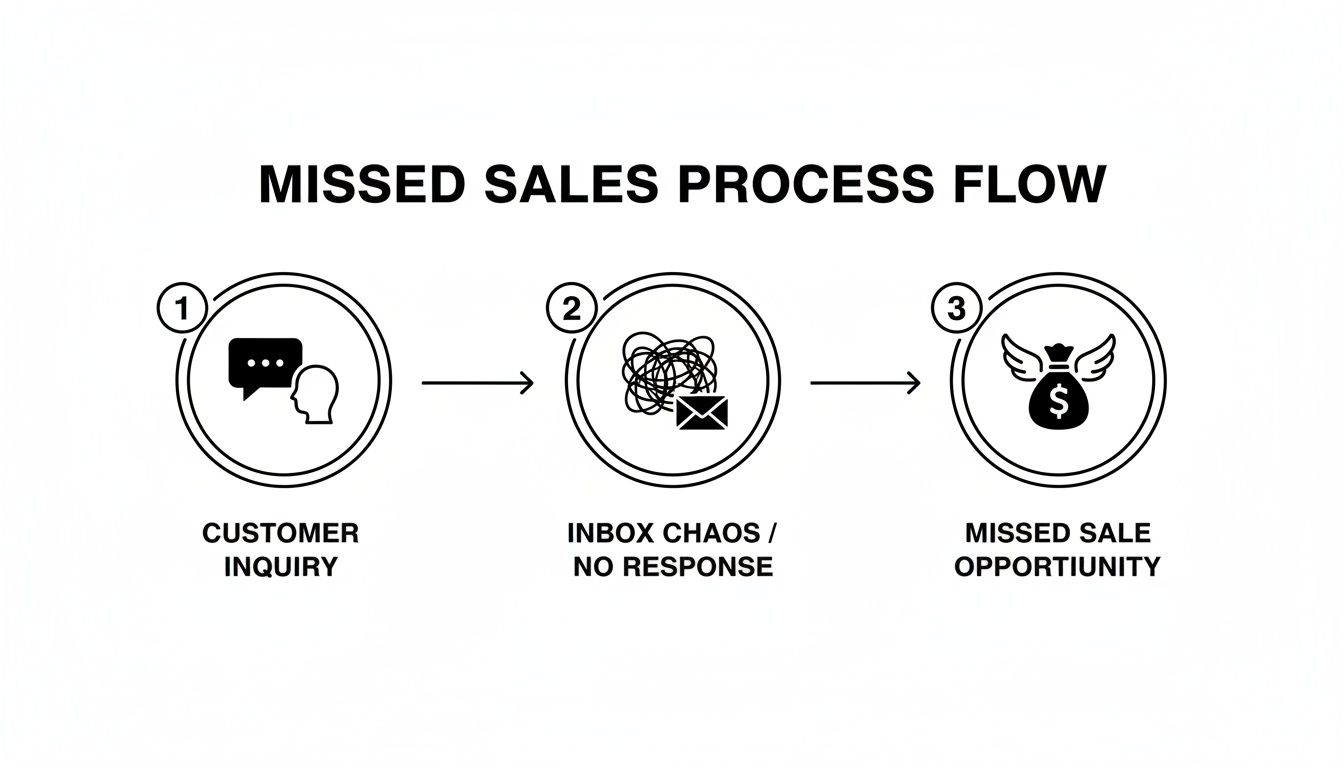
It’s a direct line from operational failure to lost revenue, turning potential buyers into someone else's customers.
Define Team Roles and Routing Rules
Now that your messages are prioritized, you need a clear game plan for who handles what. Just like in our air traffic control analogy, you wouldn't ask a baggage handler to guide a plane to its gate. Assigning specific roles to team members ensures that every conversation is handled by the person best equipped to resolve it.
A well-defined workflow removes the guesswork. It ensures that a pre-sale question doesn’t get stuck with a support agent who isn't trained on closing deals, and a technical issue doesn't frustrate a community manager.
Consider setting up these core roles for your team:
First Responders: This is your frontline. Their job is to quickly acknowledge incoming messages, answer simple FAQs, and route more complex queries to the right specialist.
Sales Specialists: These team members jump on the high-intent conversations flagged by your prioritization rules. Their goal is to answer product questions, handle objections, and guide potential customers toward a purchase.
Support Agents: When a customer has an issue with an order or product, these are the experts who step in. They are trained to troubleshoot problems and ensure customer satisfaction. For a deeper dive into finding specific customer issues, you can learn how to search in Instagram comments to pinpoint problems faster.
Let’s quickly compare what this looks like in practice. The old way of managing social inboxes just doesn't scale. A modern, automated approach, on the other hand, is built for growth.
Manual Inbox Management Vs Automated Inbox Management
Aspect | Manual Workflow (Native Apps) | Automated Workflow (Unified Inbox Tool) |
|---|---|---|
Message Handling | Team members manually check multiple native apps. | All messages are centralized into a single dashboard. |
Prioritization | Relies on human judgment; often "first-come, first-served." | Automated rules flag urgent leads and support issues. |
Team Collaboration | Messy. Uses screenshots, DMs, or Slack to pass off tasks. | Conversations are assigned to specific team members in-app. |
Response Time | Slow and inconsistent, leading to missed opportunities. | Fast and standardized, guided by SLAs. |
Analytics | Almost non-existent. Hard to track team performance. | Detailed reports on response times, volume, and revenue. |
Cost | "Free" in terms of software, but very high in labor costs. | Subscription-based, but delivers significant ROI. |
The takeaway is clear: while manual management might seem cheaper upfront, the hidden costs in lost sales and wasted time are enormous. An automated system pays for itself by turning chaos into a predictable revenue channel.
Establish SLAs and Track Resolution
The final piece of your high-performance workflow is accountability. A Service Level Agreement (SLA) isn't just corporate jargon; it's a promise you make to your audience about how quickly you'll respond. For example, you might set an internal goal to respond to all high-priority leads within 15 minutes and all support queries within one hour.
SLAs transform response times from a vague goal into a hard metric. To enforce this, use status tracking inside your inbox tool. Every conversation should have a clear status—like Open, Pending, or Closed. This visual cue lets the entire team see what needs attention, what's being worked on, and what has been resolved. This simple system prevents conversations from being forgotten and ensures every customer interaction reaches a satisfying conclusion.
The Role of AI and Automation in Inbox Management
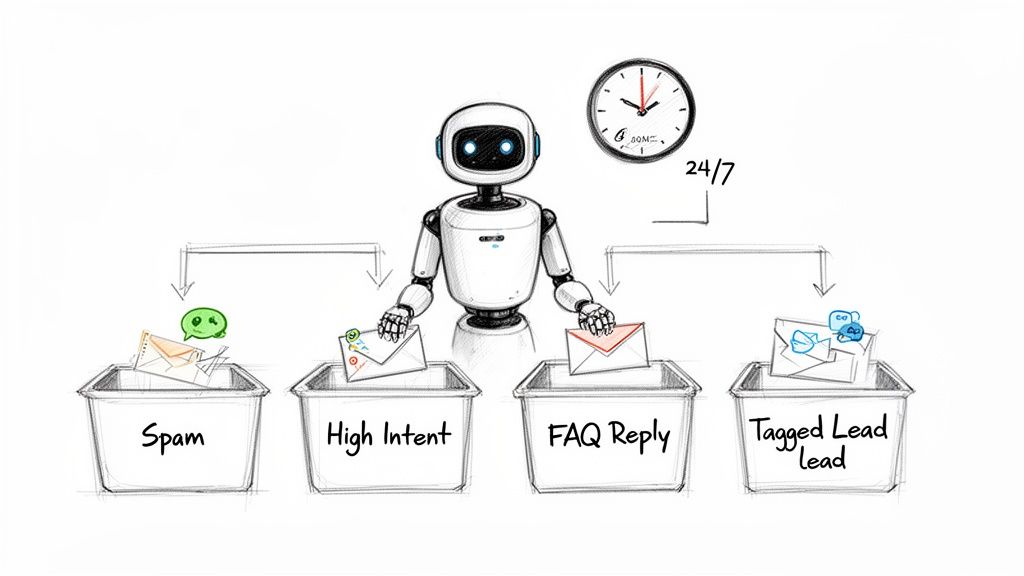
Trying to manage a busy social media inbox by hand is like trying to direct rush hour traffic on foot. It’s chaotic, inefficient, and sooner or later, you're going to miss something important. This is exactly where AI and automation come in. They aren’t here to replace your team, but to act as a 24/7 assistant that filters out all the noise.
Think of it as a smart sorting system for your digital storefront. It instantly separates the serious buyers from the window shoppers and keeps trolls from ever making it to the sales floor. Using technology this way is the only way to deliver the fast, helpful replies modern customers demand without burning out your team.
Automated Moderation That Protects Your Brand
First things first, automation should act as your brand's digital bouncer. Every ad you run will inevitably attract a mix of genuine interest, spam, and outright negativity. Without automated moderation, your team is stuck wasting hours manually hiding or deleting nasty comments—a thankless task with zero ROI.
Good moderation tools automatically identify and hide comments that contain:
Spam and Phishing Links: This protects your audience from bad actors trying to hijack your comment section.
Profanity and Hate Speech: Keeps your brand’s space safe, professional, and inclusive for everyone.
Competitor Mentions: Prevents other brands from poaching your customers right from under your nose in your own ad comments.
By filtering this stuff out automatically, you ensure your public-facing comment threads stay positive and actually encourage real engagement. It's a proactive defense that builds trust.
Intelligent Routing for High-Intent Leads
Once the noise is gone, automation's next job is to find and fast-track your most valuable conversations. When a customer comments "how much?" or "do you have this in blue?" on your ad, that's a sales opportunity with a very short shelf life. Intelligent routing gets these messages to your sales team, instantly.
Automation acts like a digital dispatcher, scanning incoming messages for keywords and sentiment that signal purchase intent. It then assigns these conversations to the right person before the lead gets a chance to lose interest or find a competitor.
This simple shift turns your inbox from a reactive customer service queue into a proactive sales engine. High-intent leads are no longer buried under support tickets or spam; they’re flagged and routed for conversion right away. The impact on your return on ad spend (ROAS) can be massive. For a detailed walkthrough on setting this up, check out our guide on Instagram comment automation.
Customizable AI Replies for Brand Consistency
Answering the same questions over and over is another huge time-sink. Your team probably spends hours every week typing out the same responses about shipping times, return policies, or product details. This is where customizable AI replies shine.
This isn’t about sending cold, robotic answers. Modern AI can be trained on your past conversations to learn your brand's specific tone, humor, and phrasing. You build the templates and set the rules, making sure every automated reply sounds just like you. It gives customers the speed they want without sacrificing the personality they love.
For brands running ads, AI is quickly becoming the only scalable way to manage the flood of DMs and comments. It provides 24/7 coverage, filters out the junk, and routes hot leads, all without having to hire a massive support team to work around the clock.
Key Metrics to Measure Your Inbox Success
There’s an old saying: you can't improve what you don't measure. While likes and followers are nice vanity metrics, they don’t tell you if your social media inbox management is actually making a difference to your business. To prove the real value of a well-oiled social media operation, you have to look past the fluff and focus on tangible KPIs that connect directly to your bottom line.
Think of these metrics as the dashboard in your car. They tell you how fast you're going, if your engine is running hot, and how much fuel you've got left. Without that data, you’re just driving blind and hoping you end up somewhere good.
Speed and Efficiency Metrics
The first set of numbers to watch revolves around your team’s performance. Speed is everything in social media conversations, and efficiency makes sure you aren't burning through time and money. These KPIs tell you how well your workflow is actually, well, working.
First Response Time (FRT): This is the average time it takes for your team to shoot back that first reply to a new message or comment. A low FRT is one of the clearest signs of great customer service and has a huge impact on satisfaction.
Resolution Rate: This one tracks the percentage of conversations that get successfully closed or resolved. A high resolution rate proves your team is actually solving problems, not just firing off quick, empty replies.
These aren't just for internal reports; they have real consequences. Customers who get a fast, genuinely helpful response are way more likely to buy from you and stick around.
Revenue and Brand Health Metrics
Okay, beyond how fast your team is working, the most important metrics are the ones that tie your inbox activity straight to business growth. This is where you prove the real ROI of your strategy and turn your social inbox from a cost center into a profit machine.
Your social inbox isn't just a support channel; it's a lead generation machine. Every question about pricing, stock, or features is a potential sale waiting to happen. Tracking this conversion funnel is non-negotiable for proving value.
Here are the key metrics that show how your inbox is impacting the bottom line:
Leads Generated from Social: Track how many DMs and comments with purchase-intent keywords (like "price," "buy," or "shipping") actually turn into qualified leads for your sales team.
Cost Per Conversation: This is simple math with a big impact. Calculate the total cost of your inbox management (tools, team hours) and divide it by the number of conversations you handled. This helps you understand how efficient your operation is and justify the investment.
Sentiment Analysis: This metric gauges the overall emotional tone of incoming messages—are they positive, neutral, or negative? Watching this over time gives you an incredible snapshot of brand health and shows the real-time impact of your marketing campaigns.
Modern inbox management tools make tracking these KPIs a breeze. They can generate automated reports that show your team’s performance, connecting their day-to-day work directly to big-picture outcomes like return on ad spend (ROAS) and customer lifetime value. This data gives you the power to fine-tune your strategy, celebrate wins, and prove that a well-managed inbox is one of your most valuable business assets.
Inbox Management Playbooks for Different Businesses
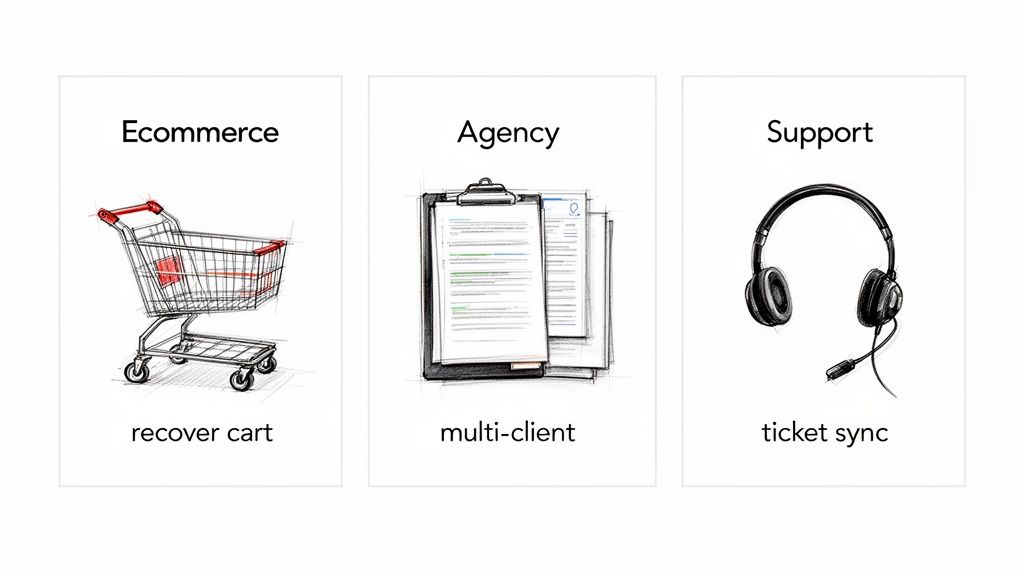
Effective social media inbox management is never a one-size-fits-all game. The right workflow for an e-commerce brand looks completely different from what an agency jugging multiple clients or a dedicated support team needs. By tailoring your approach, you turn a generic process into a specialized engine for growth.
Below are three distinct playbooks, each built to solve the unique challenges that different businesses run into. Think of them as a starting point to build a system that truly works for you.
Playbook 1: The E-commerce and DTC Brand
For any e-commerce or DTC brand, the social inbox is a goldmine. It’s overflowing with pre-purchase questions and sales opportunities just waiting to be grabbed. Every comment on an ad asking about sizing, shipping, or stock levels is a customer on the verge of converting. The goal is to close that gap—fast.
Your primary focus is speed to lead. When someone shows interest, how fast you respond directly impacts their decision to click "buy."
The e-commerce playbook is built around one core idea: remove all friction between a customer's question and their purchase. Every second of delay increases the risk of them scrolling away and buying from a competitor instead.
Key Actions & Rules:
Keyword Triggering: Set up automation rules that instantly flag and prioritize comments or DMs with high-intent keywords like "price," "restock," "shipping," "how to buy," and "discount."
Automated First Reply: For common questions, deploy an AI-powered reply that gives an instant answer and points the user straight to the product page. For instance, a comment asking "Do you ship to Australia?" could trigger an automated reply confirming international shipping options with a link.
Cart Recovery Nudges: If a user DMs a question about a specific product, set up a rule to send a friendly follow-up message with a unique discount code 24 hours later if they haven't made a purchase.
Playbook 2: The Digital Marketing Agency
Agencies face a totally different challenge: managing a bunch of client inboxes efficiently while proving the value of their work. The playbook here centers on centralization, organization, and reporting. You need a scalable system that keeps every client conversation separate and clearly demonstrates ROI.
Success means turning inbox management from a time-sucking chore into a measurable service that keeps clients happy and boosts retention.
Key Actions & Rules:
Client-Specific Workspaces: Use a tool that lets you manage each client's social pages in a dedicated, sandboxed environment. This is critical for preventing cross-contamination and keeping brand voice consistent.
Tagging and Labeling: Implement a rigorous tagging system for every single incoming conversation. Use tags like
[Client A - Lead],[Client B - Support], or[Client C - Negative Comment]to categorize messages for easy filtering and reporting. Our guide on how to manage Instagram comments gets into deeper strategies for this.Performance Reporting: Track and report on key metrics for each client, like First Response Time (FRT), leads generated, and sentiment trends. This data gives you concrete proof of the value you deliver beyond just likes and shares.
Playbook 3: The Customer Support Team
For dedicated support teams, the social inbox is just another helpdesk channel. Customers don’t care about your internal departments; they see your brand's Facebook or Instagram page as another official way to get help. The goal is to integrate these conversations seamlessly into your existing support infrastructure.
This playbook is all about integration, resolution, and consistency.
Key Actions & Rules:
Helpdesk Integration: Pick an inbox management tool that connects with your existing CRM or helpdesk software (like Zendesk or HubSpot). This lets you turn a social media DM into a formal support ticket with a single click.
Automated Triage: Use automation to spot support-related keywords like "issue," "broken," "refund," or "order number." Automatically route these conversations to the support queue and send an auto-reply to let them know you've got it and when they can expect to hear back.
Consistent Knowledge Base: Make sure your social support agents have access to the same response templates and knowledge base articles your email and phone support teams use. This ensures customers get consistent, accurate info no matter which channel they choose.
Choosing the Right Social Media Inbox Management Tool
Picking the right social media inbox management tool is like choosing an engine for a race car. The wrong one leaves you sputtering in the pit lane, but the right one gives you the power, control, and data you need to lap the competition. With so many options out there, the best choice really comes down to a few core components that match what you’re trying to achieve.
Your first checkpoint should be the basics. The absolute non-negotiable is multi-platform support that creates one truly unified inbox. The tool has to pull in comments and DMs from every channel you’re active on, especially the big ones like Facebook and Instagram.
Core Features to Evaluate
Once you’ve covered centralization, the real magic is in the tool’s intelligence and collaboration features. A flashy dashboard is useless if it doesn't actually save your team time or help turn conversations into sales.
Keep an eye out for these must-haves when you're comparing your options:
Robust AI and Automation: This needs to go way beyond simple keyword filters. Look for customizable AI that can learn your brand’s voice, handle the flood of common questions, and intelligently flag high-intent leads for your sales team.
Seamless Team Collaboration: The tool absolutely must let you assign conversations, leave internal notes for context, and see the status of every message at a glance (e.g., Open, Pending, Closed). This is how you stop team members from sending duplicate replies and make sure no customer is ever ignored.
Insightful Analytics Dashboards: You need data that tells a story. A good tool will give you clear reports on key metrics like First Response Time, resolution rates, and sentiment analysis, so you can actually prove the ROI of your social media efforts.
Security and Compliance Are Non-Negotiable
Lastly, whatever you do, don't overlook security and official partnerships. Your social media accounts are incredibly valuable business assets. Handing over the keys to a third-party app demands a huge amount of trust.
Choosing a tool that is not an official partner of platforms like Meta is a huge gamble. Unofficial tools can easily violate terms of service, which can lead to your accounts getting suspended or even permanently banned. Imagine your entire social presence disappearing overnight.
Make sure any tool you’re seriously considering is a verified partner of the social networks it connects to. This badge of approval means the platform meets strict security, privacy, and data handling standards. It also means the tool is built on a stable, approved API, protecting you from random service outages and security holes. This official stamp is your best assurance that you’re investing in a secure, compliant solution that can grow with your brand.
Got Questions? We've Got Answers
Even with a solid plan, jumping into a smarter way of managing your social media inbox can bring up a few questions. Let's tackle the big ones so you can move forward with confidence.
Will Automation Make My Brand Sound Robotic?
This is a huge fear, and a valid one. Nobody wants their brand to sound like a generic, soulless bot.
But modern automation isn't about replacing your brand's personality—it's about cloning it. Good tools learn from your team's actual conversations. You can train an AI assistant on your past replies to match your voice perfectly, whether you're witty, professional, or super casual.
The goal isn't to automate everything. It's to instantly handle the simple, repetitive questions ("Where's my order?") so your human team can jump into the conversations that really need that personal touch. You control the scripts and approve the AI's tone, ensuring every single message feels authentic.
Is This Really Necessary for a Small Team?
Absolutely. In fact, it's more critical for a small team.
When you're wearing multiple hats, every minute counts. You can't afford to get bogged down manually deleting spam or typing out the same five answers all day. That time you save gets funneled directly into things that actually grow the business, like closing a sale or creating your next piece of content.
Effective social media inbox management isn't about having a bigger team; it's about making the team you have more powerful. It’s a force multiplier that lets a small crew perform like a much larger one by focusing their efforts where they count.
How Does Responding to Ad Comments Actually Boost ROI?
Think of every comment on your ad as a direct extension of your marketing budget. When someone takes the time to ask a question, they're on the verge of buying. A quick, helpful reply can be the final push they need to click "Add to Cart," instantly making your ad spend work harder.
On the flip side, an ignored comment is a billboard for poor customer service. Other potential buyers see those unanswered questions and think, "This brand doesn't care." That hesitation kills your campaign's momentum.
By jumping on those comments, you not only convert the person asking the question but also build trust with everyone else who sees the interaction. This directly improves your Return on Ad Spend (ROAS) by turning curious onlookers into confident customers.
Ready to turn your social inbox into a revenue engine? See how Meet Alto AI centralizes your comments and DMs, automates replies in your brand's voice, and surfaces high-intent leads 24/7. Start your free trial today.