How to Hide Comments on Instagram Live Like a Pro
Discover how to hide comments on Instagram Live. Our guide offers practical strategies for managing your broadcast and protecting your brand from spam.

Alto AI
on
Jan 9, 2026
Juggling a live broadcast while trying to swat away disruptive comments is a recipe for disaster. It's overwhelming. If you need a quick fix, you can hide all comments on your Instagram Live by tapping the three-dots icon during your broadcast and selecting "Turn Off Commenting." Just like that, you get a clean, distraction-free stream for you and your viewers.
Your Quick Guide to a Cleaner Instagram Live
When you hit that "Go Live" button, the last thing you want is a comment section spiraling into spam, trolls, or completely off-topic chatter. Trying to manage that chaos in real-time can throw off your entire flow.
Thankfully, Instagram gives you a few built-in controls that act as your first line of defense. Think of these as your pre-flight checks—tools you can set up before the first viewer even joins to help set the tone for your broadcast.
This flowchart maps out the decision-making process for getting a handle on your live comments.
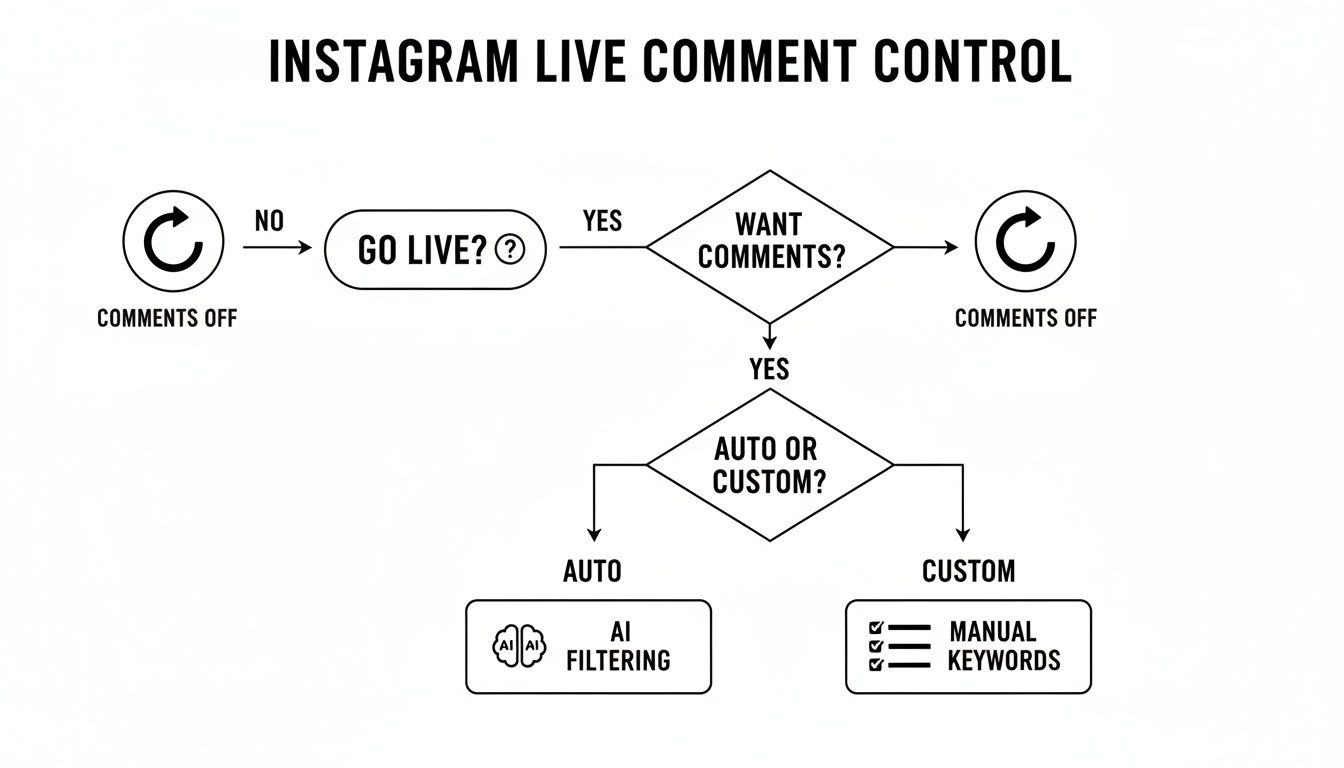
As you can see, the first choice is a big one: allow comments or not? From there, you can either lean on automated filtering or get more specific by building out your own custom keyword list.
Understanding Your Native Options
Before we get into the more advanced stuff, you need to get familiar with the three main controls Instagram offers right in the app. Each one has a different job, from a total comment shutdown to more subtle, surgical filtering. Knowing which one to use—and when—is the key to keeping your Live environment positive and productive.
The numbers don't lie. Instagram Live usage shot up by a massive 70% in just one year, and today, over 100 million users tune into Live videos every single day. While this feature can drive ten times more engagement than a regular post, that engagement isn't always positive. A study from Path Social shows that a staggering 86% of potential customers will bounce if they see negative or inappropriate comments on a brand's content.
The goal isn't just to hide comments; it's to curate a conversation that reflects your brand's values and protects your community. A clean comment section builds trust and encourages more meaningful interactions.
To help you figure out which tool is right for your next broadcast, I’ve put together a quick comparison table. It breaks down what each control does, the best time to use it, and its main limitation, giving you a clearer picture of your options.
Instagram Live Native Comment Controls at a Glance
Control Method | What It Does | Best For | Key Limitation |
|---|---|---|---|
Turn Off Commenting | Completely disables the ability for anyone to comment during your Live. | Short announcements, presentations, or crisis situations where no interaction is desired. | Eliminates all forms of comment-based engagement and feedback. |
Hide Offensive Comments | Automatically filters comments using Instagram's list of commonly reported words. | A baseline level of protection against obvious profanity, slurs, and abuse. | May not catch nuanced negativity, brand-specific spam, or misspelled words. |
Manual Filter | Hides comments containing specific keywords, phrases, or emojis that you define. | Blocking competitor names, common spam phrases, or irrelevant topics. | Requires you to anticipate and manually input every single word you want to block. |
Each of these native tools gives you a solid foundation for managing your Live stream's chat. They're simple to set up and can make a huge difference in the quality of your broadcast.
Mastering Instagram's Built-In Moderation Tools
Going beyond simply flipping the comment switch off gives you a much finer degree of control over your live broadcast. Instagram’s native moderation tools are your first line of defense, designed to help you proactively manage the conversation before it even has a chance to get derailed.
This isn’t about just reacting to trolls; it’s about setting up a protective filter so you can focus on your content.
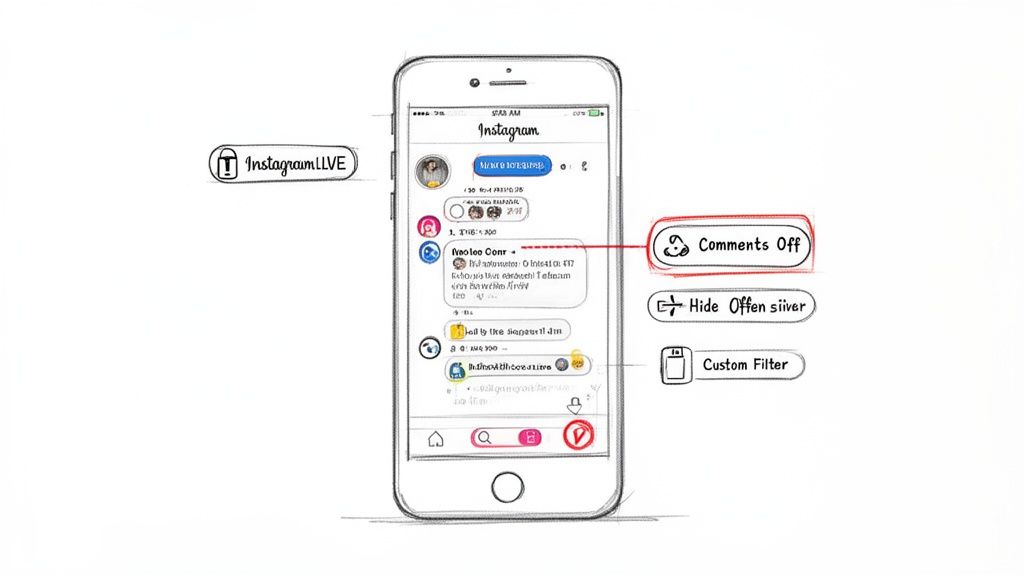
Think of these settings as your digital bouncer, checking comments at the door before they disrupt your event. By taking a few minutes to configure these filters ahead of time, you ensure your broadcast remains a valuable, on-topic space from the moment you hit "Go Live."
Automatically Hide Offensive Comments
Your easiest proactive step is to enable Instagram's automated filter. This feature uses Instagram's own constantly-updated system to identify and hide comments containing commonly reported offensive words and phrases. It’s a solid, broad-stroke approach that catches the most obvious negativity without you lifting a finger.
To get this running, head to your Settings and privacy > Hidden Words > Manage custom words and phrases and just toggle on Hide comments.
This is a fantastic baseline for any creator. Since Instagram rolled this out, hosts have gained significant control over their live interactions. With 92% of global internet users preferring video content and Instagram Live growing 85% since 2020, these tools are no longer optional. A huge chunk of the 100+ million daily Live interactions are comments—and many are spam—making this feature essential.
You can dive deeper into the latest Instagram Live trends and discover more insights about these features on Clepher.com.
Creating Your Custom Keyword Filter
While the automated filter is great, it can’t catch everything. It won't recognize competitor brand names, specific spam phrases unique to your niche, or cleverly misspelled insults. This is where the Manual Filter becomes your most powerful tool.
Here, you can build a personalized blocklist of specific words, phrases, numbers, and even emojis.
Think of this as your brand-specific rulebook. It tells Instagram precisely what kind of conversation is out of bounds for your community, giving you tailored control over your Live environment.
For example, a fitness coach could add words like "scam," "fake," or the names of rival programs to their list. An e-commerce brand running a live sale might block phrases like "free shipping?" if that's not part of the deal, or filter out links that users might try to post.
Here are some practical examples of what you could add to your list:
Competitor Names: "BrandX," "ProductZ"
Spam Phrases: "follow for follow," "check my page," "DM me"
Off-Topic Words: "politics," "crypto" (if irrelevant to your brand)
Disruptive Emojis: 🤡, 🤮, 👎
Building a robust manual filter is an ongoing process. After each Live, take a moment to review any unwanted comments that slipped through and add their key terms to your list. Over time, you'll create a highly effective, customized shield that keeps your comment section clean and focused.
Managing Comments in Real-Time During Your Broadcast
Even with the best filters set up beforehand, some disruptive comments are bound to slip through. When you're live on air, you can't afford to lose your momentum or let trolls derail the conversation. You need a quick, decisive plan for handling these interruptions on the fly.
One of the simplest ways to guide the tone of the chat is to pin a positive comment. When you spot a fantastic question or a really supportive message, just tap on it and select "Pin Comment." This anchors it right at the top of the feed, setting a great example for other viewers and keeping the focus where it should be—on positive engagement.
Taking Direct Action on Comments
Sometimes, a light touch isn't enough. You need to be more direct. Thankfully, Instagram gives you several options to discreetly manage individual users and their comments without making a big scene. You can get to these tools by tapping on any specific comment during your broadcast.
Here’s what you can do in the moment:
Hide a specific comment: This instantly removes the comment from everyone else's view. The person who posted it won't be notified, which is a smart way to de-escalate a negative situation without poking the bear.
Restrict a user: This is a seriously powerful and subtle tool. When you restrict someone, their future comments will only be visible to you and them. They think they're still participating, but your community is protected. It's the perfect way to neutralize a troublemaker quietly.
Block a user: For the repeat offenders or obvious trolls, blocking is the final answer. This boots them from your Live immediately and stops them from finding your profile or content ever again.
These real-time actions are absolutely critical because the stakes are high. Research shows that 80% of users engage more with brands that go live regularly, and a whopping 63% are more likely to buy after watching a product demo. A clean, safe comment section is vital for turning that engagement into results. You can get more tips on managing your Live broadcast to see these tools in action.
The Power of a Live Moderator
For many creators and brands, the real game-changer is bringing on a moderator. Juggling your presentation, engaging with good comments, and fending off trolls all at once is a recipe for disaster. Designating a trusted team member as a moderator frees you up to focus on what you do best: delivering amazing content.
Assigning a moderator isn't just about deleting bad comments. It's about empowering someone to be your community manager in real time. They can welcome new viewers, answer simple questions, and enforce your community guidelines, creating a much better experience for everyone.
To assign a moderator, just tap the three-dot icon in the comment box during your live stream and pick a user from your viewer list. They’ll instantly get the same real-time powers you have, allowing them to hide comments and block users on your behalf.
For brands with active communities, having a moderator isn't just a "nice-to-have"—it's essential for running a professional and engaging broadcast. Afterwards, it’s always a good idea to review how things went. You can learn more about how to search in Instagram comments to analyze past interactions and improve your strategy for next time.
Why Hiding Live Comments Protects Your Brand
Let's get one thing straight: learning how to hide comments on Instagram Live isn't about silencing your audience. It’s a strategic move to protect your brand and, more importantly, cultivate a positive community.
Think of it less as censorship and more as thoughtful curation. When you're in control of the conversation, you're making sure your core message actually gets heard.
Imagine you’re launching a new product. You're hyped. Your team is hyped. Then, the moment you go live, the comment section gets flooded. Competitors are dropping spammy links, and trolls are hijacking the conversation with off-topic nonsense. Your big reveal is completely derailed. By proactively managing the comments, you keep the focus exactly where it needs to be: on your product.
This isn't just for product launches, either. The same logic applies to an expert Q&A. Hiding irrelevant or repetitive questions respects your guest’s time and your audience's attention. It keeps the session valuable and on-topic, which only reinforces your brand as a credible authority.
From Hiding to Curating the Conversation
The real key here is shifting your mindset from "hiding" to "curating." Your Instagram Live is a direct extension of your brand, and the comment section is a huge part of that experience. If you let it become a chaotic, negative space, that reflects poorly on you and can absolutely drive away potential customers.
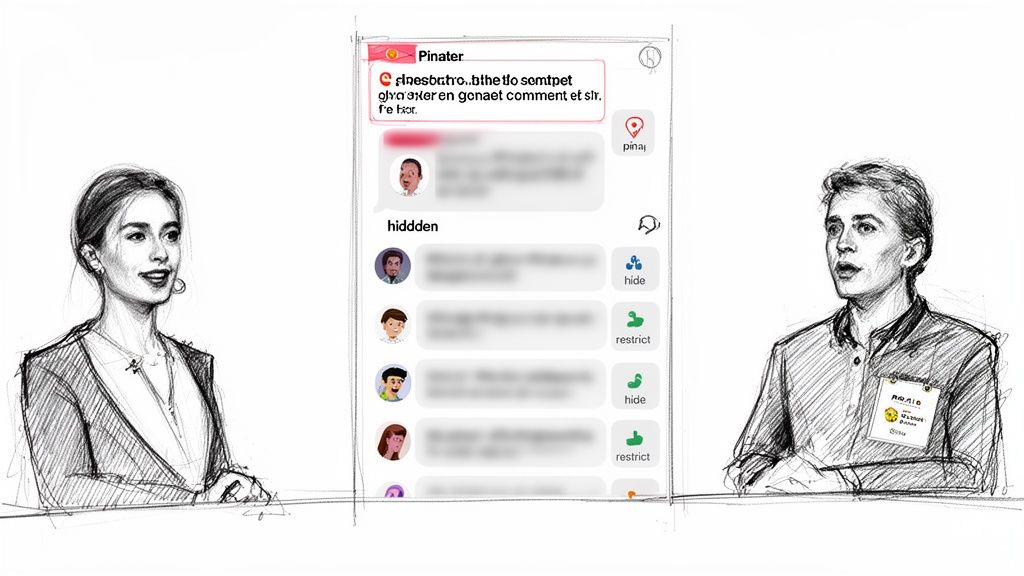
A well-managed comment section is a sign of a professional brand that values its community's time and safety. It tells your audience that you are in control and dedicated to fostering a constructive environment.
Effective curation also plays a massive role in crisis management. If your brand is facing public backlash, temporarily turning off comments can be a necessary move to stop the spread of misinformation. It buys you time to formulate an official response without letting an unmanaged comment section add fuel to the fire. Knowing how to respond to negative comments is a critical skill, and managing your live environment is the very first step.
Ultimately, brand protection and comment moderation are two sides of the same coin. Here’s why:
Maintains Focus: It keeps the conversation centered on your intended topic, whether it's a product launch, a tutorial, or a Q&A.
Prevents Hijacking: It stops competitors, spammers, and trolls from taking over your platform and distracting your audience.
Builds Trust: A clean, respectful comment section makes your audience feel safe and more willing to engage positively with your brand.
Safeguards Reputation: It prevents your brand from being associated with negativity, spam, or harmful content that can damage your image.
Scaling Moderation With AI and Automation
If you're a brand with a big audience or you go Live a lot, trying to moderate comments by hand just isn't going to work long-term. Sure, you can assign a team member to hide comments on your Instagram Live, and that's a good first step.
But what happens when you’re getting hundreds—or even thousands—of comments every minute? It becomes impossible for a human to keep up.
This is where you hit a wall. A person can only move so fast. Spam, troll comments, and off-topic questions will inevitably slip through the cracks, cluttering up the feed and potentially hurting your brand’s reputation in real time. This is the point where relying on native tools and manual oversight starts to cost you more than just time—it costs you sales and customer trust.
The Leap to AI-Powered Comment Management
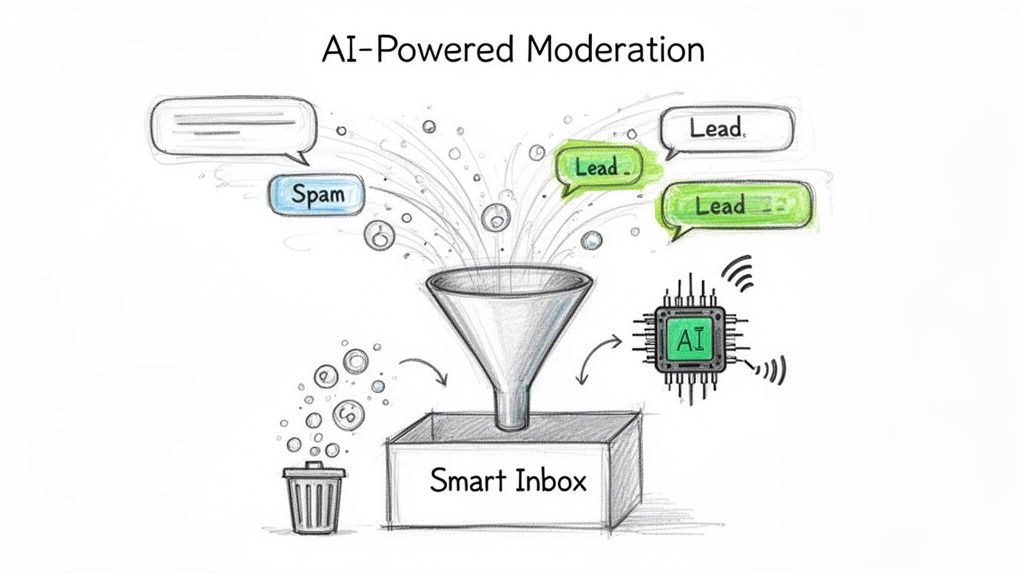
When manual moderation can’t keep pace, AI-powered automation is the answer. Instead of just reacting to bad comments after they appear, these systems proactively manage the entire conversation for you, 24/7. They don't get tired, they don't miss anything, and they operate at a scale no human team could ever match.
Tools like Meet Alto AI completely flip the script on comment moderation. It's not just about filtering a pre-set list of bad words. Alto's AI digs into the context and intent behind every single comment. It instantly spots and hides spam, profanity, and other disruptive comments, making sure your Live broadcast stays a safe and valuable space for your real followers.
Here’s a look at how Alto pulls all your social media interactions into one smart dashboard.
This gives you a single view of every comment and DM from your posts and ads. It's a level of streamlined control that's just not possible using Instagram's native tools by themselves.
From Hiding Spam to Highlighting Sales
But the real power of AI moderation is that it's not just about defense. Today's platforms don't just hide negative comments; they're smart enough to identify positive opportunities, too. Using sentiment analysis, these tools can automatically flag high-intent comments from people who are ready to buy.
Imagine you're running a live shopping event. An AI moderator could instantly hide a thousand spam comments while simultaneously flagging a user’s question about shipping costs or product availability. This surfaces it for your sales team to answer on the spot.
This turns your comment section from a problem you have to manage into a genuine lead-generation machine. It frees up your team to stop playing whack-a-mole with trolls and start focusing on the high-value conversations that actually drive revenue. For a deeper dive into how this works, check out our guide on Instagram comment automation.
Let's put the two approaches side-by-side to see how they stack up.
Manual Moderation vs AI-Powered Automation (Meet Alto AI)
For growing brands, the choice between sticking with native tools and adopting an AI solution comes down to scale, accuracy, and whether you want to be reactive or proactive. While manual moderation works for smaller accounts, it quickly hits a ceiling.
Feature | Manual Moderation (Native Tools) | AI Automation (Meet Alto AI) |
|---|---|---|
Speed & Scale | Limited by human capacity; struggles with high volume. | Instant and scalable to thousands of comments per minute. |
Accuracy | Prone to human error; relies on simple keyword lists. | Uses contextual AI and sentiment analysis to understand intent. |
Lead Identification | Relies on moderators manually spotting sales questions. | Automatically flags high-intent leads and customer service issues. |
Operational Focus | Reactive; focused on deleting negative comments. | Proactive; focused on protecting the brand and surfacing sales opportunities. |
For any brand that's serious about growth on Instagram Live, scaling your moderation isn't just a "nice-to-have"—it's a necessity. AI and automation give you the tools to not only protect your reputation but also to turn your live engagement into something that measurably drives your business forward.
Answering Your Top Instagram Live Questions
Now that you know the different ways to manage your broadcast, let's tackle a few of the big questions that always seem to come up. Getting these details straight will give you the confidence to moderate your Instagram Live like a pro, knowing exactly what happens when you take action.
If I Hide a Comment, Does the User Know It Was Hidden?
Nope. When you hide a comment, the user who posted it gets no notification.
From their perspective, everything looks normal—they can still see their own comment on their screen. But for you and everyone else in the Live, it’s gone.
This is actually a pretty smart, low-key feature from Instagram. It lets you de-escalate a situation without directly calling out the user, which can sometimes just provoke them into creating another account to keep spamming you.
Can I See or Restore Comments After Hiding Them?
Once you hide a comment during a live session, it's gone for good. The action is immediate and permanent, both for the live broadcast and for the replay if you decide to share it later. There's no "undo" button here.
Because this action is irreversible, be sure before you click. For obvious spam or abuse, it's an easy call. But for comments that are in a gray area, just remember that once they're hidden, they aren't coming back.
This is a big limitation for brands that need a complete record of all user interactions for compliance or reporting. If you need that paper trail, the native tools won't cut it.
Does Turning Off Comments Hurt My Engagement?
It's a common fear, but turning off comments doesn't necessarily kill your engagement. While it obviously drops your comment count to zero, viewers can still interact by sending a constant stream of "Hearts."
More importantly, total watch time is one of the strongest signals you can send to the Instagram algorithm.
Think about it: a clean, spam-free broadcast encourages people to stick around longer. That positive, extended viewing session can be far more valuable than a bunch of low-quality or negative comments. For big announcements or focused presentations where brand safety is key, it's almost always a worthwhile trade-off.
Should I Block a User or Just Hide Their Comments?
The right move here really depends on the user's behavior. Is it a one-time disruption or a pattern of harassment? Your response should match the severity.
Hiding a comment is perfect for a single off-topic or mildly inappropriate message. It’s a quick, no-drama way to clean up the chat.
Blocking a user is the right call for someone who is repeatedly spamming, harassing other viewers, or posting hateful stuff.
Blocking is your ultimate tool for protecting your community. It boots the user from your digital space entirely—they won't be able to find your profile, watch your Stories, or join any future Live broadcasts. When you're dealing with a persistent troll, blocking is the definitive way to keep the environment safe for your real audience.
When you can't be everywhere at once, Meet Alto AI automates comment moderation for you. Our platform brings all your comments and DMs into a single smart inbox, automatically hiding trolls and spam while flagging high-intent sales leads in real time. Protect your brand and turn your comments into revenue by visiting https://meetalto.ai.