The 12 Best Free Social Media Management Tools of 2026
Discover the best free social media management tools to automate scheduling and engagement. Our 2026 guide covers top platforms for every social media need.

Alto AI
on
Jan 24, 2026
Managing a successful social media presence is a complex, time-consuming effort. Juggling content creation, scheduling posts across different platforms, engaging with followers, and tracking performance metrics can quickly overwhelm even the most organized teams. The core challenge isn't just a lack of time; it's about maintaining consistency and quality without a significant budget. This is where dedicated software makes a critical difference, automating repetitive tasks and providing a centralized command center for your entire social strategy.
This guide is designed to help you navigate the crowded market and find the best free social media management tools that fit your specific needs. We’ve moved beyond generic feature lists to provide an in-depth analysis of the most powerful free plans available today. For each of the 12 tools on our list, we break down exactly what you get without paying, including the limitations on user seats, connected profiles, and scheduled posts.
You will discover the ideal use case for each platform, whether you're an e-commerce brand focused on Instagram, a B2B company prioritizing LinkedIn, or a digital agency managing multiple client accounts. We provide a clear, honest assessment of each tool's pros and cons, complete with screenshots and direct links to help you make an informed decision quickly. Our goal is to equip you with a comprehensive resource that helps you streamline your workflow, boost your engagement, and achieve your social media goals, all without impacting your budget. Let's find the right tool for you.
1. Meta Business Suite
Best for: Businesses deeply invested in the Facebook and Instagram ecosystem.
As Meta's own native platform, Business Suite is an essential, 100% free tool for managing your Facebook Page and Instagram business profile from a single dashboard. It consolidates core functions like content scheduling, community engagement, and performance analytics without the potential API limitations of third-party apps. This direct integration makes it one of the best free social media management tools for reliability with Meta’s platforms.
The unified inbox is a standout feature, combining Facebook and Instagram comments, DMs, and mentions into one stream. This is crucial for brands that prioritize responsive customer service and want to ensure no message is missed. For businesses running ads, the native connection provides a seamless workflow between organic content planning and paid campaign management. While its interface can sometimes feel clunky and scheduling is limited to Meta’s platforms, its direct, no-cost access is unbeatable for teams focused on Facebook and Instagram.
Feature Breakdown | |
|---|---|
Price | Completely free |
Supported Platforms | Facebook, Instagram |
Best For | E-commerce brands, local businesses, creators |
Key Features & Limitations
Pros: Native integration means no connection errors or third-party bugs. The unified inbox is a powerful tool for community management and can even be used for social media lead generation.
Cons: Limited to Facebook and Instagram only. The user interface can occasionally be slow or glitchy, and scheduling is restricted to a relatively short window (often around 29 days).
2. Buffer
Best for: Individuals and small businesses looking for a simple, reliable multi-platform scheduler.
Buffer is one of the most established and user-friendly names in social media management, known for its clean interface and straightforward scheduling workflow. Its "forever free" plan is a fantastic entry point for those new to scheduling tools, allowing users to connect up to three social channels and queue 10 posts per channel. This makes it one of the best free social media management tools for small brands or solopreneurs who want to maintain a consistent presence without a financial commitment.
The platform excels at its core function: scheduling content. The browser extension and mobile apps make it incredibly easy to add content to your queue from anywhere on the web. While the free plan is limited to basic scheduling and analytics, its reliability and simplicity are its greatest strengths. Unlike some competitors, Buffer's free tier is not a time-limited trial, offering a stable solution for light posting needs across multiple networks.
Feature Breakdown | |
|---|---|
Price | Free plan available; paid plans start at $6/month per channel |
Supported Platforms | Facebook, Instagram, X (Twitter), LinkedIn, Pinterest, TikTok |
Best For | Solopreneurs, creators, small businesses |
Key Features & Limitations
Pros: Extremely intuitive and clean user interface. The browser extension and mobile apps provide a seamless content-sharing experience. Its free plan is stable and truly "forever free" for basic needs.
Cons: The free plan is quite restrictive, with a 10-post queue limit per channel and no access to the engagement inbox. To improve your social media engagement directly within the tool, you'll need to upgrade to a paid plan.
3. Zoho Social
Best for: Small businesses and solopreneurs needing a single-brand solution with broad channel support.
Zoho Social offers one of the most generous forever-free plans available, making it a powerful contender for businesses that need to manage more than just Meta platforms. It provides a comprehensive dashboard for publishing content across a wide range of networks, including LinkedIn and Google Business Profile, which are often excluded from free tiers. This cross-network capability makes it one of the best free social media management tools for establishing a presence on multiple key platforms simultaneously.
The platform is part of the larger Zoho ecosystem, which means it offers a seamless upgrade path to CRM, marketing, and sales tools if your business scales. The free plan includes the zShare browser extension for easily curating and sharing content you find online. While its free tier is limited to one user and one brand, it provides a robust, user-friendly experience for managing core publishing tasks without requiring a credit card to get started, making it an excellent entry point into more structured social media management.
Feature Breakdown | |
|---|---|
Price | Free plan available (no credit card required) |
Supported Platforms | Facebook, Instagram, X (formerly Twitter), LinkedIn, Google Business Profile |
Best For | Solopreneurs, small businesses, users of other Zoho products |
Key Features & Limitations
Pros: Generous platform support on the free plan. The zShare browser extension simplifies content curation, and it’s a gateway into the extensive Zoho software suite.
Cons: The free plan is strictly limited to one brand and one team member. Advanced features like bulk scheduling, content approvals, and in-depth analytics are reserved for paid tiers.
4. Metricool
Best for: Data-driven marketers and solopreneurs needing strong analytics on a budget.
Metricool stands out among the best free social media management tools by offering a surprisingly robust analytics suite in its permanent free tier. While many free tools focus purely on scheduling, Metricool provides valuable insights into your performance and even allows you to track a handful of competitors. This makes it an excellent choice for users who want to make data-informed decisions without an immediate financial commitment.
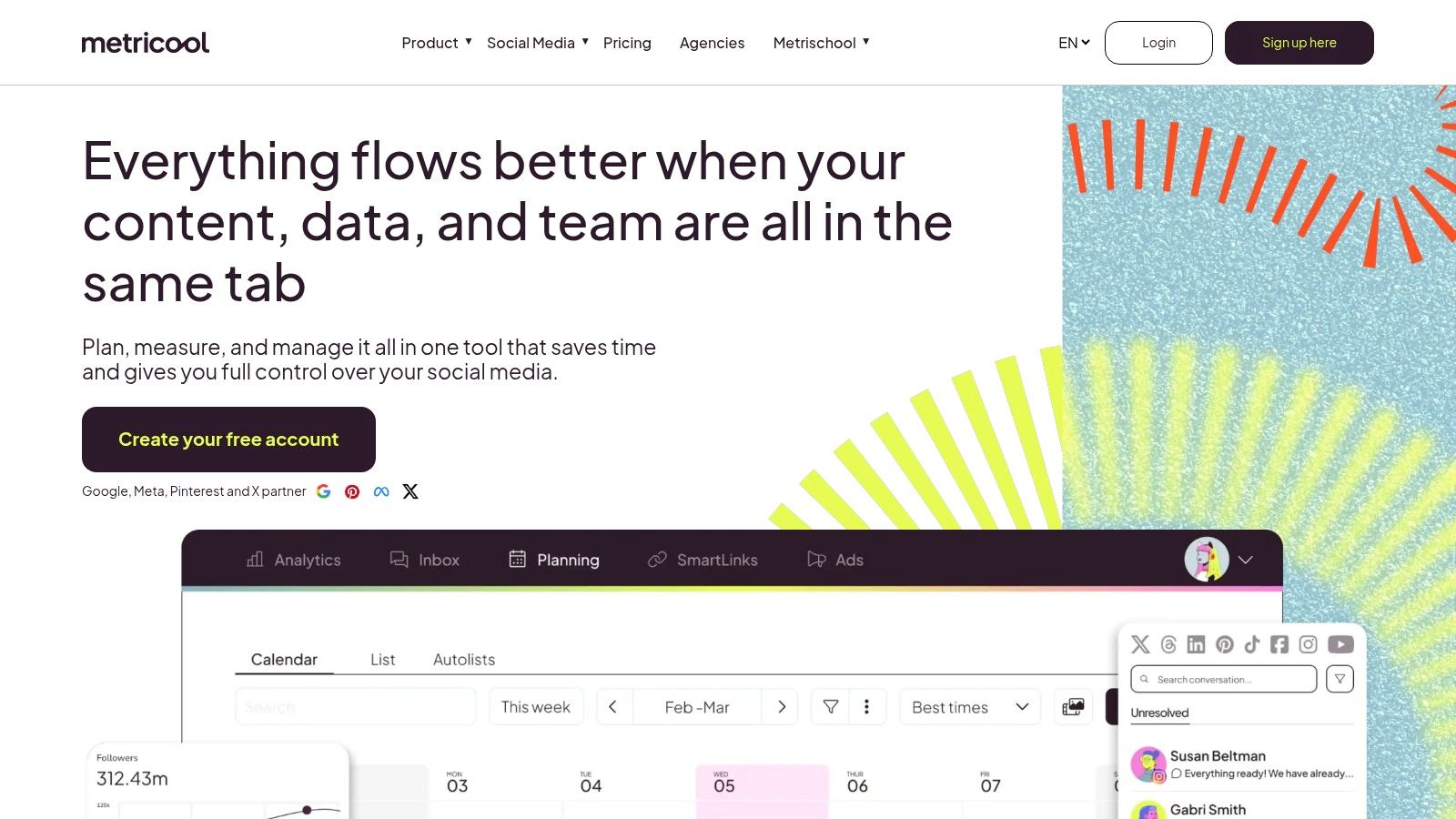
The platform’s planner provides a clean, visual interface for scheduling content, and it includes a helpful AI assistant to generate post ideas. The free plan is generous, covering one brand across multiple platforms and including ad campaign tracking. While the 20 posts-per-month limit may be restrictive for high-volume accounts, it’s a perfect starting point for individuals or small businesses focused on growing with a clear understanding of their performance metrics and competitive landscape.
Feature Breakdown | |
|---|---|
Price | Free plan available; Paid plans start at $22/month |
Supported Platforms | Facebook, Instagram, X (Twitter), LinkedIn, Pinterest, TikTok, Google Business Profile, YouTube, Twitch |
Best For | Freelancers, bloggers, small businesses, data analysts |
Key Features & Limitations
Pros: Strong analytics and reporting capabilities are included in the free tier, which is rare. The ability to track up to 5 competitors for free provides invaluable strategic insights.
Cons: The free plan is limited to 20 posts per month and only retains 30 days of analytics history. Advanced features and deeper integrations require upgrading to a paid plan.
5. Publer
Best for: Solo social media managers and creators who need to manage a diverse, non-traditional mix of social platforms.
Publer stands out in the crowded market of social media management tools by offering one of the most extensive lists of supported platforms on its free plan. It’s a fantastic choice for users who want to experiment with emerging networks like Bluesky, Mastodon, and Threads alongside mainstays like Facebook, Instagram, and TikTok. This broad compatibility makes it a uniquely versatile and forward-thinking free social media management tool.
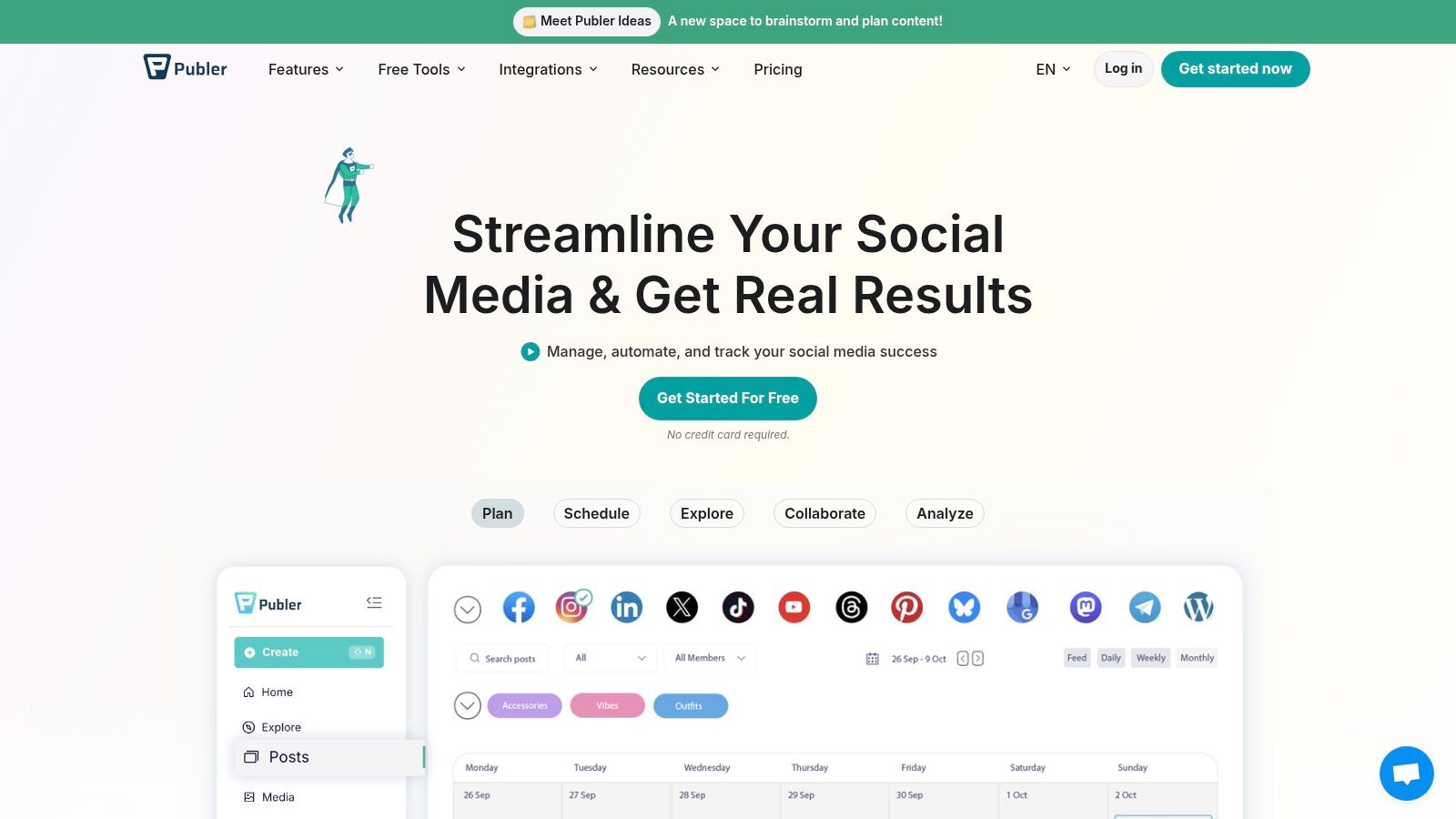
The free tier is practical for individual use, allowing one user to connect three social accounts and schedule up to 10 posts per account at any given time. While this limit is tighter than some competitors, the inclusion of valuable extras like a link-in-bio tool, post drafts, and basic AI assistance for content creation provides significant value. For individuals managing a personal brand or a small project across niche platforms, Publer’s free offering is one of the most comprehensive and flexible options available.
Feature Breakdown | |
|---|---|
Price | Free plan available; paid plans start at $12/month |
Supported Platforms | Facebook, Instagram, TikTok, LinkedIn, Pinterest, Google Business, Threads, Bluesky, Mastodon, YouTube & more |
Best For | Solo creators, tech-savvy marketers, small businesses on diverse platforms |
Key Features & Limitations
Pros: Unmatched range of supported social networks, including emerging platforms. The free plan is generous with its features, offering tools like a link-in-bio and AI helpers.
Cons: X/Twitter is not included in the free plan. The 10 scheduled post limit per account can be restrictive for high-frequency posters, and advanced analytics are reserved for paid tiers.
6. Planoly
Best for: Creators and brands prioritizing Instagram grid aesthetics.
Planoly carved its niche as the go-to visual-first planner for Instagram, and its free plan still delivers exceptional value for those who live and breathe by their grid layout. The platform’s strength lies in its intuitive drag-and-drop interface, allowing users to visually arrange their upcoming posts to create a cohesive and professional-looking feed before anything goes live. It’s an indispensable tool for lifestyle bloggers, photographers, and product-based brands where visual storytelling is paramount.
While the free plan has become more limited over time, it still offers the core functionality needed for light Instagram management. You can schedule photos, draft captions, and manage hashtag groups from one place. However, the 10-upload monthly cap is quite restrictive, making it best suited for individuals or brands with a low-frequency posting schedule. For anyone who obsesses over the perfect Instagram aesthetic, Planoly remains one of the best free social media management tools specifically for visual planning.
Feature Breakdown | |
|---|---|
Price | Free plan available (Paid plans start at $13/month) |
Supported Platforms | Instagram, Pinterest, Facebook, TikTok, YouTube |
Best For | Creators, influencers, photographers, visual-first brands |
Key Features & Limitations
Pros: Excellent drag-and-drop visual grid planner. The interface is clean, user-friendly, and has a very easy learning curve, especially for new creators.
Cons: The free plan is limited to just 10 uploads per month across all platforms. Advanced features like video support, AI-generated captions, and post repurposing are locked behind a paywall.
7. Tailwind
Best for: Creators and businesses heavily focused on visual marketing, especially on Pinterest.
Tailwind has long been the go-to scheduler for Pinterest, and its free plan offers a glimpse into its powerful visual marketing capabilities. While its free tier is restrictive, it provides a unique entry point for those prioritizing Pinterest alongside Instagram and Facebook. The platform’s strength lies in its intelligent scheduling and content creation aids, making it one of the best free social media management tools for optimizing visual content strategy.
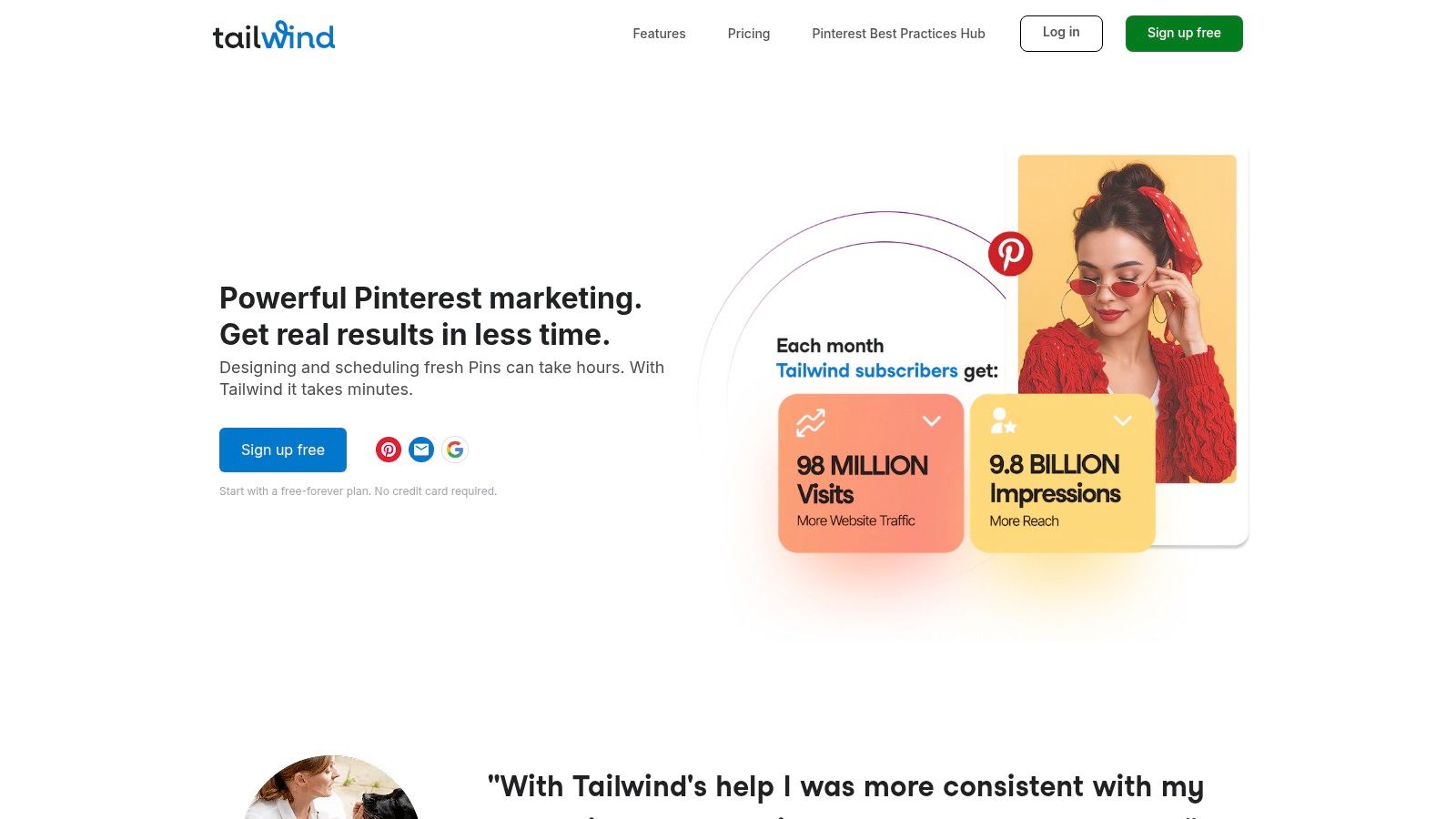
The "SmartSchedule" feature is a key differentiator, analyzing your audience's activity to suggest the absolute best times to post for maximum engagement. Even on the free plan, you get access to basic design templates and a Smart.bio link to create a custom landing page for your Instagram bio. For brands that see Pinterest as a primary traffic driver, Tailwind's specialized features are invaluable, providing insights and automation that generalist tools often lack. Although the free post limit is very low, it's enough to test the platform's core benefits.
Feature Breakdown | |
|---|---|
Price | Free plan available (paid plans from $14.99/month) |
Supported Platforms | Pinterest, Instagram, Facebook |
Best For | Bloggers, e-commerce stores, visual-heavy brands |
Key Features & Limitations
Pros: Unmatched specialization for Pinterest marketing, including Pin creation and smart scheduling. Built-in creative assistance tools help streamline content design.
Cons: The free plan is extremely limited, with only 5 total posts allowed per month across all connected profiles. Advanced analytics and community management features are locked behind paid tiers.
8. CoSchedule (Free Calendar)
Best for: Solopreneurs and content creators who need a simple, visual way to organize their social media posts.
CoSchedule's free offering is built around a clean, intuitive marketing calendar, making it an excellent choice for individuals who prefer a visual-first approach to content planning. The drag-and-drop interface simplifies rescheduling, while its 'Best Time' scheduling feature, available even on the free plan, helps optimize post timing for maximum engagement. This focus on a streamlined calendar workflow makes it one of the best free social media management tools for solo users who need to stay organized without complexity.
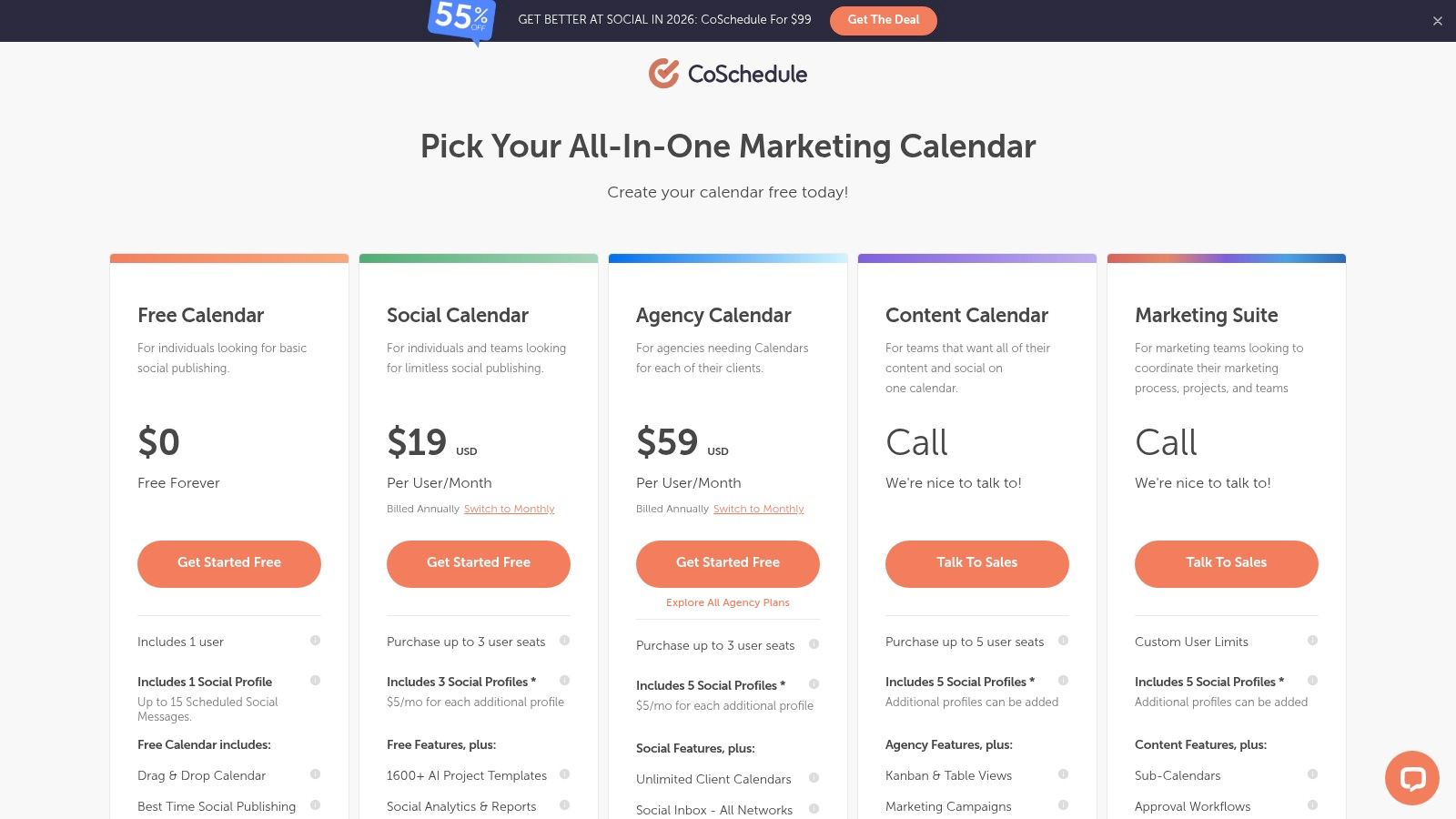
While the free version is quite limited, serving as more of an organizational tool than a comprehensive management platform, it provides a solid foundation. Users get access to basic scheduling for one profile and can even experiment with CoSchedule's AI assistant. For those who value a clear, uncluttered calendar to plan their content, CoSchedule's free plan is a fantastic starting point with a clear upgrade path to more powerful marketing suite features.
Feature Breakdown | |
|---|---|
Price | Free Calendar available |
Supported Platforms | Facebook, Instagram, LinkedIn, Pinterest, Twitter |
Best For | Bloggers, solopreneurs, individual creators |
Key Features & Limitations
Pros: Excellent visual, drag-and-drop calendar makes planning easy. 'Best Time' scheduling is a valuable feature for a free tool. The interface is clean and user-friendly for beginners.
Cons: The free plan is very restrictive, with a limit of only one social profile and up to 15 scheduled messages. Lacks inbox management and robust analytics, and collaboration features are locked behind paid tiers.
9. Agorapulse
Best for: Small businesses or individuals wanting to test a premium tool's interface before committing to a paid plan.
Agorapulse offers a free plan that serves as an excellent entry point into its robust, professional-grade platform. While many tools have a limited-time trial, Agorapulse provides a permanent free option, allowing users to experience a high-end interface and workflow without a deadline. This makes it one of the best free social media management tools for those who may eventually scale into a paid subscription and want to start with the same platform.
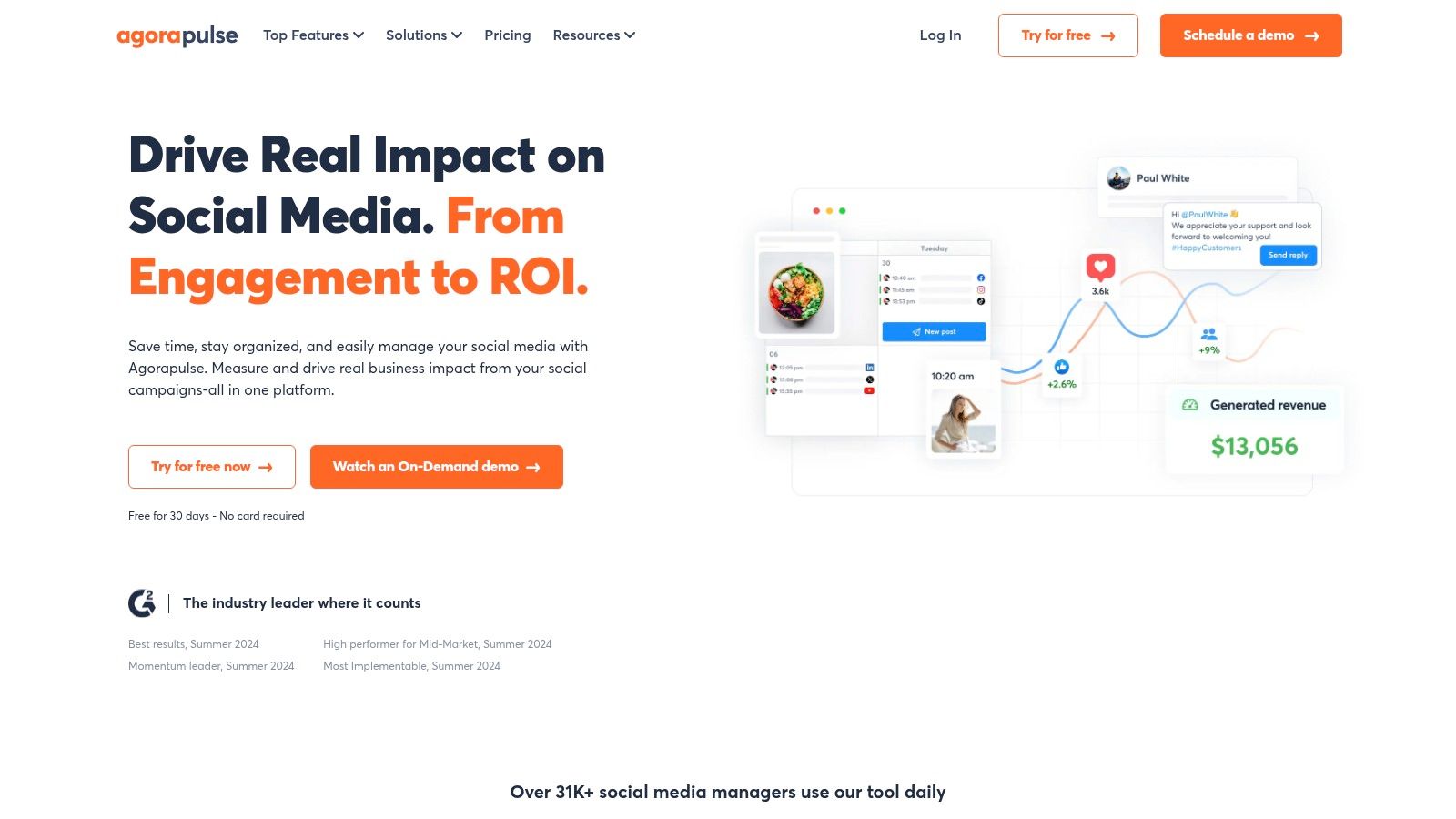
The free plan includes a unified inbox, a core feature of its paid tiers, although it is limited to syncing 100 items per month. This allows you to centralize conversations from your connected profiles in one place, offering a taste of efficient community management. Although the scheduling and inbox limits are quite restrictive, the plan is perfect for a solo user managing a small number of profiles with low post frequency, giving them access to a polished, enterprise-level tool without the cost.
Feature Breakdown | |
|---|---|
Price | Free plan available (with paid tiers starting at $49/month) |
Supported Platforms | Facebook, Instagram, X (Twitter), LinkedIn, YouTube, TikTok, Google Business Profile |
Best For | Solo social media managers, small businesses, freelancers |
Key Features & Limitations
Pros: Access to a premium, user-friendly interface on a permanent free plan. The unified inbox, though limited, is a valuable feature for centralizing customer interactions. You can learn more about effective social media inbox management to maximize its utility.
Cons: The free plan's limits are very modest, with only 10 scheduled posts allowed across all profiles at any given time and a 100-item sync limit on the inbox. More advanced reporting and team collaboration features are locked behind paid plans.
10. Planable
Best for: Teams and agencies needing a robust content collaboration and approval workflow.
Planable excels where many free social media management tools fall short: team collaboration and client approvals. It is fundamentally designed as a collaborative workspace where content is created, reviewed, and signed off before it ever goes live. Its free plan is built to give agencies and brands a full trial of this end-to-end workflow, making it perfect for teams who need to eliminate messy feedback loops over email or spreadsheets.
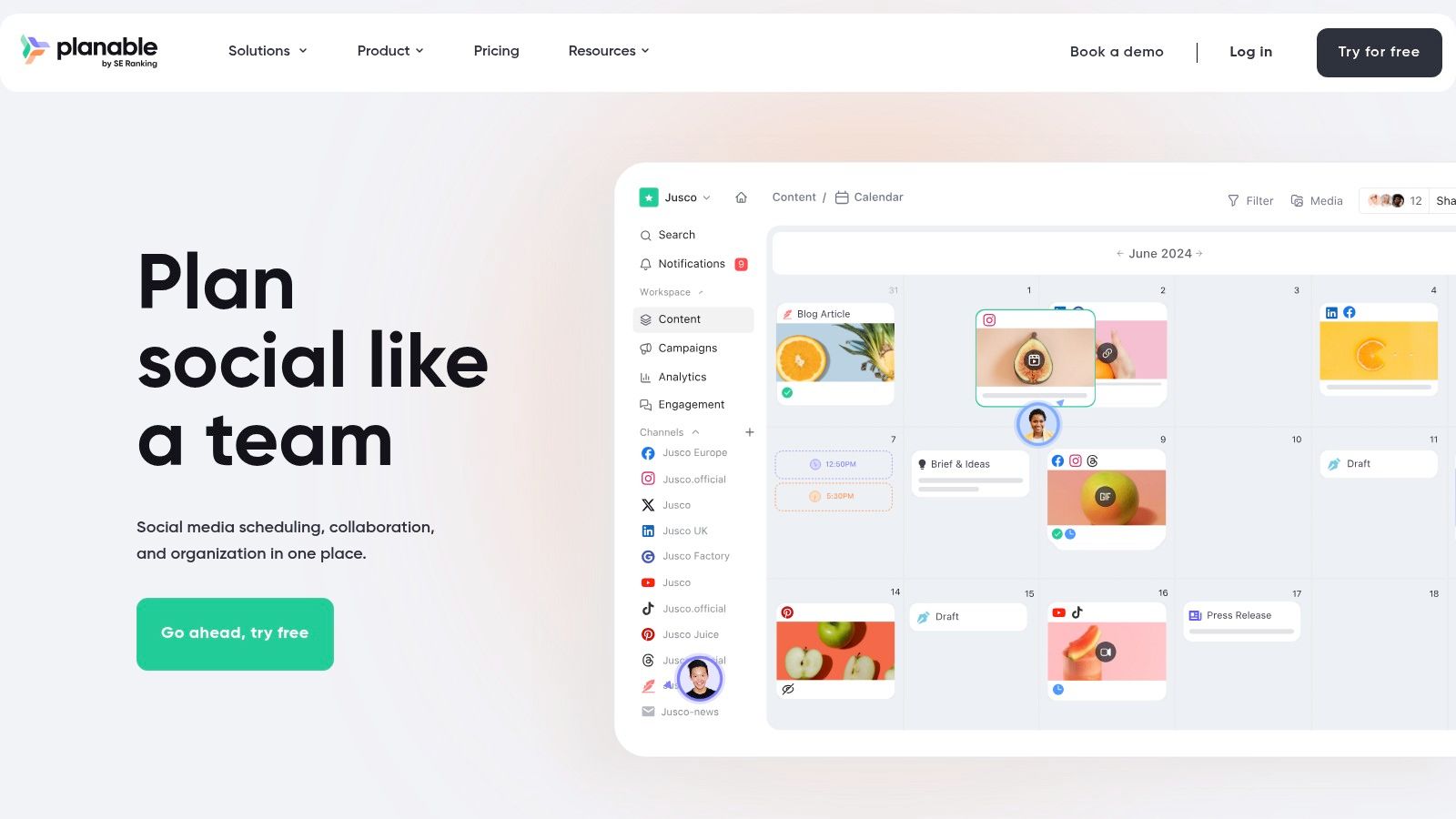
The platform offers multiple views like calendar, feed, and grid, allowing stakeholders to visualize content exactly as it will appear on different social networks. This visual-first approach is crucial for getting buy-in on creative assets. While its free plan is limited by a lifetime cap of 50 total posts, it uniquely includes unlimited users and workspaces, making it ideal for testing its powerful approval systems with your entire team or a trial client before committing to a paid plan.
Feature Breakdown | |
|---|---|
Price | Free plan available (with a lifetime post limit) |
Supported Platforms | Facebook, Instagram, Twitter, LinkedIn, YouTube, TikTok, Google Business Profile |
Best For | Social media agencies, marketing teams, freelance managers |
Key Features & Limitations
Pros: Exceptional collaboration and approval features are included in the free plan. Multiple content views (feed, calendar, grid) make client reviews intuitive and effective.
Cons: The 50-post cap on the free plan is for the lifetime of the account and does not reset, making it a true trial rather than a long-term free solution. Core analytics and engagement features are paid add-ons.
11. Pinterest Native Scheduler
Best for: Creators and brands with a Pinterest-centric visual marketing strategy.
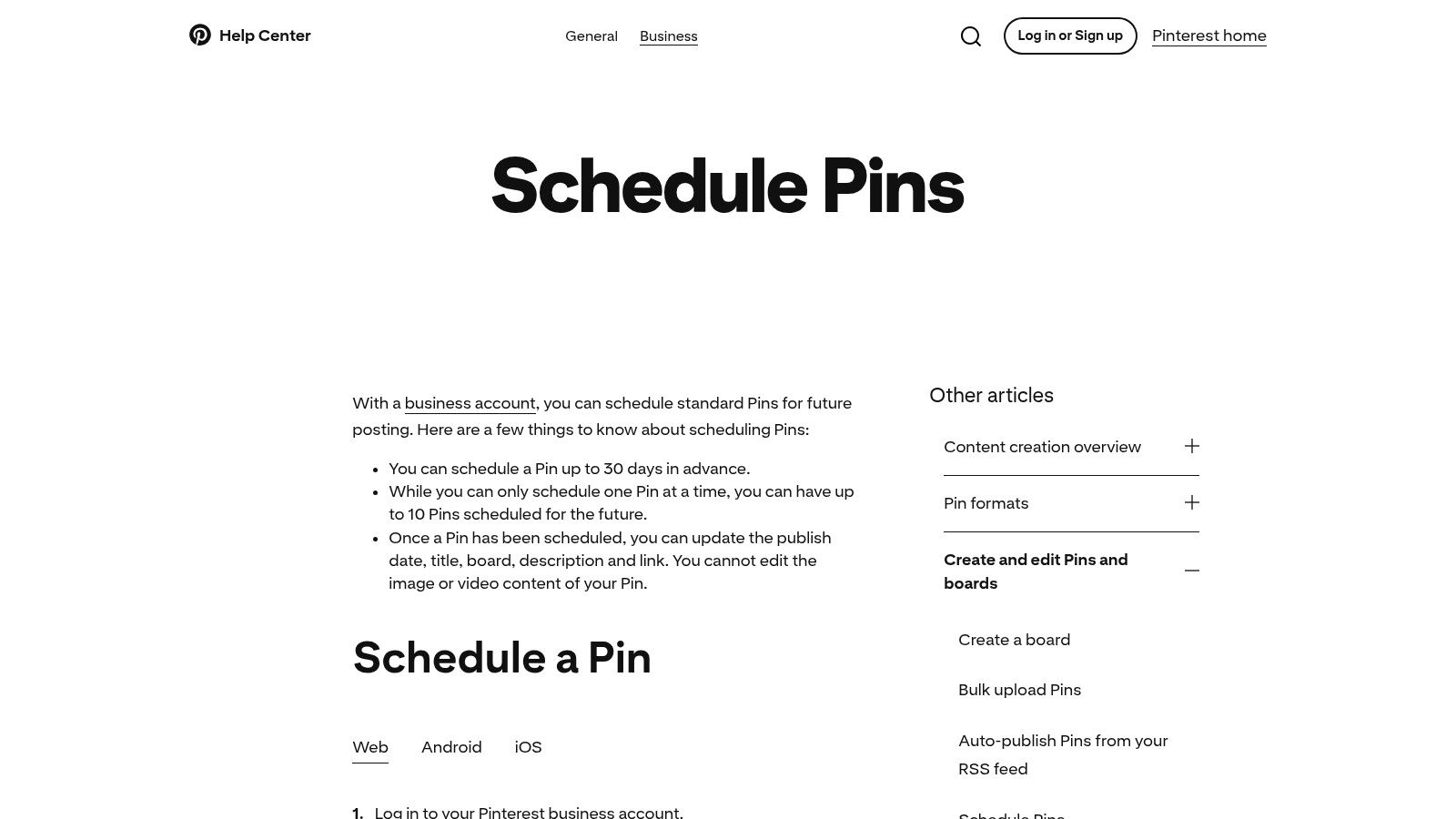
While not a comprehensive multi-platform tool, Pinterest's own native scheduler is an essential free resource for anyone serious about the platform. It allows users with a Business account to schedule Pins directly from their desktop or the mobile app, ensuring perfect formatting and avoiding potential third-party API issues. This direct integration makes it one of the best free social media management tools for a purely Pinterest-focused workflow.
Its primary strength is its simplicity and reliability. You can schedule up to 10 Pins at a time, up to 30 days in advance, directly within the familiar Pinterest interface. This is ideal for batching content creation and maintaining a consistent posting cadence without ever leaving the platform. While it lacks the bulk scheduling or analytics of more advanced tools, it provides a crucial, no-cost function for brands that use Pinterest as a primary traffic or e-commerce driver.
Feature Breakdown | |
|---|---|
Price | Completely free |
Supported Platforms | |
Best For | Bloggers, e-commerce stores, visual-heavy brands |
Key Features & Limitations
Pros: 100% free and native to the platform, meaning no connection errors or third-party limitations. The workflow is straightforward and integrated directly into the Pin creation process.
Cons: Limited to Pinterest only. The scheduling window is short (~30 days), and the queue is capped at 10 Pins, with no native bulk upload or scheduling capabilities.
Visit Pinterest Native Scheduler
12. TikTok Video Scheduler (TikTok for Business)
Best for: Creators and brands focused solely on a consistent TikTok presence.
For teams dedicated to mastering TikTok, the platform’s own native Video Scheduler is a must-use free tool. Integrated directly into the desktop uploader for TikTok Business Accounts, it allows users to schedule videos up to 10 days in advance. This simple, no-frills function removes the need for third-party tools if your only goal is to plan and automate your TikTok feed, making it a reliable choice among the best free social media management tools for this specific platform.
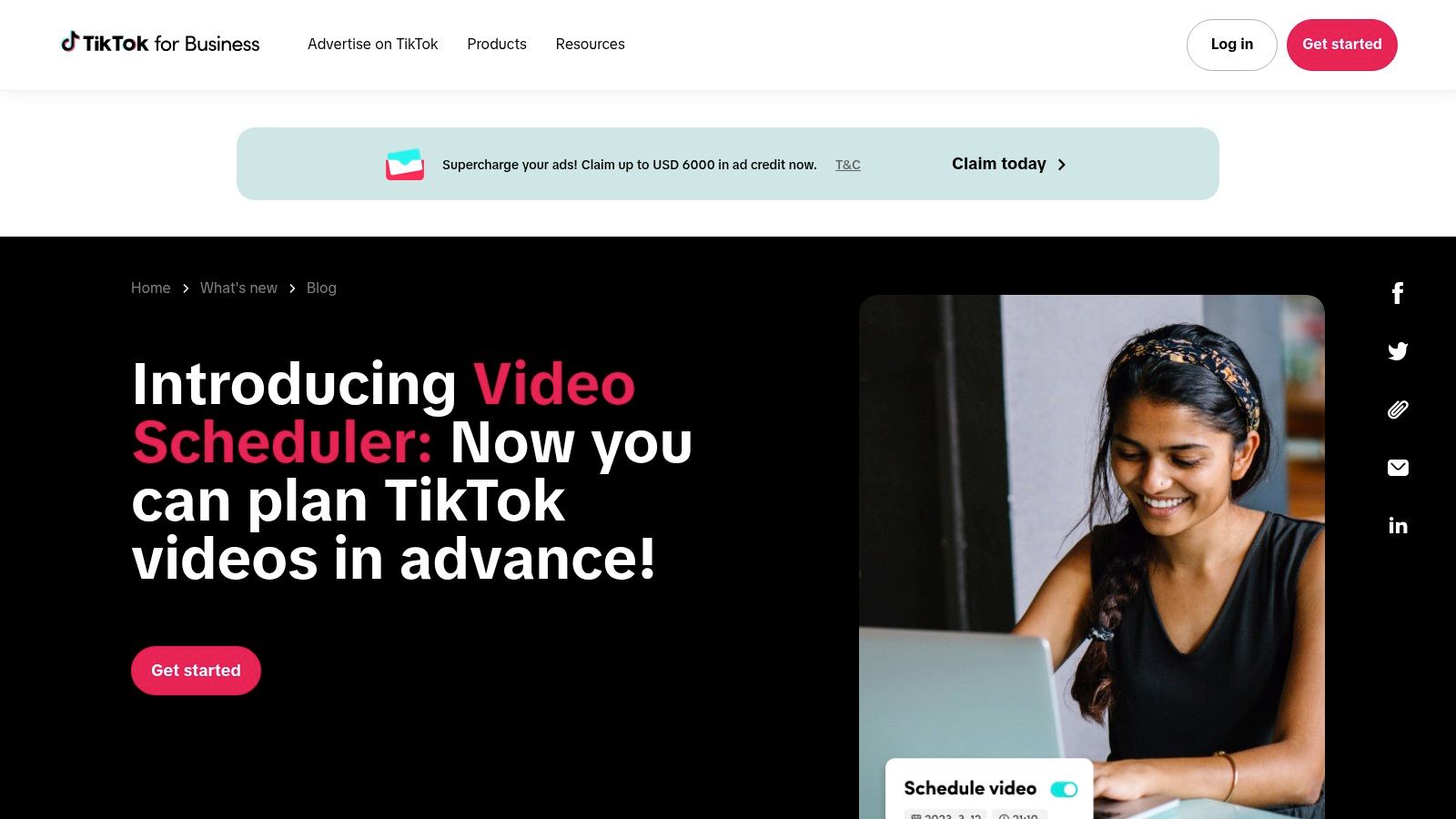
While it lacks a content calendar, inbox, or analytics suite, its primary advantage is its native reliability. You schedule the post directly on TikTok, eliminating potential API errors or posting failures that can sometimes occur with external apps. It’s the perfect solution for batch-creating content and ensuring it goes live at optimal times without manual intervention. To further elevate your content before scheduling, you might want to explore resources discussing the best TikTok editing apps available.
Feature Breakdown | |
|---|---|
Price | Completely free (with a TikTok Business Account) |
Supported Platforms | TikTok |
Best For | Solo creators, content managers, brand accounts |
Key Features & Limitations
Pros: 100% free and native to the platform, ensuring reliability. The workflow is incredibly simple and integrated directly into the web upload process.
Cons: Very limited scheduling window of only 10 days. It offers no features beyond basic scheduling, such as analytics, comment management, or cross-platform posting.
Top 12 Free Social Media Management Tools Comparison
Product | Core focus & key features | Inbox & Automation | Best for | Free tier / Price note | Unique selling point |
|---|---|---|---|---|---|
Meta Business Suite | Native FB & IG scheduling, calendar, basic analytics | Unified inbox for comments/DMs, limited automation | Brands centered on Facebook & Instagram | Free, native (no 3rd‑party limits) | Seamless native integration & permissions |
Buffer | Cross-network scheduler, simple UI, extensions | No unified engagement inbox on free, paid plans add inbox | Small brands testing multi‑platform posting | Free: 3 channels, 10 queued posts/channel | Reliable scheduling, strong mobile/extension support |
Zoho Social | Multi‑channel publishing, ties to Zoho apps | Limited engagement features on free, better in paid tiers | Single‑brand teams wanting Zoho ecosystem | Free: 1 brand, 1 user, publish to multiple channels | Generous channel coverage and smooth Zoho upgrade path |
Metricool | Publishing + analytics + competitor tracking | Minimal inbox features; analytics focused | Users who prioritize analytics on free plan | Free: 1 brand, 20 posts/month, 30 days history | Strong free analytics & competitor insights |
Publer | Broad network scheduler (incl. Mastodon, Bluesky) | Basic engagement; some networks gated to paid plans | Solo users needing wide network coverage | Free: 1 user, 1 workspace, 3 accounts, 10 posts/account | Supports newer networks and practical free tools |
Planoly | Visual‑first Instagram planner, grid preview | Limited comment view for latest posts | Creators and brands focused on IG aesthetics | Free: 1 social set, 10 uploads/month | Excellent Instagram grid & visual planning tools |
Tailwind | Pinterest‑focused scheduling, SmartSchedule | No unified inbox; scheduling & creative helpers | Pinterest creators and marketers | Free: 1 account/platform, 5 posts/month | Pinterest specialization with creative templates |
CoSchedule (Free Calendar) | Calendar‑first workflow, drag‑and‑drop, Best Time | No engagement inbox on free plan | Individuals organizing content calendar | Free: 1 user, 1 profile, 15 scheduled messages | Clean calendar UX with best‑time publishing |
Agorapulse | Full SMM: publishing, inbox, reporting | Unified inbox (limited on free), basic automations | Teams wanting pro‑grade inbox & reporting | Free: 3 profiles, 1 user, 10 scheduled posts total | Pro features with a free option to test platform |
Planable | Collaboration & approval workflows, multiple views | Not inbox‑centric, strong review/approval features | Agencies & client review processes | Free: unlimited users/workspaces, 50 posts lifetime | Robust collaboration and approval tools on free tier |
Pinterest Native Scheduler | Native pin scheduling from app/desktop | No inbox or cross‑posting features | Pin‑only workflows and businesses | Free with Pinterest Business account | Native scheduling with no 3rd‑party limits |
TikTok Video Scheduler | Native TikTok desktop video scheduling | No inbox; short scheduling window (≤10 days) | TikTok creators needing native scheduling | Free for TikTok Business accounts | Native scheduler with in‑app visibility & notifications |
Choosing the Right Free Tool for Your Goals
Navigating the landscape of social media management can feel overwhelming, but the right free tool can provide the structure and efficiency you need to build a strong foundation. We've explored a dozen powerful options, from the native simplicity of Meta Business Suite to the multi-platform versatility of Buffer and the deep analytics of Metricool. The key takeaway is that the best free social media management tools are not one-size-fits-all; they are the ones that directly address your most pressing needs today while offering a path for growth tomorrow.
Your ideal choice hinges on your specific operational focus. A DTC brand prioritizing visual platforms like Instagram and Pinterest might find Planoly or Tailwind indispensable. In contrast, an agency juggling multiple clients will appreciate the collaborative workflows offered by tools like Planable, even in their free versions. The critical first step is to honestly assess your primary goal. Are you trying to save time on scheduling, gain deeper insights from data, or streamline team collaboration?
From Scheduling to Scaling: Identifying the Gaps
Free tools are exceptional for mastering the art of content planning and scheduling. They help you establish consistency, a non-negotiable element for audience growth. However, as your brand’s visibility increases, a new and more complex challenge emerges: managing the flood of engagement. The comments on your organic posts, the DMs from potential customers, and the replies to your paid ads quickly become too much to handle manually.
This is the universal limitation of free scheduling platforms. They are built to publish content, not to manage the conversations that content generates. This engagement gap is where high-intent leads are lost, customer questions go unanswered, and your brand's reputation is put at risk. Relying solely on a free scheduler means you are likely missing out on valuable sales opportunities hidden within your comments and DMs.
Creating a Powerful, Cost-Effective Social Stack
The most strategic approach is not to abandon free tools but to augment them. By pairing a robust free scheduler like Zoho Social or Publer with a specialized engagement and inbox management solution, you create a comprehensive social media stack that is both powerful and budget-friendly. This allows you to automate your content calendar while simultaneously ensuring no customer interaction slips through the cracks.
Your final decision should be a strategic one. Before committing, consider these factors:
Primary Platforms: Which 2-3 social networks drive the most value for your business? Ensure the tool excels there.
Core Task: Is your biggest pain point scheduling, analytics, or collaboration? Pick the tool that solves that specific problem best.
Growth Potential: What does the first paid tier look like? If you anticipate needing more features soon, choose a tool with an affordable and logical upgrade path.
As you weigh your options and finalize your selection, this comprehensive list of the 12 best free social media management tools in 2025 can provide further comparisons and insights. Ultimately, the right free tool will empower your team to work smarter, not harder, freeing up valuable time to focus on strategy, creativity, and building genuine connections with your audience.
Ready to close the engagement gap that free schedulers can't fill? While the tools above manage your calendar, Meet Alto AI manages your conversations, using AI to filter spam, hide troll comments, and automatically reply to sales inquiries and support questions in your brand's voice. Stop missing leads in your DMs and ad comments by discovering how Meet Alto AI can turn your engagement into revenue.