How to Manage Multiple Instagram Accounts: A Practical Guide
Learn how to manage multiple instagram accounts efficiently with quick workflows, posting tips, and proven strategies to boost reach.

Alto AI
on
Jan 26, 2026

The simple answer? Stop juggling. Use a centralized platform to bring all your DMs and comments into one dashboard.
This turns the chaos of switching between accounts into a smooth, organized workflow. But the real question isn't just how to do it—it's why this is so critical for actually growing your business.
Why Managing Multiple Instagram Accounts Is Crucial for Growth

Instagram isn't just a place to post pretty pictures anymore. It's a full-blown engine for modern commerce. For everyone from scrappy DTC brands to massive global agencies, running a single account just doesn't cut it. A multi-account strategy has become a competitive must-have.
We see brands running separate profiles all the time to:
Segment by location: Think distinct accounts for the US, UK, and Australia. This allows for localized content, promotions, and customer support that actually resonates.
Target specific product lines: A brand selling both high-end skincare and everyday cosmetics can create dedicated accounts to build niche communities around each.
A/B test creative concepts: Running different ad campaigns or content styles on separate accounts gives you crystal-clear data on what works for different audiences.
Support different business functions: It's common to see a main brand account, a separate one purely for customer support, and maybe another for recruitment or corporate news.
The Hidden Costs of Doing It Manually
While this strategy is powerful on paper, it quickly descends into operational chaos when you try to manage it all by hand. The native Instagram app, which caps you at five accounts, becomes an instant bottleneck. Constantly logging in and out is a recipe for inefficiency and mistakes.
Imagine a social media manager for a retail brand. They spend the morning replying to comments on the main US account, only to find out they missed a hot lead in the European account's DMs from eight hours ago. By the time they see it, that potential customer is long gone.
This isn't a rare mishap; it's the daily grind for far too many teams. The friction of manual account switching directly translates into missed sales, frustrated customers, and a burnt-out team.
The reality is that managing multiple Instagram accounts is now standard practice for any ambitious brand. With over 2 billion monthly active users, Instagram's role in social commerce is massive. A staggering 90% of those users follow at least one business, and growing brands often manage 5-10 accounts to reach their diverse audiences.
Without the right systems, a social media manager can waste up to 11.7 hours per month per account just on manual tasks like checking DMs. That's time that could be spent on strategy, not tedious app-switching.
Manual vs Centralized Instagram Management: A Quick Comparison
The difference between managing your accounts the old way and using a centralized system is night and day. One approach is a constant source of friction, while the other creates a streamlined engine for growth.
Here's a quick breakdown of what that looks like in practice:
Feature | Manual Management (The Old Way) | Centralized Management (The Smart Way) |
|---|---|---|
Inbox Access | Log in and out of each account individually | All DMs and comments in a single, unified inbox |
Team Collaboration | Sharing passwords; no clear ownership | Assign conversations to specific team members |
Response Time | Slow and inconsistent; easy to miss messages | Fast, consistent responses; clear SLAs |
Lead Tracking | No systematic way to identify or track leads | Automatic lead tagging and qualification |
Performance Data | Disconnected data; hard to measure ROI | Unified analytics and ROI tracking across all accounts |
As you can see, sticking with the manual method isn't just inconvenient—it actively puts you at a competitive disadvantage.
Moving From Chaos to a Competitive Advantage
The problem here isn't just logistical; it's strategic. A messy workflow doesn't just waste time—it actively hurts your brand and your bottom line. Inconsistent response times, a fragmented brand voice, and lost sales are the direct results.
For some businesses, a good first step is to delegate. You could hire a dedicated Instagram Virtual Assistant to handle the day-to-day engagement and free up your core team.
But for true scale, a centralized management system is what transforms this chaos into a real competitive edge. It’s not just about convenience. It’s about building a scalable, revenue-generating machine. By bringing all your conversations into one place, you build a system where every message is seen, every lead is captured, and your team operates at its best.
Our complete guide on how to manage multiple social media accounts dives deeper into these strategies. Now, let's get into the practical steps for making this happen.
Building Your Foundation Inside Meta Business Suite
Before you can even think about a unified inbox or slick automation, you’ve got to get the boring stuff right. The first, absolutely non-negotiable step to juggling multiple Instagram accounts is building a solid foundation inside Meta Business Suite. This is your command center, and getting it right from the jump will save you from a world of headaches later.
I’ve seen too many teams either skip this or slap it together, which almost always leads to a mess of permission issues, broken connections, and security holes. Taking a bit of time to structure your assets properly here is what makes it possible for powerful tools to connect and work their magic.
Consolidating Your Digital Assets
The goal here is simple: get all your Instagram and Facebook assets under one secure roof. Meta Business Suite is built for exactly this. It’s how you stop passing around personal login credentials—a practice that's both risky and impossible to scale.
Instead, you’ll link each Instagram account to its own Facebook Page and then house all of them within a single Business Portfolio.
Instagram Account & Facebook Page Pairing: Every Instagram business profile needs to be linked to one Facebook Page. Think of them as a pair. If you manage an account for your US market and another for the UK, each one needs its own dedicated Facebook Page.
Centralizing in a Business Portfolio: The Business Portfolio (what we used to call Business Manager) is like a holding company for all your digital assets. It’s where you keep your Page-Instagram pairs, your ad accounts, pixels, and everyone on your team.
This structure is the key to granting and revoking access without ever sharing a password. It gives you a secure, top-down view of everything your business owns on Meta’s platforms.
Connecting Your Instagram and Facebook Accounts
Alright, let's get into the actual connection process. This trips people up all the time, but it’s pretty straightforward once you know where to click.
You’ll start inside your Facebook Page settings. Head over to the Page you want to link, go to Settings, and then find the Linked Accounts tab. You'll see an option for Instagram right there. Click Connect account, and it will prompt you to log into the right Instagram profile.
Pro Tip: Before you do anything, double-check that your Instagram account has been converted to a Business or Creator profile. You can't connect a personal Instagram account to a Meta Business Portfolio, and this tiny oversight is probably the #1 reason I see connections fail.
Once it's linked, the Instagram profile name will pop up in the Linked Accounts section. Just rinse and repeat for every Instagram-Facebook pair you manage. This simple action is the bedrock of your entire multi-account setup.
Assigning Roles and Permissions Securely
With all your accounts connected, the next critical move is managing who can do what. This is where Meta's role-based permissions are a lifesaver. You should almost never give everyone full admin access; it's a massive security risk waiting to happen.
Instead, assign roles based on what each team member actually needs to do their job. Here’s a quick rundown of the most common roles:
Role | What They Can Do | Best For |
|---|---|---|
Admin | Full control over everything: adding/removing people, changing settings, managing billing. | Business owners or top-level managers. Use this role sparingly. |
Employee | Access to assigned assets only (e.g., specific Pages and Instagram accounts). | Social media managers, content creators, customer support agents. |
Financial Analyst | View-only access to financial details like invoices and ad spend. | Your accounting team or CFO. |
To properly manage multiple Instagram accounts, you also need a good grasp of tools like Facebook Ads Manager, since it’s so tightly integrated with the Business Suite for running campaigns. Understanding the whole ecosystem helps you assign the right permissions not just for posting, but for ad creation and analytics, too.
When you assign roles thoughtfully, you create a system of checks and balances. For example, a new community manager can be given Employee access to just two of your five Instagram accounts. They can post content and reply to DMs on those accounts, but they can't touch billing info or kick another user out of the Business Portfolio. This granular control is vital for security and keeping operations clean as your team grows. Getting this right from day one makes everything else—from unifying your inbox to scaling your ad spend—run so much smoother.
Unifying Your Conversations with a Smart Inbox
Getting your accounts locked down in Meta Business Suite is a critical first step. It builds a secure, organized foundation. But that's just the launchpad.
The real game-changer is moving from Meta’s native tools to a dedicated, unified smart inbox. This is where you ditch the chaos of constantly switching apps for the calm control of a single command center.
Imagine every DM and comment—from every single Instagram and Facebook account you run—all flowing into one clean dashboard. No more missed messages. No more logging in and out of different profiles. Just one, complete, real-time view of every customer conversation. This isn't just a minor tweak; it's a total overhaul of how you manage multiple Instagram accounts.
From Disconnected Alerts to a Single Source of Truth
Let's be honest, the native Instagram and Meta inboxes are fine for a single account with low volume, but they crumble under pressure. One successful ad campaign can unleash a flood of comments, while DMs pile up across multiple accounts. A smart inbox, like the one we've built at Meet Alto AI, pulls everything together.
This means organic comments, ad comments, DMs, and story replies from all your pages show up in one continuous feed. Instead of five separate inboxes to check, you have one. This single source of truth is the secret to delivering fast, consistent support and making sure no lead ever gets lost in the shuffle.
The setup process below—linking accounts, connecting pages, and assigning roles—is what makes this unified approach possible.
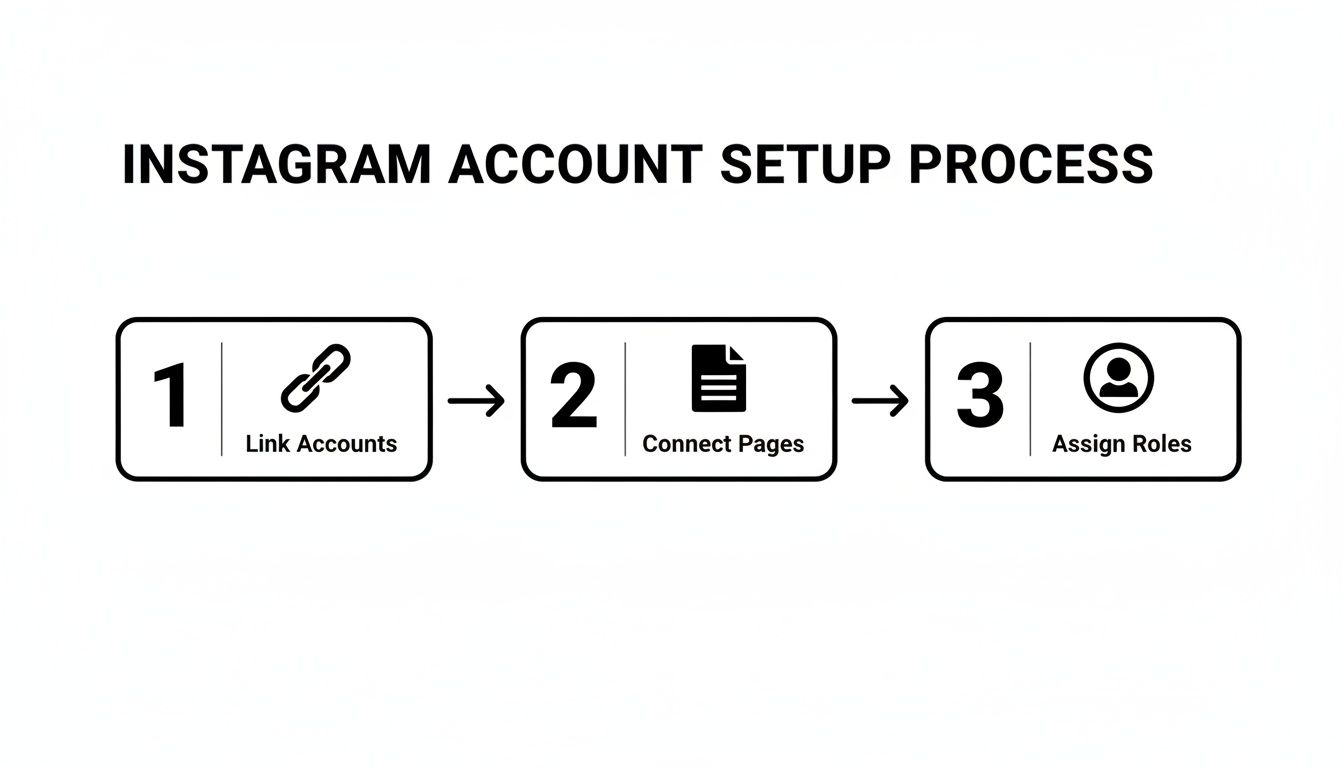
Nailing this structure inside Meta is the prerequisite. It ensures data from all your accounts flows seamlessly into a tool like a smart inbox.
Gaining Control with Actionable Workflows
A unified inbox is more than just a bucket for messages; it's a dynamic workspace built for teams. It adds a layer of organization that native tools just can't match.
Here are a few features that transform a messy inbox into a well-oiled machine:
Conversation Status Tracking: At a glance, you can see which messages are Open, Pending, or Closed. This simple system puts an end to the "did someone reply to this?" guesswork and ensures every single inquiry is tracked to completion.
Real-Time Team Collaboration: Assign conversations to specific team members with a click. A hot sales lead goes straight to your sales rep, while a technical question gets routed to customer support. Team members can even leave internal notes on conversations for context, completely invisible to the customer.
Smart Filters and Views: Instantly slice and dice your inbox to see only unread messages, high-priority conversations, or all DMs from one specific Instagram account. This lets your team focus their energy exactly where it's needed most.
This level of organization is non-negotiable for scaling. A solo founder might juggle a few dozen DMs a day, but a team managing five e-commerce accounts could be staring down hundreds. An actionable workflow is what makes that volume manageable, not overwhelming.
For a deeper look into structuring your comms, check out our guide on effective social media inbox management. It’s packed with strategies that work hand-in-glove with a unified inbox.
Scaling Engagement with Smart Automation and Moderation
So, you’ve wrangled all your DMs and comments into a single smart inbox. That’s a huge win. You’ve replaced total chaos with some much-needed clarity.
But the real magic happens when you start layering intelligent automation and moderation on top of that unified inbox. This is how you truly scale your ability to manage multiple Instagram accounts—by working smarter, not just harder.
A flood of engagement is a great problem to have, but it can bury even the most organized team. Smart automation isn't about replacing your team with bots. It’s about freeing them from the soul-crushing, repetitive tasks so they can focus on conversations that actually build relationships and close deals.
Taming the Flood with Automated Replies
Think about the questions your team answers over and over again. If you're in e-commerce, it’s a familiar chorus: "Price?", "Do you ship to Canada?", "Is this available in blue?" Answering these manually across five different Instagram accounts is a one-way ticket to burnout.
This is where automated replies are a lifesaver. Using a platform like Meet Alto AI, you can set up simple but incredibly effective rules that fire off responses based on specific keywords.
Keyword Trigger: When a comment or DM contains "price," "how much," or "cost."
Automated Action: The system can shoot back a pre-written message like, "Thanks for asking! You can find all the pricing details right here on the product page: [link]."
Just like that, the customer's question is answered instantly, no human intervention needed. You're not just saving time; you're delivering a faster, better experience. The trick is to craft replies that sound like your brand, so they feel genuinely helpful, not robotic. Digging into different ways to handle Instagram comment automation can give you more creative ideas for this.
Protecting Your Brand with Proactive Moderation
Juggling multiple Instagram accounts also means you’re defending multiple brand reputations. As soon as you start running paid ad campaigns, your comment sections can become a magnet for spam, trolls, and straight-up profanity.
Manually deleting these comments is an endless game of whack-a-mole. It pulls your team away from valuable work and lets toxic comments tarnish your brand's image.
AI-powered moderation acts as your 24/7 security guard. Instead of just reacting to harmful comments after they’ve already been seen, you can set up rules to snuff them out instantly.
With a tool like Meet Alto AI, you can create rules to automatically hide or delete comments that contain spammy links, profanity, or even mentions of your competitors. This keeps your ad comments clean and focused on real customers, ensuring your ad spend isn’t wasted attracting negativity.
This kind of automated cleanup is non-negotiable for brand safety. A comment section filled with spam or hateful messages will absolutely scare off real customers and tank your brand's credibility.
Turning Comments into Conversions with AI Tagging
Beyond just managing the noise, the most powerful systems help you find the money in the conversations. Let's be honest, not all comments are created equal. A "love this!" is nice, but "This looks amazing, do you have it in a size large?" is a screaming buy signal.
Trying to manually sift through hundreds of comments to find these golden nuggets is practically impossible when you're managing multiple accounts.
This is where AI-powered sentiment analysis and tagging change the game. A smart system can analyze the language in any comment or DM and automatically categorize it for you.
Sentiment: Is the tone positive, negative, or neutral?
Intent: Is this a sales question, a customer support issue, or just general feedback?
For example, you can set a rule that automatically tags any comment with words like "buy," "order," or "available" as a High-Intent Lead. From there, your smart inbox can instantly route these tagged conversations straight to your sales team's queue.
Suddenly, you have a proactive sales engine. Instead of waiting for leads to hopefully find their way to you, you’re identifying and engaging them the second they show interest. This is how you stop treating social media as just a marketing chore and start turning it into a predictable, measurable source of revenue.
Measuring Performance to Optimize Your Ad Spend
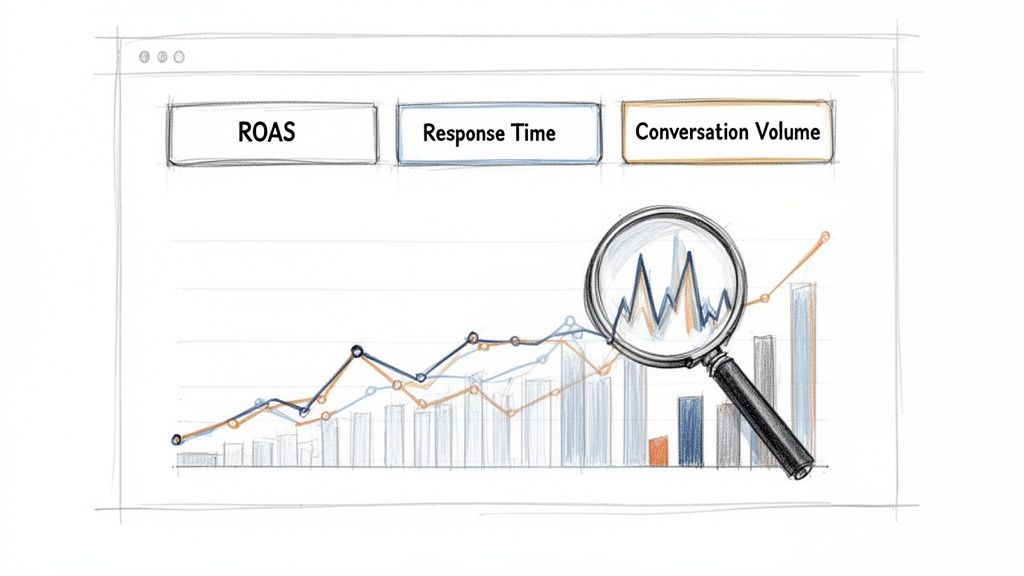
Managing multiple Instagram accounts isn't just about answering messages faster; it's about knowing which activities actually make you money. If you can't connect your social media efforts to the bottom line, you’re just flying blind. This is where you have to move beyond vanity metrics like likes and follower counts.
You need data that really matters. We're talking about the numbers that directly impact your business goals, like Return on Ad Spend (ROAS), lead conversion rates from DMs, and overall team efficiency. These are the metrics that turn social media from a potential cost center into a measurable profit driver.
Moving Beyond Surface-Level Analytics
Sure, the native Instagram Insights tool offers a decent starting point, but it's built for a single-account view. When you're juggling several profiles, trying to stitch together a coherent performance picture from different dashboards is a tedious, often inaccurate process. It's almost impossible to see the bigger picture.
An integrated analytics dashboard, like the one built into Meet Alto AI, solves this problem by pulling data from all your connected accounts into one place. This lets you compare performance apples-to-apples and spot trends you'd otherwise miss.
You might discover that your UK-specific account has a lower conversation volume but a 30% higher conversion rate on DMs compared to your US account. This insight is gold—it tells you to potentially allocate more ad spend to the UK or replicate its successful messaging strategy elsewhere.
Key Metrics to Track for Multi-Account Instagram Management
To truly understand what's working, you need to track Key Performance Indicators (KPIs) that connect social activity to business outcomes. A centralized dashboard lets you monitor these critical metrics across all your accounts at once. Here's a breakdown of what you should be looking at.
Key Metrics to Track for Multi-Account Instagram Management
This table outlines essential KPIs for evaluating the effectiveness of your Instagram strategy, helping you focus on data that drives business results.
Metric | What It Measures | Why It's Important |
|---|---|---|
Team Response Time | The average time it takes for your team to first reply to a DM or comment. | A fast response time directly correlates with higher customer satisfaction and increased sales conversion rates. |
Conversation Volume | The total number of DMs and comments received per account or ad campaign. | Helps you identify which ads are sparking the most engagement and where to allocate support resources. |
Lead Conversion Rate | The percentage of DM conversations that result in a sale or desired action. | This is the ultimate measure of your social selling effectiveness, connecting conversations directly to revenue. |
Sentiment Trends | The ratio of positive, negative, and neutral comments or messages over time. | A powerful indicator of brand health and customer perception, especially after launching a new product or campaign. |
Tracking these numbers gives you a clear, unbiased look at how each account contributes to your overall goals.
Turning Data into Actionable Decisions
Collecting data is only half the battle. The real value comes from interpreting it to make smarter, faster decisions. A unified analytics view empowers you to do just that.
Spot top-performing ad campaigns: By tracking conversation volume and sentiment for each campaign, you can quickly see which ads are generating the most positive, sales-ready conversations. This lets you double down on what works and cut the ads that are just generating noise.
Optimize resource allocation: Is one of your Instagram accounts consistently getting swamped with support questions? The data will make it obvious. You can then assign more team members to that account's inbox or create better automation rules to handle the volume.
Improve your messaging: Are certain questions coming up over and over again on one particular account? That's a clear signal to update your ad copy, product descriptions, or create a new automated reply to address it proactively.
Ultimately, this data-driven approach transforms how you manage multiple Instagram accounts. It moves your team from a reactive, "put-out-the-fires" mode to a proactive, strategic one. You're no longer just answering messages; you're actively optimizing your entire social commerce funnel based on real-time performance data.
Your Instagram Management Questions, Answered
Even with the perfect playbook, questions always pop up once you get into the thick of managing multiple Instagram accounts. We get it. Here are our answers to the most common ones we hear from agencies, e-commerce brands, and busy social media managers.
How Many Instagram Accounts Can I Actually Manage From One Place?
If you're just using the native Instagram app, you’re capped at 5 accounts. You can switch between them, but let's be honest—for any serious business or agency, that's a huge bottleneck. It’s just not built for handling a high volume of conversations efficiently.
This is where a professional tool built on the Meta API, like Meet Alto AI, changes the game. It lets you connect and manage an unlimited number of Instagram and Facebook pages. This isn't just a nice-to-have; it's essential for scaling. You can pull all communications from every brand, region, or client into one dashboard without ever hitting a technical wall.
The real goal isn't just about connecting more accounts. It's about creating a single, sane workspace. You're turning a chaotic, app-switching mess into a streamlined operation where no message or comment gets missed, no matter which profile it came through.
This unified view is what truly unlocks operational efficiency and lets you maintain a consistent brand voice across your entire portfolio.
Will Using a Third-Party Tool for DMs Get My Account Banned?
This is a totally valid concern, and thankfully, the answer is no—as long as you stick with a Meta-approved partner. Tools like Meet Alto AI use the official Meta API, which is the secure, sanctioned way for third-party platforms to talk to Instagram and Facebook.
These partners are vetted directly by Meta. They have to prove they meet all the terms of service and data privacy standards. So, using an approved tool isn't just safe; it’s what Meta actually recommends for businesses managing conversations at scale.
The real danger comes from shady, unauthorized apps that "scrape" data or use unofficial hacks to automate things. Those are the tools that violate Instagram's policies and can get your accounts flagged or shut down. Always, always check that any tool you consider is an official Meta Business Partner.
Can I Automate Replies Without Sounding Like a Canned Robot?
Absolutely. We've come a long way from the cringe-worthy, generic auto-replies of the past. The key today is using automation that's both intelligent and deeply customizable.
With a platform like Meet Alto AI, you can build out sophisticated rules and even train custom AI personalities. These AI models learn your brand’s unique voice, tone, and slang, so the responses feel authentic. This lets you:
Instantly handle the easy stuff: Automate replies for common questions like "how much?" or "do you ship to Canada?" so customers aren't left waiting.
Free up your human experts: Let the AI filter out the noise. This frees up your team to focus on the complex, high-value conversations that really need a human touch.
Keep your brand voice consistent: Every automated reply will sound like it came from you, not a machine, ensuring a seamless customer experience.
Smart automation isn't about replacing your team. It’s about giving them superpowers by handling the repetitive basics, so they can dedicate their expertise where it truly matters.
Ready to stop juggling accounts and start scaling your social operations? With Meet Alto AI, you can bring all your Instagram and Facebook conversations into one smart inbox, automate the repetitive work, and actually turn your social engagement into measurable revenue. Start your free trial today.