What Does Potential Spam Mean on Instagram and Facebook Ads
Confused by the 'what does potential spam mean' label on your ads? Learn what triggers it, how it hurts your brand, and how to manage it effectively.

Alto AI
on
Jan 31, 2026
When Instagram or Facebook slaps a 'Potential Spam' warning on a comment, it’s the platform's way of giving you a friendly tap on the shoulder. It's not a definitive judgment that something is malicious. It's simply Meta's algorithm saying, "Hey, this message looks a little fishy—you might want to take a look."
Something about the comment triggered the system's sensors, which are always on the lookout for bot-like behavior, shady links, or overly generic sales pitches.
Decoding the Potential Spam Warning
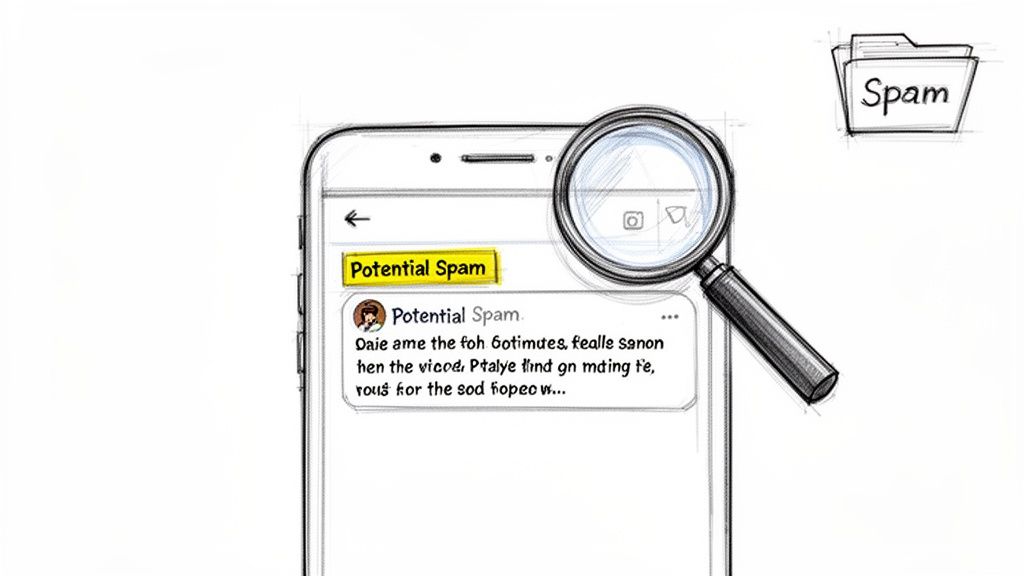
Think of it like the spam filter in your email inbox. Just like your email client sifts through messages to keep your main inbox clean and focused, Meta does the exact same thing for your ad comments and DMs. And it’s a necessary defense. A mind-boggling 90% of social network users have run into unwanted spam. If you're curious about the sheer scale of this problem, these social media spam statistics are pretty eye-opening.
So, when you see that "potential spam" label, it's a signal that a comment could be:
Low-Quality: Think generic, copy-paste comments like "Nice pic!" or "Great post!" that get plastered across hundreds of ads.
A Scam Attempt: These often contain phishing links disguised as deals or promotions for fake giveaways.
Bot Activity: You'll see this with automated comments posted in rapid-fire succession, often from a single account or a network of them.
Unsolicited Promotion: This is when someone tries to hijack your ad's visibility to hawk their own product or service.
It's tempting to see that spam warning as just another nuisance, but it's actually a crucial tool. It gives you the chance to review the content carefully, protecting your brand's reputation, keeping real customer questions from getting buried, and maintaining a safe, professional space on your ad campaigns.
Common Triggers for Potential Spam Flags
Meta's algorithms are complex, but they generally look for a few common red flags. Understanding these triggers can help you spot spam more effectively and even avoid having your own legitimate comments flagged by mistake.
Spam Trigger | What It Looks Like | Why It Gets Flagged |
|---|---|---|
Repetitive Content | The same comment is posted on multiple ads or posts in a short time. | This is classic bot behavior. Humans rarely post the exact same message repeatedly. |
Suspicious Links | URLs that use link shorteners or lead to unverified, sketchy websites. | The algorithm sees this as a potential phishing or malware attempt. |
Keyword Stuffing | A comment packed with irrelevant hashtags or buzzwords. | This tactic is used to manipulate visibility and looks unnatural to the algorithm. |
Aggressive Sales Language | Phrases like "DM me for info!" or "Limited time offer!" from random accounts. | This comes across as unsolicited advertising, which the platform wants to minimize. |
New or Inactive Accounts | Comments from brand-new profiles with no history or posts. | These accounts are often created purely for spamming purposes and get flagged quickly. |
Ultimately, these triggers are all about identifying behavior that doesn't seem human. By getting familiar with what the algorithm is looking for, you can better manage your own inbox and keep your ad comments clean.
Why Your Ad Comments Get Flagged as Potential Spam

When Meta’s algorithm slaps a "potential spam" label on one of your ad comments, it’s not just a random shot in the dark. The system is actually playing a pretty smart game of pattern recognition, always on the lookout for behavior that just doesn't feel human. If you understand what it’s looking for, the whole "potential spam" thing starts to make a lot more sense.
One of the most obvious red flags is sheer repetition and speed. Think about it: if a single user starts plastering the exact same comment—like "Awesome!" or a string of fire emojis—across a dozen different ads in under a minute, that’s a dead giveaway. That kind of high-volume, identical activity is classic bot behavior, and it’s an express lane to the spam folder.
Of course, what’s in the comment matters just as much. The algorithm has been taught to sniff out words and phrases that are almost always tied to shady activity.
Common Content Triggers
Comments get flagged all the time because they contain content that screams "low-quality" or "scam." These usually fall into a few categories:
Scam-Related Keywords: You know the ones. Phrases like "crypto," "giveaway," "free followers," or "DM for details" set off alarm bells immediately because they're the bread and butter of online scams.
Suspicious Links: Any comment that drops a link is going to get a closer look, especially if it's a shortened URL from a service like bit.ly. Scammers love using these to mask phishing sites or malware.
Irrelevant Hashtags: Ever seen a comment loaded with a bunch of trending hashtags that have nothing to do with your ad? That's a spammer's trick to piggyback on your ad's visibility, and the system catches on fast.
Key Takeaway: The "potential spam" label isn't personal. It's an automated defense mechanism triggered by patterns that look a lot like known spam tactics. It's how the platform tries to keep your ads—and your audience—safe from scams, phishing, and just plain junk.
Finally, the account doing the commenting is just as important as the comment itself. If you see a brand-new account with zero followers, no profile picture, and no posts suddenly getting chatty on ads, you're looking at a huge red flag. These are classic "burner" accounts, often created just for spamming, and they're easy for the algorithm to spot.
By piecing together these signals—the repetition, the sketchy content, and the questionable account history—the algorithm makes a pretty good educated guess. And learning to manage Instagram comments effectively really starts with understanding why these filters are working behind the scenes in the first place.
The Real Cost of Ignoring Spam on Your Ad Campaigns
Spam isn't just some minor annoyance you can brush off. Think of it as a silent budget killer, quietly eating away at your campaign's return on investment (ROI). When your comment section gets flooded with garbage, it’s like putting up a wall between you and your real customers.
Legitimate questions and genuine sales inquiries get buried under a mountain of bot-generated noise. This is where the real damage happens. You miss out on sales, and potential buyers walk away feeling completely ignored. If you’re a media buyer pouring serious cash into ads, this means your budget is attracting junk interactions instead of actual leads.
How Spam Sabotages Your ROI
Ignoring the "potential spam" problem doesn't just make your comments look messy—it has very real financial consequences. The damage ripples through your entire campaign, hitting it from multiple angles.
It kills your brand's credibility: A comment section overflowing with spam makes you look unprofessional. Or worse, like you don't care. Prospects start to wonder if your business is even legitimate.
It hides actual leads: Every spam comment pushes a real customer's question further down the feed. That delay could be the difference between closing a sale and losing a customer to a competitor who was paying attention.
It hurts ad performance: Social media algorithms are smart. They prioritize quality engagement. If your ads are just spam magnets, the platform might start penalizing them by showing them to fewer people or jacking up your cost per click (CPC). You end up paying more for worse results.
The financial drain here is no joke. Unchecked spam is projected to cost businesses up to $198 billion annually by 2029. And phishing attempts—a huge source of those spammy links—are hitting a staggering 3.4 billion per day. Letting this run wild on your ads is a direct hit to your campaign performance. You can dig into more of these eye-watering email and social spam statistics to see the full picture.
At the end of the day, dealing with spam isn't just about cleaning house. It’s a core business strategy. You're protecting your ad spend, safeguarding your brand's reputation, and making sure your marketing budget actually connects you with real, paying customers.
Your Guide to Proactively Managing and Filtering Spam
Alright, let's get your comment sections under control and build a solid first line of defense. You don't have to just sit back and take the spam. Meta Business Suite actually has some decent native tools to help you manage the conversation happening around your brand, making sure the spammy stuff doesn't scare off real customers.
Start by digging into the comment moderation rules. This is your best friend for automatically hiding comments that have specific keywords. You'll want to create a custom blocklist with all the usual suspects you see: "free followers," "DM me," "crypto," "giveaway," and so on. This one simple step acts as a powerful first filter and will catch a huge chunk of that low-effort spam.
Building Your Community Management Workflow
Next up, you should absolutely configure your page's profanity filter. It’s a simple way to keep the space brand-safe. You can set it to off, medium, or strong to automatically hide comments with offensive language. This isn't just about cleaning up your comments; it’s about protecting your audience from seeing garbage they didn't sign up for.
But what about the stuff that inevitably slips through? That’s where a good workflow comes in, because ignoring spam isn't a strategy—it's a liability.
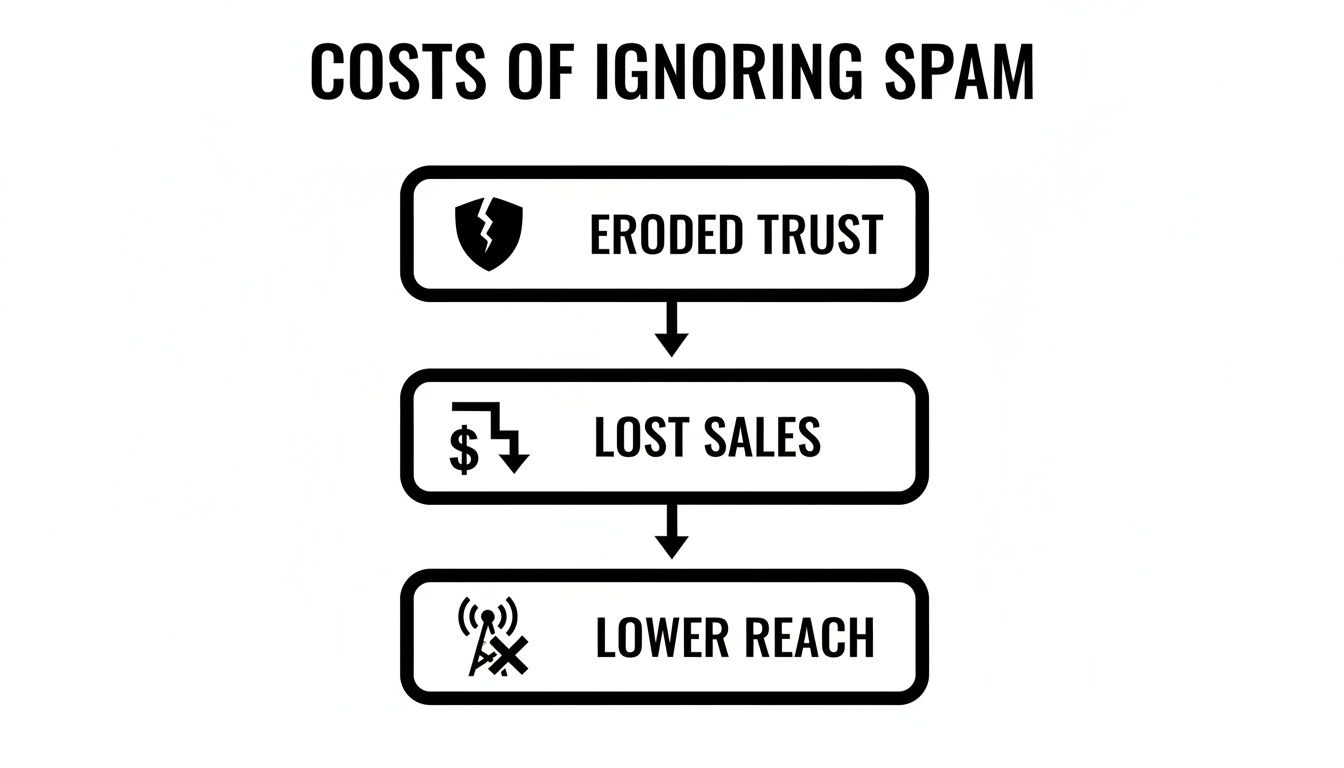
As you can see, failing to manage spam has a real impact on your bottom line and how people perceive your brand. It starts with trust and ends with your reach and sales taking a hit.
When you're reviewing flagged comments, you have a choice: hide or delete. My advice? Hiding is often better. It pulls the comment from public view without tipping off the spammer, who would likely just pop up with a new account anyway. For the really persistent offenders, blocking their account is your best long-term move. If you're looking to maintain a high-quality audience in general, it's also worth looking into ways to filter friends on Facebook to prevent unwanted interactions from the get-go.
Nailing these foundational steps in Facebook Ads comment moderation is non-negotiable for protecting your community. They free up your team to focus on what really matters: engaging with genuine customers instead of playing whack-a-mole with bots.
Automate Your Spam Defense with an AI Smart Inbox
Trying to moderate your comments manually feels like playing whack-a-mole, especially once you start scaling your ad spend. Keeping up with every single comment across dozens of ads isn't just a drain on your time—it's pretty much impossible for a human to do effectively.
This is where automation becomes a total game-changer for any brand that's serious about growth.
Imagine having a system that acts as your tireless, 24/7 community moderator. An AI-powered "smart inbox" does exactly that, pulling every last comment and DM from all your organic posts and paid ads into one clean dashboard. But it’s not just about seeing everything in one place; it's about taking smart, immediate action.
Streamline Your Moderation Process
With the right setup, you can create custom rules that automatically handle all the noise for you. The system can instantly hide harmful spam, delete comments packed with profanity, and archive messages that are completely off-topic. This frees your team from the soul-crushing task of manual filtering.
Platforms like Meet Alto AI not only save countless hours but also help you find the high-intent leads that would otherwise get buried in the chaos. By automatically clearing out the junk, you can focus your energy on the conversations that actually drive revenue. For even more granular control, you can explore no-code AI agent builders to fine-tune your automated spam filters.
By automating that first line of defense, you turn your comment section from a chaotic liability into a streamlined sales channel. The AI handles the junk, while your team gets to focus on engaging with warm leads.
This is what a smart inbox looks like in action—bringing all your conversations into one manageable space.
The platform automatically categorizes conversations, which lets your team quickly spot and respond to urgent customer questions or promising sales opportunities.
By putting this kind of intelligent social media moderation in place, you make sure no lead ever slips through the cracks and your brand's reputation stays protected around the clock. It’s simply the most efficient way to get a handle on the "potential spam" problem when you're running ads at scale.
Frequently Asked Questions About Potential Spam
Even with a solid plan, you're going to have questions about what “potential spam” actually means for your brand. Let's tackle the most common ones we see from marketers trying to manage their ad comments.
If a Comment Is Marked Potential Spam, Should I Always Delete It?
Not always. The first step should always be a quick manual review. While Meta's algorithm is pretty sharp, it can sometimes flag a genuine customer question that's just worded a bit awkwardly. Hitting delete without checking could mean losing a sale or frustrating a potential customer.
The best practice is simple: take a second to look. If it's a real person, approve the comment and jump in with a helpful response. If it's obviously junk—like a link to some crypto scam—then yes, delete it and block the user so they can't come back. This little review step makes sure you don't throw out good leads with the bad.
Can I Completely Stop Spam from Appearing on My Ads?
Getting rid of 100% of spam is probably not going to happen, but you can build a defense so strong that almost none of it ever sees the light of day. The most effective strategy is a layered one.
For the best results, you'll want to combine Meta’s own tools with an AI-powered moderation platform.
Meta's Keyword Blocklists: Think of this as your first line of defense. It’s great for catching the most common and obvious spam phrases.
AI Moderation: A dedicated AI tool works 24/7 in the background, sniffing out and hiding the trickier spam that gets past your initial filters.
This one-two punch keeps your ad comments clean and protects your brand's reputation around the clock.
Will Hiding Spam Comments Hurt My Ad Engagement Score?
Nope, it actually does the opposite. Hiding or deleting spam improves the quality of your engagement, which sends a positive signal to platforms like Facebook and Instagram. Their algorithms are built to reward meaningful interactions, not just the total number of comments.
By cleaning out low-quality, bot-driven comments, you're creating a better experience for real users and making your comment section a place for genuine conversation. This not only protects your ad's performance but can actually boost its relevance score over time.
Think of it as quality control for your comment section. A clean, spam-free space encourages real people to jump in, and that's exactly the kind of engagement the algorithm wants to see.
Ready to stop wasting time on spam and focus on conversations that convert? See how Meet Alto AI centralizes all your comments and DMs into one smart inbox, automatically filtering out the noise so you never miss a high-intent lead again. Learn more at https://meetalto.ai.